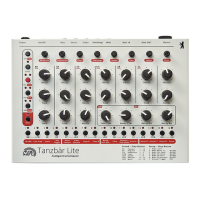
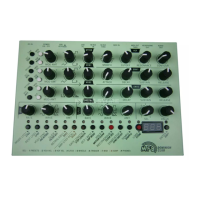
MFB Tanzbär Lite
MFB Tanzbär Lite
Record Mode – Programming Patterns
32 33
Record Mode – Programming Patterns
Please note: The setting „Enable Manual Trigger REC“ is a global function
which is permanent, even when you change operation modes or power down
Tanzbär Lite. Through this function you can basically determine whether
steps played „live“ will be recorded or not as soon as you enable the „Manual
Trigger“ function.
3. Recording / erasing steps in realtime
• Please start the sequencer.
• Press step keys. As soon as you hit step keys, these steps will be recorded into the
current pattern. The quantisation corresponds to the setting of the Scale parameter.
To erase steps quickly without stopping the sequencer, please
• hold Select + press Track key.
While holding both keys, the steps set previously will be deleted as soon as the running
sequencer reaches their position. You can enter new steps immediately.
4. Tweaking sound settings
• Turn Sound controls.
As soon as you turn a Sound control and/or the Data control, the sound of the correspon-
ding instrument will change.
Please note that these tweaks only affect the sound of those steps that have
just been entered „live“ on the y, not of those that might already be part of
the existing pattern. This „performance at the controls“ will not be recorded!
To record parameter changes, you need to use the Realtime Record mode
(please see page 30).
Please also bear in mind that these tweaks will only affect the sound of steps
entered live and on the y, not of those that might already be part of the
existing pattern.
5. Storing patterns
To store the new pattern permanently, you need to use the Store Pattern
function which will be discussed on page 34.
Manual Trigger Recording via MIDI
As mentioned above, you can record steps via MIDI – e.g. using a MIDI keyboard, or
MIDI drumpads. Sounds can also be tweaked „live“ via MIDI controller (but not recorded).
Step recording in the Manual Trigger Record function via MIDI works the same way as with
step keys.
However, you have to adjust some of Tanzbär Lite‘ MIDI functions rst. To do that, please
use Tanzbär Lite‘ MIDI learn function (smart mouse, eh?). The MIDI learn function is used
to assign MIDI note numbers and MIDI channels (1 - 9) to drum instruments. The MIDI
learn function is to be found in the setup menu.
Please open the setup menu rst:
• Hold Shift + press Setup (Step 16). The Shift LED will be ashing.
Select „MIDI learn“ (setup function #1):
• Press Step key 1.
Executing MIDI learn function:
• As soon as the MIDI learn function is enabled, the instrument LEDs will light up suc-
cessively – starting from step 1 (BD) –, waiting for a MIDI note (and the channel #).
As soon as you send a MIDI note to Tanzbär Lite, it will be assigned to the rst inst-
rument (the one with its LED ashing). Now Tanzbär Lite will automatically switch to
the next instrument and wait for input of the next MIDI note (and channel).
When all instruments have been assigned to MIDI notes, the LED of the Select key
will start ashing.
Now hit Select to conrm the assignment and exit the MIDI learn function.
After that, you will need to exit the setup menu:
• Press Shift key.
Tanzbär Lites sound controls and the Data control will receive MIDI controller data on the
MIDI channels that have just been assigned and/or pre-selected.
In the setup menu you can determine whether Tanzbär Lite is to send MIDI notes and
controller data.
Please note: Aside from the Step Record mode, Tanzbär Lite receives MIDI
notes and controller data in all operation modes. This way, you can trigger
steps via MIDI notes and tweak sound parameters via MIDI controllers
without setting any functions previously. Only recording steps via MIDI notes
needs to be activated rst by enabling the Manual-Trigger-Record function.
This is done via setup function # 7.


 To Next Page
 Loading...