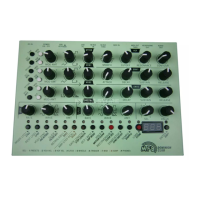
MFB Tanzbär Lite
MFB Tanzbär Lite
Record Mode – Programming Patterns
30 31
Record Mode – Programming Patterns
Realtime Record mode
Instead of programming the sound parameters stepwise, you can record parameter chan-
ges in realtime. In other words, you can tweak the sound controls of an instrument and
record these tweakings into the sequencer. This is how it works:
1. Enabling Record mode / select track
To enable the Record mode and select the desired track (resp. the instru-
ment) at the same time, please
• hold the Rec key + press a Track key.
When releasing the keys, the right LED above the Rec key will light up. If
the selected track contains any steps, their LEDs will also light up.
To record parameter changes in Realtime Record mode, it obviously is
recommended that the selected track contains a certain number of steps.
Setting steps works as described on page 22.
2. Enable Realtime Record mode
• Hold Shift + press Rec. Then release both keys.
For the selected track, the Realtime Record mode has now been enabled.
When the sequencer reaches the next downbeat (resp. step 1), the record
function will automatically become active and wait for your input.
3. Recording parameter changes
• Move sound controls and/or Data control.
Over the duration of one pattern, Tanzbär Lite will record all control tweaks you are
now performing on the selected instrument. As soon as the end of the pattern has been
reached, the record function will automatically be disabled. If the pattern uses an A and B
section, the recording will take place across both sections.
In case you are not happy with the result, simply enable the Realtime Record mode again
(programming step 2) and repeat the recording process. Feel free to „ne-tune“ your pa-
rameter recordings later in Step Record mode. To make things easier, it can be helpful to
reduce the tempo while recording.
4. Saving Patterns
To save your pattern permanently, you need to use the Store Pattern
function, described on page 34.
Manual Trigger mode / Manual Trigger Record
You can trigger Tanzbär Lite‘ instruments in realtime – by hitting step keys or via MIDI,
using a suitable MIDI device such as a keyboard, or drum pads. At the same time, you can
tweak the sounds of the steps played back in realtime, either using the controls on Tanzbär
Lites frontpanel or via MIDI controllers. In this operation mode, Tanzbär Lite will act just like
a MIDI expander. We call it „Manual Trigger mode“.
Apart from that, the „Manual Trigger Record“ function provides recording of steps played
‚live‘ (but not sound parameter changes).
Triggering and recording instruments in realtime
1. Enable Manual Trigger function
• Press Rec key. Its left LED should light up.
The Manual Trigger function has now been enabled. You can trigger all
instruments via step buttons and „play along“ to a running pattern (you may
also sing along if you feel so inclined). Please keep in mind that nothing will
be recorded at this point (speaking of which, this might not be too bad when
it comes to your singing).
Using the sound controls, you can tweak all instruments in realtime.
Please note that these tweaks only affect the sound of those steps that
have just been played live – not of those that might already be a part of the
existing pattern.
2. Enabling Manual Trigger Record
To record your „live-performance“ resp. steps played in realtime, you need to enable the
Manual Trigger Record function. This is done by setup function # 7.
To perform that, please open the setup menu rst:
• Hold Shift + press Setup (Step 16). The Shift LED will start ashing.
Enabling „Manual Trigger REC“ (setup function #7):
• Press Step key 7.
If the Manual Trigger Record function is „on“, step LED 7 will light up.
Exit setup function:
• Press Shift key.
+ Track


 To Next Page