11
MFB Tanzbär Lite Play Mode – Playing the Tanzbär Lite
MFB Tanzbär LiteUser Interface
10
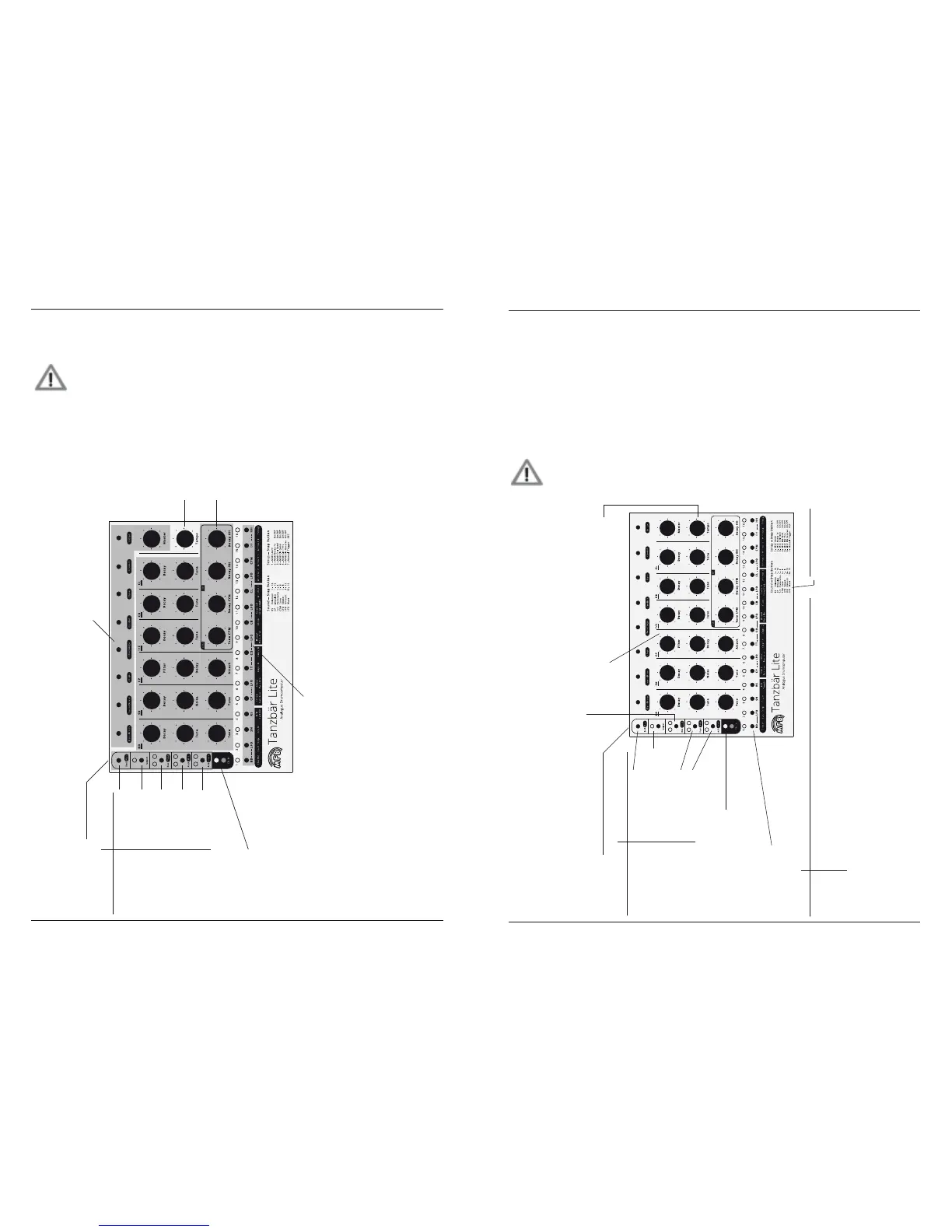
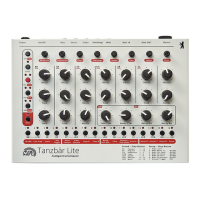
The following gure will show you which modes and functions are related to specic
buttons.
Please note that this is just an overview. You may use it mainly as an orien-
tation or quick programming guide. The complete set of functions and the
operating steps necessary will be explained later in the text. Please feel free
to read on.
OH
Shift
Access to
dual/sub functions
Sound parameters
for:
- bass (BD)
- snare (SD)
- clap (CP)
- tom/conga (T/C)
- cowbell (CB)
- claves (CL)
- cymbal (CYM)
- hihat (HH)
Step keys 1-16 to:
- select Pattern (in Play mode)
- mute track (in Play Mode) / select track (in Record mode)
- select / set / erase steps (in Record mode)
- select sub functions (+ Shift)
- sequencer functions (shuffle etc.) (in Play mode / Record mode)
- add. sound parameter, LFO parameter (in Record mode)
- memory functions
- setup functions (MIDI etc.)
Function
Hidden
sound param.
Select fctn.
Play mode /
Step Rec mode
Pattern
selection
Pattern
A/B-toggel
+ Shift
Play/Stop
- / -
Realtime
Rec mode
Bank
selection
Pattern
chaining
PLAY MODE
First of all, let´s have a go at some demo patterns to give you an idea of what Tanzbär Lite
can do. At the same time, we will learn how to ”perform“ on the Tanzbär Lite – that is, how
to play back patterns, modify them, and how to tweak sounds.
To play back and tweak pre-programmed sounds and patterns, we need to go into PLAY
MODE.
The following gure shows an overview of the Play Mode and its functions.
Please bear in mind this is just an overview. You may use it mainly as an
orientation – all the necessary operating steps are covered in detail in the
following text – please read on carefully.
OH
Tempo
Function keys
Shift
Access to dual/sub functions
Sound parameters
Function
Access to hidden
Sound-Parameter
Reload sound setting
from current pattern
Pattern selection
Pattern A/B toggel
+ Shift
Play/Stop
Save current
sound setting to pattern
Bank selection
Pattern chaining
In Play mode the Rec/Real LEDs have to be off !
(if necessary, press Rec/Real key)
Track mute
Step keys 1 - 16
Shuffle
Shuffle intensity
1 - 16
1 - 16
Last Step
Pattern lenght
1 - 16 steps
1 - 16
Scale
Scale (time signature)
32th. / 16th.-triplet /
16th. / 8th.-triplet / 8th.
1 - 5
A/BToggle
Selects pattern A/B-part
manual / auto
-/-
+ Shift:
- Function:
- Value range:
- Select with
step keys:
+ Snd
add. sound parameter
1 - 16
1 - 16


 To Next Page