MFB Tanzbär LitePlay Mode – Playing the Tanzbär Lite
12 13
MFB Tanzbär Lite Play Mode – Playing the Tanzbär Lite
To enable Play mode, please hit the Rec/Real key. Both LEDs above
should be idle now.
In Play mode, you can play back patterns. The following functions are
available:
• select patterns
• start / stop the sequencer
• adjust tempo
• mute tracks
• tweak the sound settings using the associated controls
• set the shufe intensity
• select pattern length („Last Step“)
• select scaling – only available when sequencer is stopped
• toggle between pattern parts A and B
Selecting patterns
Tanzbär Lite offers four pattern banks with 16 patterns each – 64 patterns in total.
Bank 1 contains great beats created by Berlin-based techno wizard Yapacc. If desired,
the content of Bank 1 can be overwritten (for example when you believe your beats to be
smarter). Banks 2, 3, and 4 are waiting for great creations of your own.
The following gure shows how to select banks and patterns:
Bank 1
(MFB-presets by Yapacc)
Pattern 1
Select bank: Select preset:
Pattern 16
to
Patt/Bnk LEDs:
hold Shift +
press Patt/Bnk
hold Patt/Bnk +
press Step 1-16
Bank 2
Bank 3
Bank 4
Pattern 1
Pattern 16
to
Pattern 1
Pattern 16
to
Pattern 1
Pattern 16
to
Starting / stopping the sequencer
• Hold Shift + press Play. The sequencer will start.
• Hold Shift + press Play again. The sequencer will stop.
Adjusting tempo
• Turn Tempo control.
There is no tempo readout on Tanzbär Lite. The value range of the control covers approx.
30 BPM to 180 BPM.
Muting tracks
• Press Step keys.
When in Play mode, the tracks are directly muted using the corresponding step keys, me-
aning Step 1 = bassdrum, Step 5 = clap etc. LFO tracks can also be muted. In this case,
the pitch of the corresponding instrument will not be modulated anymore. The LED of a
muted track will glow at reduced brightness.
You can decide whether mutes will be stored in a pattern or not when using
the Save Pattern function for permanent saving. Please use the Setup func-
tion #8, described on page 34 of this manual.
Tweaking sounds
• Turn sound parameter controls.
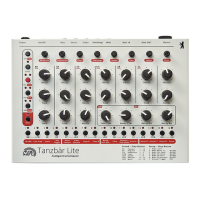
By moving the 19 sound parameter controls, you can tweak the sounds of the seven inst-
ruments in realtime just as you fancy (BD - bassdrum, SD - snare, CP - clap, TT - tom, CO
- conga, CB - cowbell, CL - clave, CYM - cymbal, OH - open hihat, HH - closed hihat).
• Press Select to reload the sound settings stored in the current pattern.
• Hold Shift + press Select to store all edits of a sound in the current pattern.
Attention: The sound settings previously stored in the patterns will be overwritten.
There is no undo function so you better think twice!
We will have a closer look at the sound parameters in the next chapter – stay tuned (no
pun intended).


 To Next Page