MFJ-1270C/1274C COMPUTER INTERFACING
Page 6
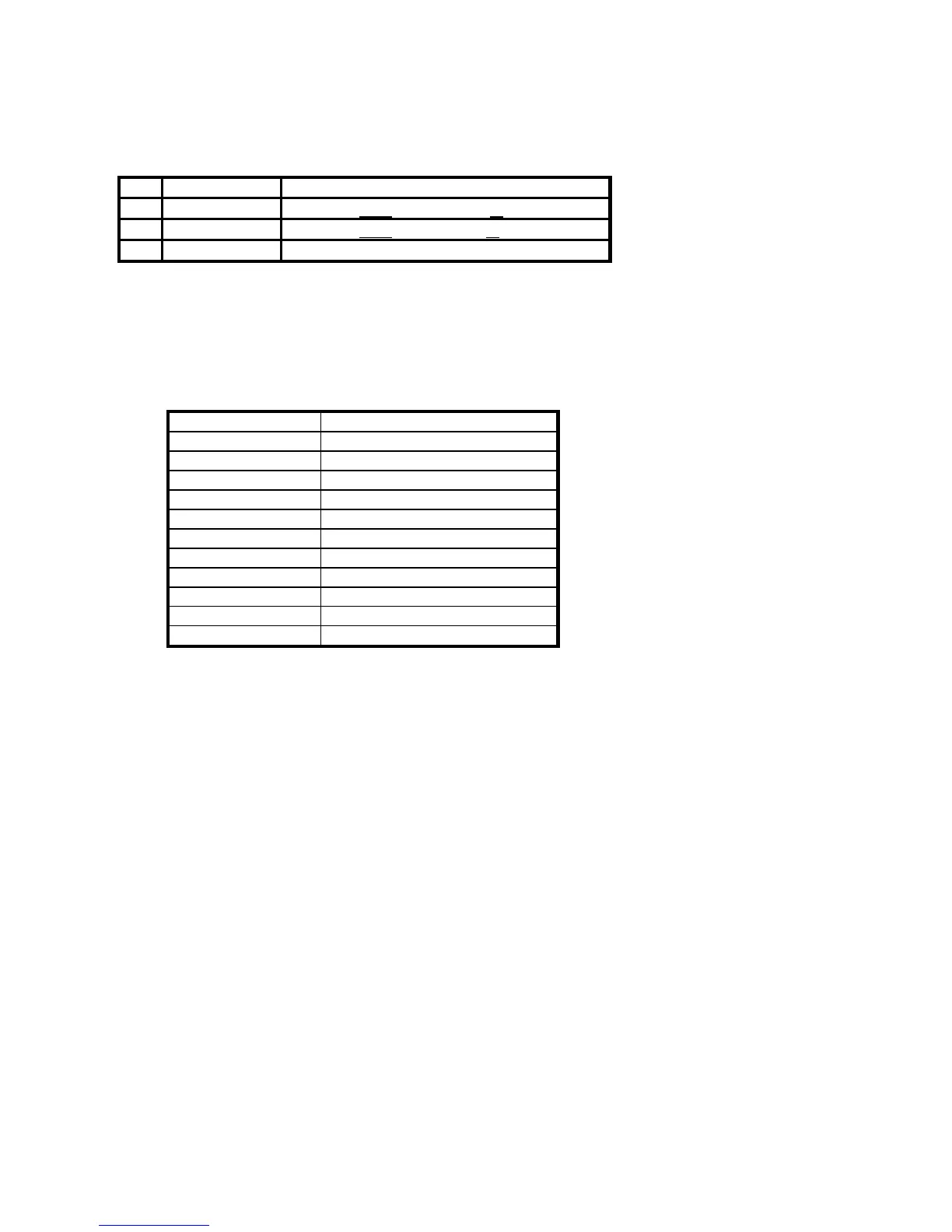
The basic serial port signals reauired by the TNC for normal operation are listed
below in Table 2-1.
Pin Signal Name Description
2 Transmit Data
Serial data from
your computer to
the MFJ TNC
3 Receive Data
Serial data from
the MFJ TNC to your computer
7 Signal Ground The common ground for both data lines.
Table 2-1. Serial port signals required by MFJ TNC .
If your computer is listed below in Table 2-2, refer to the specific information in
the following sections to connect your MFJ TNC to your computer.
Manufacturer Model
Apple Macintosh (tm)
Apple II,II+,IIe,II-gs(tm)
Commodore VIC-20 (tm)
C-64 (tm)
C-128 (tm)
IBM PCjr, PC-XT, PC-AT, 386/486
most PC compatibles
Radio Shack Color Computer (tm)
PC Compatiables
Amiga 500, 3000
NEC 8201
Table 2-2. Computers with specific serial interfacing instructions.
Many computers require a serial port adapter card. These cards incorporate the
circuitry necessary to add an RS-232C port to the computer. Some popular
models in this category are the Apple II series, the IBM Personal Computer,
many Radio Shack computers, and the Sanyo MBC-55X series. If you have one
of these computers with an "add-in" serial port, or if you have another computer
we haven't mentioned, you should skip to one of the sections on "other
computers." If your computer has a 25-pin RS-232C serial port, refer to the


 To Next Page