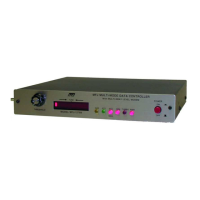
MFJ-1270C/1274C MANUAL BASIC OPERATION
Page 34
Tuning Indicator (MFJ-1274C)
Your MFJ TNC is equipped with a tuning indicator which is sensitive, very
accurate and extremely useful not only for tuning to signals for optimum
reception but also for filter alignment and audio level indication.
The position of the tuning indicator LED is only meaningful for tuning a signal
under the following conditions:
1. The station is transmitting data (both tones NOT just a single carrier).
2. The DCD LED is lit indicating that the signal is within the capture range of
the PLL demodulator.
3. There is sufficient audio output from the receiver for proper operation of
the demodulator.
Assuming that the conditions above are met, tuning in a station with the
tuning indicator is quite simple. Just set the receiver frequency so that the
tuning indicator LED is centered in the display. Actually there are 2 LEDs
which represent the center of the display. Either or both may be used.
PACKET OPERATION
VHF Packet
If you are not familiar with packet operation, then you can learn quite a bit about
it with the MFJ TNC without actually transmitting anything. For your first
experiments, the MFJ TNC will be "talking to itself," allowing you to become
familiar with it before you go on the air.
If you are already familiar with the packet operation, then you may not want to
perform this exercise. In this case go the other modes of operation in this
chapter.
Disconnect your radio from the MFJ TNC and turn off the MFJ TNC. Install
the digital loopback jumper, JMP10. The analog loopback jumper, JMP7,
should not
be installed at the same time. Connect your computer to the MFJ
TNC with your serial cable. Turn on the computer and start your terminal
program.


 To Next Page