MFJ-1270C/1274C COMPUTER INTERFACING
Page 8
digital ground on the MFJ TNC circuit board. A printed circuit board pad is
provided for this purpose near pin 1 of the serial connector.
Commodore C64, C128 and VIC-20
The MFJ TNC has a built-in TTL-level port for interfacing with the
Commodore C64, C128 or the VIC-20 computers. You do not need a RS-232C
converter to interface with the MFJ TNC.
An optional Starter Pack for the C-64, C-128 or the VIC-20 can be purchased
from MFJ Enterprises, Inc. or from any MFJ dealer. The Starter Pack includes
an interface cable from the MFJ TNC TTL port to the user I/O port on the
Commodore computer. A terminal program is also included. To order, specify
MFJ-1282 for software on disk or MFJ-1283 for software on tape.
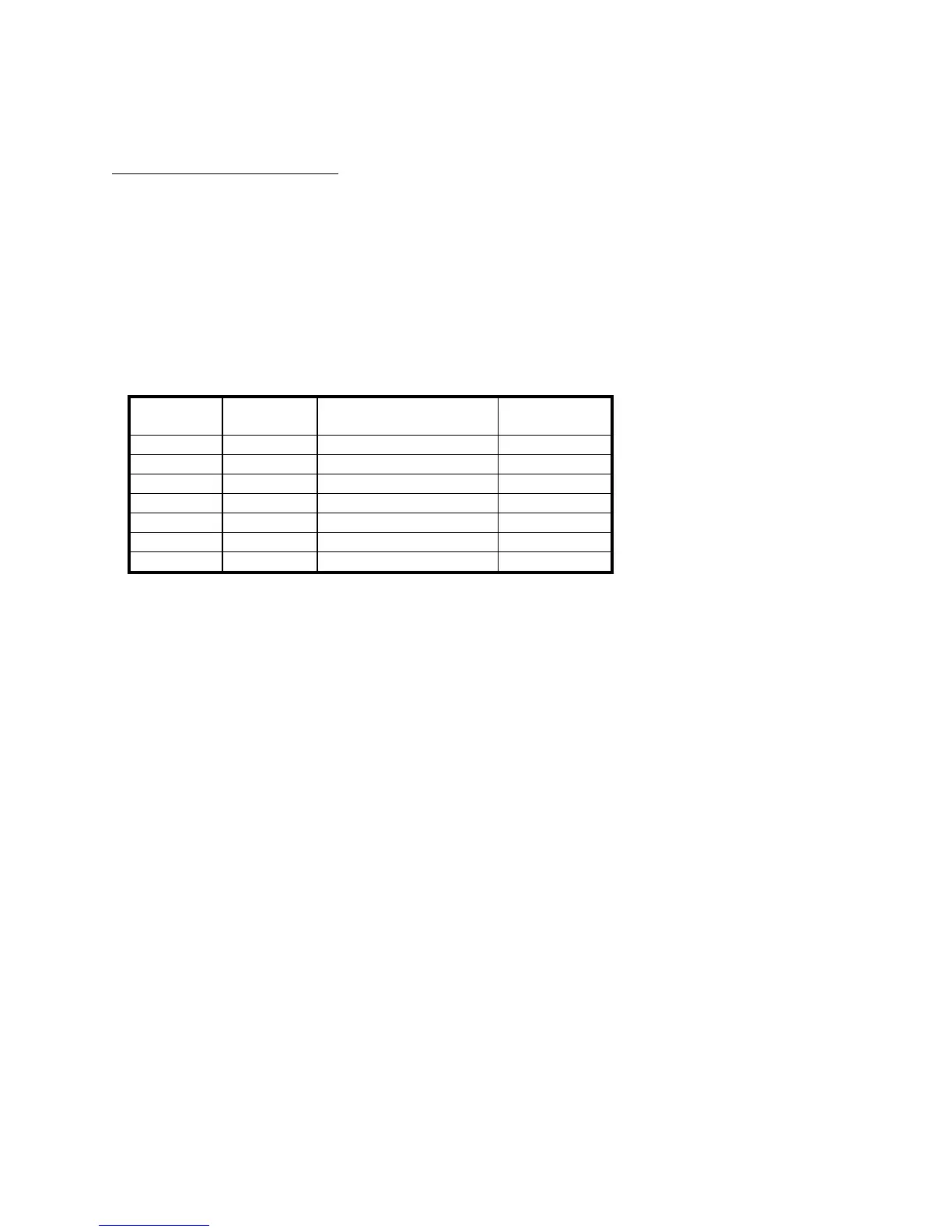
If you wish to construct your own cable, the information is as follows:
MFJ TNC
J-5 Pin#
Mnemonic Name C-64/128*,
VIC-20 Pin#
1 RXD Receive Data B,C
2 DCD Data Carrier Detected H
3 GND Ground(Frame & Signal) N
4 RTS Ready To Send E
5 TXD Transmit Data M
6 DSR Data Set Ready L
7 CTS Clear To Send K
Fig. 2-2A TTL port wiring for VIC-20, C64 and C128
*C-128 is used in the C-64 mode for these connections.
**Pin E is not needed when using terminal program referred to in this
chapter for the Commodore computers.
The pin connections for the TTL port (J-5) are numbered from left to right as
you look at the back of the MFJ TNC . All of these connections are not
necessarily used by your terminal program. The MFJ TNC needs RXD, TXD
and GND connected. Programs which utilize file transfer and printer routines
will probably use RTS and CTS as well. Consult your software documentation.


 To Next Page