MFJ-269D Instruction Manual LF/HF/VHF/UHF SWR Analyzer
23
21.324 MHz 2nd
DTF Xs= 0
3. Now, switch the Frequency selector to the next lower band and look again for the closest value to
Xs=0. Slowly adjust Tune higher or lower in frequency until the Impedance Meter indicates the next
low Impedance Meter reading and reactance Xs= 0 (or as low as possible).
68.511 MHz 2nd
DTF Xs=1
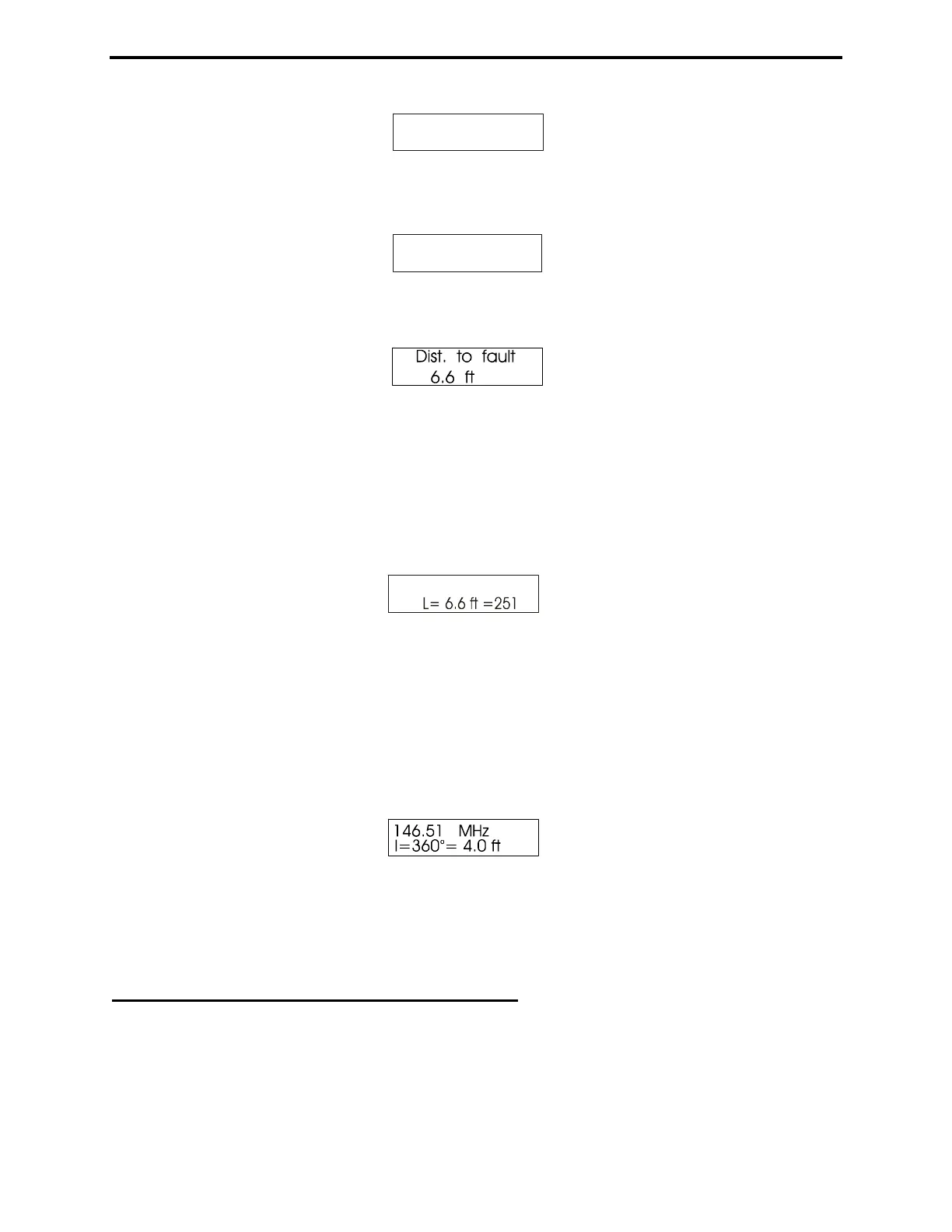
4. Press the “GATE” button again to lock in the second frequency, and the display will change to
indicate distance in feet:
The Dist. to Fault reading is the Physical Distance in Feet to a transmission line fault or mis-
termination. To obtain the true physical distance, the analyzer multiplies Electrical Distance by the
feedline Vf entered in step 1. This reading will only be as accurate as the velocity factor you entered. To
find the Electrical Length in Feet, you must program the velocity factor as Vf=1.00 in step 1.
5. After determining the DTF, press Mode to view the Distance to Fault in feet plus the Electrical
Length in Degrees at the current frequency setting.
68.511 Mhz
o
As you Tune the analyzer frequency, the electrical length of the line will be re-calculated. Note that
Electrical Length repeats at 360 degrees and returns to zero. As a result, it isn't possible to obtain a
reading greater than 359 degrees. This feature is intended to help you trim long lines to desired multiples
of 1/4 or 1/2 wavelength.
6. Pressing Mode once more prompts the analyzer to calculate the physical length for one wavelength of
line (1λ) using the entered Vf at the frequency shown on the display (remember, this is the length using
the Vf set in step 1). If you select a Vp of .5, the result will be the physical length of a half wavelength in
free space.
To confirm reliability, make two or more groups of measurements on different starting frequencies at
least one octave apart. If measured distances agree, the distances measured are confirmed.
If a different wavelength is required, see section 5.5.3.2.
As with other modes, pressing the Mode button steps back to the beginning.
5.5.2 Calculator Functions (direct access)
The MFJ-269D performs calculator functions. These functions may also be accessed from the Distance
to Fault modes. Calculator functions:



 To Next Page