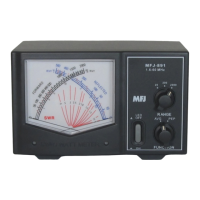
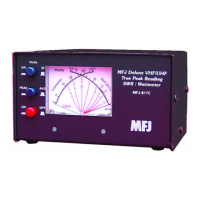
The MFJ-259D is a compact, battery-powered HF/VHF SWR Analyzer designed for a wide range of RF impedance measurements. It integrates a 50-ohm bridge, an eight-bit micro-controller, a frequency counter, and a 0.10-230 MHz variable-frequency oscillator with switched coverage across nine overlapping bands. This combination allows for comprehensive analysis of 50-ohm antennas and transmission line systems, as well as general RF impedance measurements from a few ohms to several hundred ohms. Beyond its primary function as an impedance analyzer, the MFJ-259D also serves as a discrete signal source (RF-Signal Generator) and an independent frequency counter.
Function Description
The MFJ-259D is primarily used to adjust, test, or measure various RF components and systems. Its core capabilities include:
- Antenna Analysis: Measures SWR, impedance (resistance and reactance), resonant frequency, and bandwidth of antennas.
- Antenna Tuner Adjustment: Helps in setting SWR, bandwidth, and frequency for antenna tuners.
- Amplifier Network Tuning: Assists in adjusting input and output matching networks, chokes, suppressors, traps, and other components within amplifiers.
- Coaxial Transmission Line Evaluation: Determines SWR, length, velocity factor, approximate Q and loss, resonant frequency, and impedance of coaxial cables.
- Filter Characteristics: Measures SWR, attenuation, and frequency range of filters.
- Matching/Tuning Stub Analysis: Provides SWR, approximate Q, resonant frequency, bandwidth, and impedance for stubs.
- Trap and Tuned Circuit Assessment: Identifies resonant frequency and approximate Q for traps and tuned circuits.
- Small Capacitor and Inductor Measurement: Determines the value and self-resonant frequency of small capacitors and RF chokes/inductors, including series resonance.
- Transmitter and Oscillator Frequency Check: Functions as a frequency counter for transmitters and oscillators.
The device displays a variety of parameters, including cable length (feet), cable loss (dB), capacitance (pF), inductance (uH), impedance or Z magnitude (ohms), impedance phase (degrees), reactance or X (ohms), resistance or R (ohms), resonance (MHz), return loss (dB), signal frequency (MHz), and SWR (referenced to 50 ohms).
As a non-precision signal source, the VFO output is leveled at approximately 3-Vpp (around 20 milliwatts into a 50-ohm load). This signal is relatively pure, with harmonics better than -25 dBc, and an internal source impedance (Zo) of 50 ohms.
Usage Features
The MFJ-259D offers both basic and advanced operating modes.
Basic Operation (Main Menu):
Upon power-up, the analyzer displays a sequence of screens showing its software version, copyright, and power source voltage. The default operating mode is "Impedance R&X," which is most frequently used for routine antenna adjustments. In this mode, the top line of the display shows the VFO Frequency in MHz and the numerical SWR reading. The lower line displays the Resistive (R) and Reactive (X) impedance components. Analog meters simultaneously show SWR and Impedance Magnitude (Z), which are particularly useful for continuous tuning of circuits like ATUs. Pressing and holding the "Gate" button in this mode displays Impedance Magnitude (Z) and Phase Angle (Ø).
Other basic modes, accessible by tapping the "Mode" switch, include:
- Coax Loss: Measures loss in dB for 50-ohm cables, attenuator pads, transformers, and baluns. The device under test must be unterminated at its far end for accurate readings.
- Capacitance in pF: Checks unknown capacitor values and determines capacitive reactance (Xc) at a given frequency. Displays capacitance in picofarads (pF).
- Inductance in uH: Measures inductance in microhenries (µH) and inductive reactance (XL) at a specific frequency.
- Frequency Counter: Converts the analyzer into a discrete frequency counter. Connect the RF source to the BNC connector labeled "Frequency Counter Input." The gate time can be adjusted for faster response or higher resolution.
Advanced Operation:
Accessed by simultaneously pressing and holding the "Gate" and "Mode" buttons, the Advanced Menu offers additional measurement modes:
- Impedance: Displays impedance magnitude and phase angle.
- Return Loss and Reflection Coefficient: Shows SWR, return loss, impedance, and reflection coefficient.
- Distance to Fault: Useful for finding the physical or electrical length of a cable and locating faults in transmission lines. Requires measuring two X=0 nulls to calculate DTF, which is then multiplied by the cable's velocity factor (Vf) to get physical distance.
- Resonance Mode: Displays VFO frequency, SWR, resistance (R), and reactance (X). The analog impedance meter shows reactance, making it easier to observe frequencies where system reactance crosses zero (X=0).
- Percentage Transmitted Power: Presents forward power as a percentage of apparent power, an alternative way to represent SWR.
General Connection Guidelines:
- Always use high-quality RF adapters and ensure secure, short connections, especially for impedance measurements.
- For complex impedance measurements, connect the MFJ-259D as close (electrically) to the Device Under Test (DUT) as possible to avoid errors from transmission line effects.
- When measuring SWR, good quality 50-ohm cable and connectors are essential.
- Before connecting an antenna without a DC-grounded feed system, momentarily short the cable's center conductor to the shield to discharge static buildup.
- Never apply RF or any other external voltage to the Antenna port, as it can damage the zero-bias detector diodes.
- For frequency counter functions, connect the RF source to the BNC connector, ensuring the input voltage does not exceed 2-volts peak-to-peak.
Tuning Simple Antennas:
- Connect the antenna lead to the SO-239 Antenna connector.
- Set band switches and VFO tuning for the desired band.
- Select an operating mode that displays SWR.
- Adjust the VFO to find the minimum SWR.
- To re-tune, calculate a scaling factor based on the current and desired frequencies, then apply it to the antenna's physical length.
Testing Stubs and Transmission Lines:
- For resonant frequency of stubs, use SWR/Impedance mode. Terminate 1/4λ and odd multiples with an open circuit; 1/2λ and even multiples with a short circuit.
- For velocity factor, use Distance to Fault mode. Measure electrical length (DTF) and physical length, then calculate Vf = physical length / electrical length.
- To measure line impedance, use SWR-Resistance (R) and Reactance (X) Mode with the Impedance Magnitude function. Terminate the far end of the DUT with a non-inductive test resistance and find the minimum and maximum resistance values at X=0 to calculate characteristic impedance.
Adjusting Tuners and Amplifier Matching Networks:
- Connect the analyzer to the tuner's 50-ohm input. Adjust tuner controls for unity SWR.
- For amplifier matching networks, install non-inductive resistors to simulate tube impedances. Adjust networks for 50 ohms and 1:1 SWR at the operating frequency.
- For RF transformers, connect the appropriate winding to the Antenna jack and terminate the other winding with a low-inductance resistor. Sweep the VFO to evaluate impedance and bandwidth.
- For baluns, connect the analyzer to the 50-ohm unbalanced input and terminate the balanced side with two equal-value series resistors. Test SWR by connecting a grounded clip lead to different points (A, B, C) to evaluate current and voltage balun performance.
Testing RF Chokes:
- Use SWR, Resistance (R) + Reactance (X) Mode to test for self-resonance. Sweep the operating range to find impedance dips indicating low-impedance series-resonant frequencies.
Maintenance Features
Power Sources:
The MFJ-259D can be powered by an external DC supply (11-16 VDC at 150 mA, positive center pin) or internal "AA" type batteries.
- External Power: The MFJ-1312D power supply is recommended. Ensure the external supply is well-filtered and provides the correct voltage and polarity to prevent damage. Never apply more than 18 volts.
- Internal Batteries: The analyzer uses eight "AA" batteries. It supports both rechargeable and conventional dry-cell batteries.
- Rechargeable Batteries: An internal charger circuit can trickle-charge rechargeable batteries when external power is connected. The charger jumper must be set to "Charger enabled." A minimum of 13.8 volts from the external supply is required for proper charging.
- Conventional Dry-cell Batteries: For non-rechargeable batteries, the internal charger system MUST be defeated by setting the charger jumper to "Charger disabled." Always remove weak dry-cell batteries promptly to prevent leakage and damage. Do not store the analyzer for extended periods with non-rechargeable batteries installed.
Power Saving Mode (Sleep Mode):
To extend battery life, the analyzer features a "Sleep Mode" that reduces current drain to under 15 mA by shutting down the RF generator. The analyzer enters sleep mode after two minutes of inactivity (no mode switch actuation or frequency adjustment). A blinking "SLP" message indicates sleep mode. To reawaken, momentarily press the "Mode" or "Gate" button. Sleep mode can be temporarily disabled by holding the "Mode" button during power-up.
Low Voltage Warning:
A blinking "VOLTAGE LOW" warning appears if the external DC source or battery voltage drops below 11 volts. Measurements made under low voltage conditions may not be reliable. Pressing "Mode" during this warning will disable it, allowing continued testing.
Accuracy Considerations:
The analyzer's accuracy is influenced by:
- Signal Ingress: Broadband diode detectors can admit out-of-band signals, especially from high-power AM-broadcast stations at lower frequencies. The MFJ-731 Tunable Analyzer Filter is recommended for intense local interference.
- Component Limitations: Diode detectors can become nonlinear at very low voltage levels. The MFJ-259D uses special zero-bias Schottky detectors with linearity enhanced by compensating diodes to minimize this.
- Stray Reactance: Electrical connections within the bridge circuit and to the antenna connector can introduce inaccuracies at higher frequencies or with very high/low load impedances. Careful PC layout and low-capacitance surface-mount components are used to minimize this.
The MFJ-259D is programmed to display warnings for out-of-range results (e.g., "Z > 650") rather than misleading "exact readings."
Technical Assistance:
For any problems not resolved by the manual, technical assistance is available via phone, FAX, or e-mail. When contacting support, it is helpful to have the unit, manual, and a detailed description of the problem and usage context ready.
Warranty:
The MFJ-259D comes with a full 12-month warranty covering defects in material and workmanship from the date of purchase, provided the original owner retains dated proof-of-purchase. MFJ Enterprises, Inc. will repair or replace defective products at its option. The warranty does not cover kits, products installed in owner's cabinets, or consequential damages. Out-of-warranty service is also available for a fee.

 Need help?
 General

 To Next Page