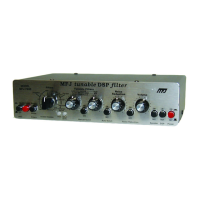
MFJ-784B Fast Start
Fast Start 1
Fast Start
Beginners' Installation and Operation
To install and use the MFJ-784B in the simplest way possible, follow the steps
below.
On some steps we give you a choice of CW or SSB. Choose one
throughout this Fast Start section. SSB also works with AM and FM voice.
1. Install the unit. Follow the installation diagram on the facing page.
2. Set the controls as follows:
Control Position Meaning
AGC button: out AGC off
Program button: N/A N/A
Memory/Normal button: out Tunable/Pre-Set
Filters switch:
CW or SSB
CW or SSB filter
Tunable Filters left knob: center middle center freq.
Manual Notch button: out manual notch off
Tunable Filters right knob: full counter-clockwise widest bandwidth
Auto Notch button: out auto notch off
Noise Reduction control: full counter-clockwise minimum reduction
Noise Reduction button: out noise reduction off
Volume control: full counter-clockwise minimum volume
Speaker button: in speaker on
DSP button: out DSP bypassed
Power button: out MFJ-784B off
3. Apply external power and press and lock the DSP's Power button. The
PWR LED on the front panel should light red. If it is green, press the
Memory/Normal Filters button.
4. Set the input level.
a. Tune your radio to a
CW or SSB
station.
b. Set your
radio's
volume control to a normal level.
c. Use a screwdriver to adjust the Receive Audio Adjust (on the back
panel of the DSP) until the Input Level LED (front panel) flashes mostly
green and never red (red is too high, off is too low).


 To Next Page