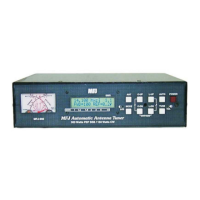
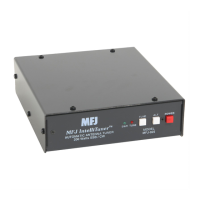
MFJ-993 IntelliTuner Automatic Antenna Tuner Instruction Manual
© 2003-2004 MFJ Enterprises, Inc.
22
• Peak Hold on
• Refresh off
Note: Resetting to factory defaults does not erase the antenna memories.
To reset the tuner to these defaults:
1. Turn off the power to the tuner.
2. Press and hold both the [TUNE] and [L-DN] buttons while turning the power on.
3. Release the buttons when DEFAULTS RESET appears on the display and both meter needles read
full scale.
4. Resume with normal operation.
WARNING: If the MFJ-993 is behaving weirdly or acting erratic, try resetting the tuner to
factory defaults.
Delete Antenna Memory
To delete an antenna memory, select Antenna 1 or Antenna 2 with the [ANT] button that you want to
delete. Turn off power to the tuner, and then press and hold both the [TUNE] and [C-DN] buttons while
turning the power back on. A confirmation message
DELETE ANTENNA will display. Press the YES
[C-UP] button to delete the antenna memory (
DELETED will display and both meter needles go to full
scale), or press the NO [L-UP] button to cancel (
CANCEL will display and both meter needles go to zero
scale). Release the button to resume normal operation. Remember that the selected antenna memory will
be lost!
Total Reset
To erase both antenna memories and reset to factory defaults, press and hold down the [TUNE], [C-DN]
and [L-DN] buttons while turning the power on. A confirmation message
TOTAL RESET will display.
Press the YES [C-UP] button to delete both antenna memories and reset factory defaults (
RESET will
display and both meter needles go to full scale), or press the NO [L-UP] button to cancel (
CANCEL will
display and both meter needles go to zero scale). Release the button to resume normal operation.
Remember that both antenna memories will be lost!
Self Test
A self-test routine will check the functions of the MFJ-993. This routine checks the display, the meter,
the front-panel buttons, the internal memory and the audio circuitry. During the self-test, you may stop
the test by turning off the unit; however, this should NOT be done during the memory test or the memory
could be corrupted. The self-test can be completed in approximately 30 seconds.
This test can also be used to test the optional MFJ-993RC Remote Control. Make sure to press both
[ANT] and [AUTO] buttons on the MFJ-993 tuner to the in position before starting the self-test, and press
the buttons on the MFJ-993RC instead of the front-panel buttons when prompted.
Note: Performing the self-test will reset the unit to its factory default settings.



 To Next Page