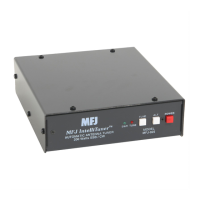
MFJ-993 IntelliTuner Automatic Antenna Tuner Instruction Manual
© 2003-2004 MFJ Enterprises, Inc.
27
In Case of Difficulty
If the LCD screen is blank, check adjustment of the contrast control. If no audio is present (with audio
enabled) adjust the volume control.
If the tuner acts erratic, reset the tuner to factory defaults by pressing both the [TUNE] and [L-DN]
buttons while turning the power on.
If the tuner fails to tune, please double check all connections and follow the tuning procedures again. Be
sure you are using enough inductance (through manual adjustment) and minimum capacitance.
If the tuner arcs at the rated power levels, please double check all connections and follow the tuning
procedures again. Ensure you are not exceeding the tuner’s rated power handling capability. Be sure you
are using the least amount of inductance and the greatest capacitance possible that still allows matching
the load on the operating frequency.
Note: If the tuner arcs when operating on the 160-meter band, it may be necessary to reduce
transmitter output power.
If you are still unsuccessful, but the tuner does adjust and operate when used with a dummy load or
another antenna, please read “Grounding Hints” on page 18 and “Antenna System Hints” on page 19.
Technical Assistance
If you have any problem with this unit first check the appropriate section of this manual. If the manual
does not reference your problem or your problem is not solved by reading the manual, you may call MFJ
Technical Service at 662-323-0549 or the MFJ Factory at 662-323-5869. You will be best helped if you
have your unit, manual and all information on your station handy so you can answer any questions the
technicians may ask.
You can also send questions by mail to MFJ Enterprises, Inc., 300 Industrial Park Road, Starkville, MS
39759; by facsimile (FAX) to 662-323-6551; or by email to techinfo@mfjenterprises.com. Send a
complete description of your problem, an explanation of exactly how you are using your unit, and a
complete description of your station.
List of Accessories
• MFJ-993RC: Remote control
• MFJ-1316: 12 VDC 1.5 amp power supply
• MFJ-5124A: Interface cable for compatible Alinco radios
• MFJ-5124I: Interface cable for compatible Icom radios
• MFJ-5409: 6 feet long RS-232 cable, female DB-9 to male DB9 connector
• MFJ-5803: 3 feet long RG-58 A/U 50-ohm coax cable with a PL-259 connector on each end
• MFJ-5806: 6 feet long RG-58 A/U 50-ohm coax cable with a PL-259 connector on each end
• MFJ-5818: 18 feet long RG-58 A/U 50-ohm coax cable with a PL-259 connector on each end



 To Next Page