51033211EN/AC - Page 15
2. Installation
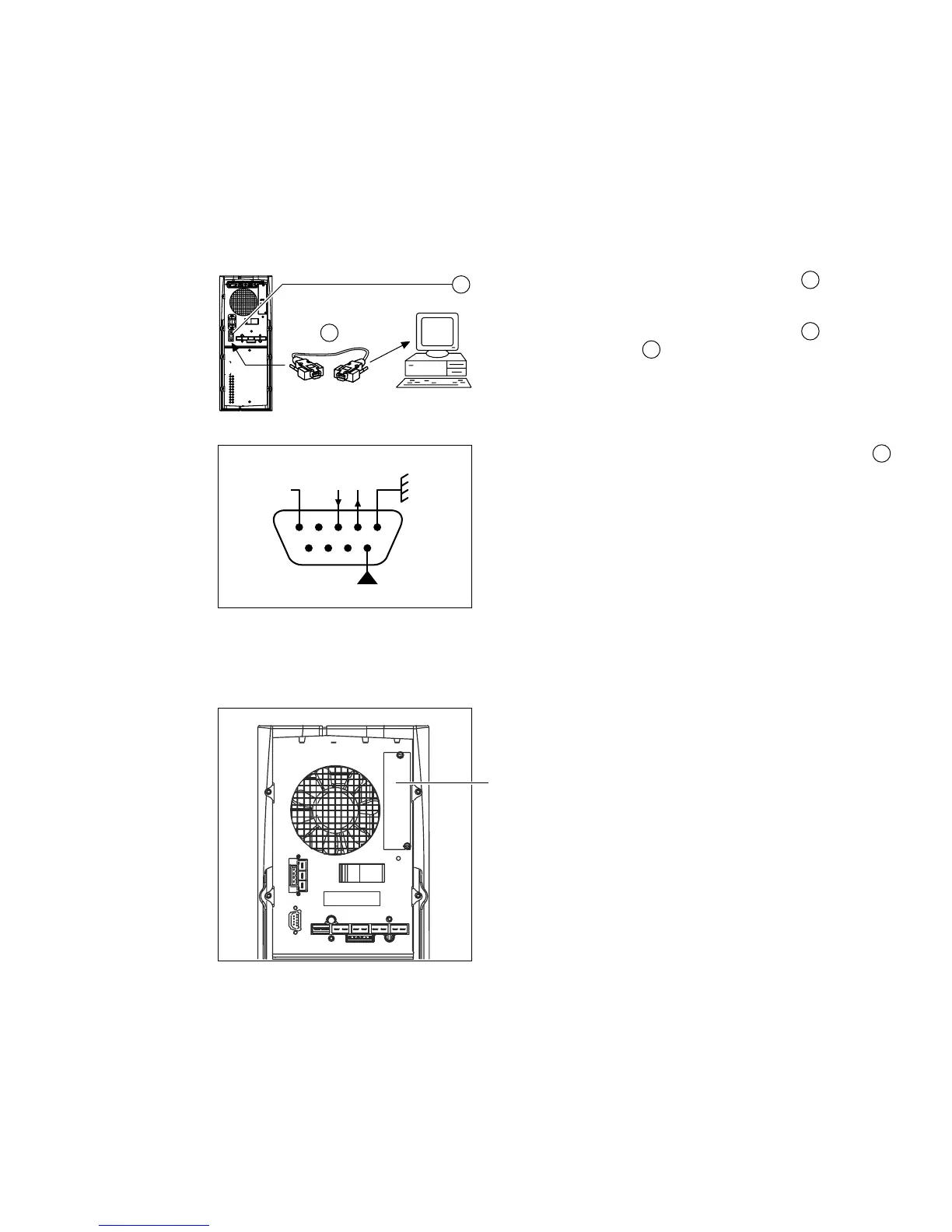
2.3 Connection to the RS 232 communications port (optional)
2.4 Installation of the communications-card option
Slot for the communications-card option.
It is not necessary to shut down the UPS to install
the communications card:
1. Remove the slot cover.
2. Insert the card in the slot.
3. Secure the card with the two screws.
1. Connect the RS 232 communications cable to the serial
port on the computer.
2. Connect the RS 232 communications cable to the RS 232
communications port on the UPS.
The UPS can now communicate with all MGE UPS SYSTEMS
supervision, set-up or safety software.
Pin-out diagram for the RS 232 communications port
on the UPS.
25
25
11
11
RD TD
RTS
OV
5 4 3 2 1
9 8 7 6
11
25






 To Next Page