
 Need help?
Do you have a question about the MGE UPS Systems Evolution 850 and is the answer not in the manual?
Details MGE's environmental protection policy and eco-design approach for products.
Confirms the product does not contain CFCs, HCFCs, or asbestos.
Provides guidance on recycling and identifying packing materials.
Outlines procedures for product and battery disposal at end of service life.
Lists relevant safety and compliance standards for the UPS equipment.
Covers essential safety precautions related to electrical hazards and battery handling.
Details critical safety measures for UPS installation and operation.
Highlights specific handling, storage, and battery replacement safety requirements.
Addresses environmental aspects of the product, including substance content and recycling.
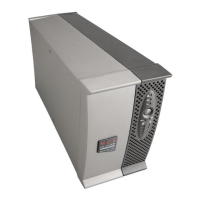
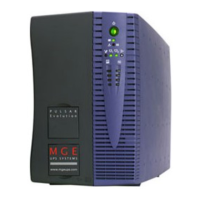
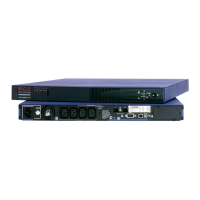
Illustrates tower and rack UPS models with their physical dimensions and weights.
Identifies ports and connectors on the rear panels of the UPS units.
Details the buttons, LEDs, and bargraphs on the UPS control panel.
Instructions for unpacking the UPS and verifying all included components.
Step-by-step guide for installing the UPS in a tower configuration.
Instructions for mounting the UPS into a standard 19-inch rack.
Specific guidance for wall-mounting the 650 Rack UPS model.
Explains the connection and use of RS232 and USB communication ports.
Guides on connecting loads and the input power cord to the UPS.
Procedure for starting the UPS and its normal operating states.
Describes UPS behavior and indicators when running on battery power.
Explains how the UPS responds when AC input power is restored.
Details the methods for safely shutting down the UPS and connected loads.
Information on using remote ON/OFF and RPO functions for UPS control.
Customization options for output voltage and overload alarm thresholds.
Configuration of voltage thresholds for battery transfer and booster activation.
Adjusting the UPS sensitivity level for optimal performance.
Settings for automatic start, cold start, forced shutdown, and energy savings.
Options for battery test intervals, low-battery warnings, and discharge protection.
Identifies common UPS indicators and their corresponding diagnostics and corrections.
Step-by-step guide for safely replacing the battery module in the tower model.
Procedure for safely replacing the battery module in the rack-mount model.
Detailed technical data, including output power, input voltage, and environmental ranges.
Instructions on how to program the UPS's programmable outlets via software.
Definitions of key terms and concepts used throughout the manual.
 General
| Output Power | 510 W |
|---|---|
| Nominal Input Voltage | 230 V |
| Typical Backup Time at Full Load | 5 minutes |
| Input Connection Type | IEC 320 C14 |
| Surge Energy Rating | 320 Joules |
| Humidity | 0-95% non-condensing |
| Output Voltage | 230 V |
| Frequency Range | 50/60 Hz |
| Battery Type | Sealed Lead Acid |
| Topology | Line Interactive |
| Audible Alarm(s) | Yes |
| Communication Interface | USB |
| Operating Temperature | 0°C to 40°C |
| Storage Temperature | -15°C to 45°C |




 To Next Page