Corrective Maintenance LDM 210 - LDM 220
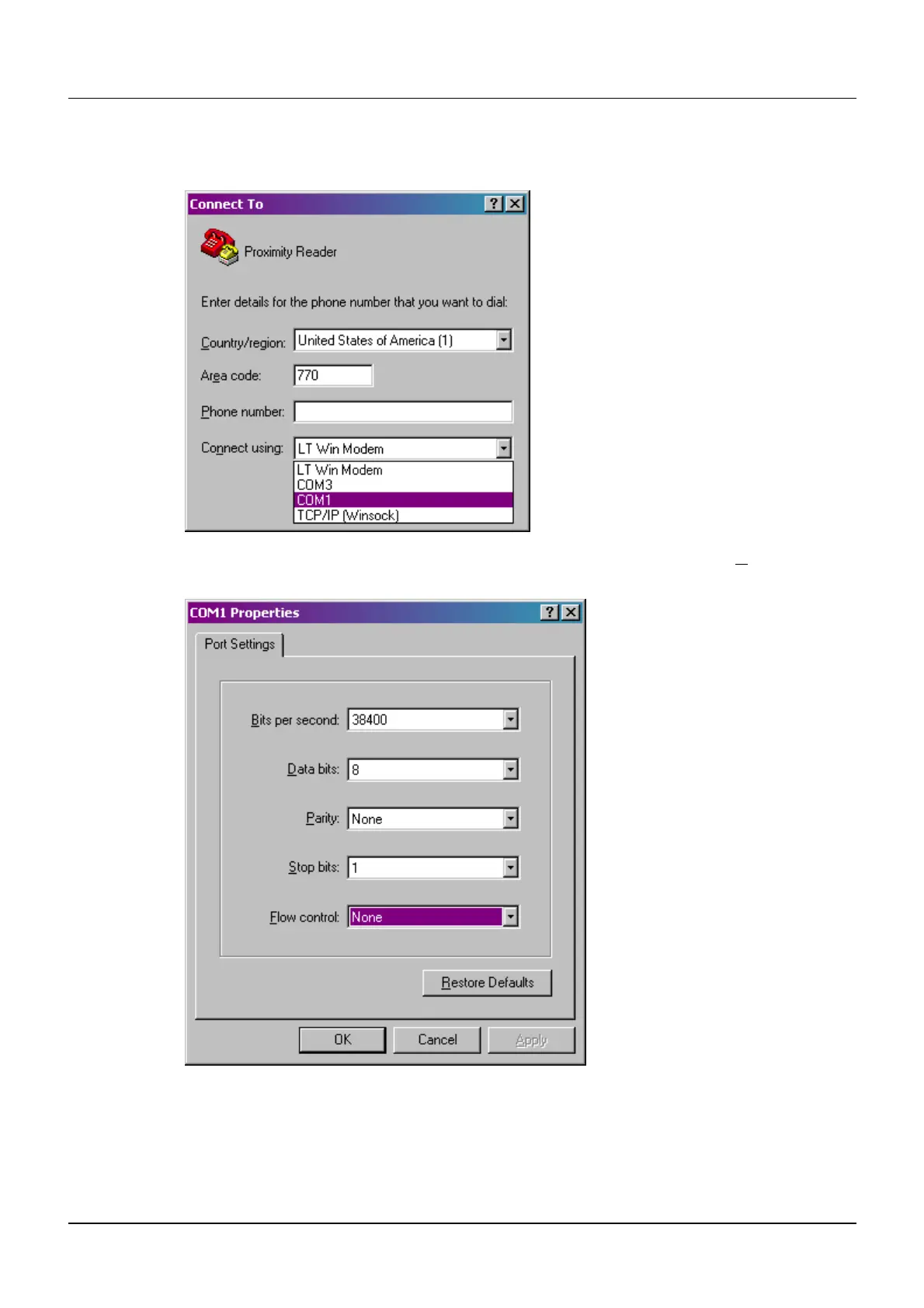
In the following screen fill the required fields with your data
Select a port to connect (COM1 for example)
Configure the selected port (COM1 for example) and in the field Flux Control, Select
None. Validate by pressing OK
128569B 33
Publication, traduction et reproduction totales ou partielles de ce document sont rigoureusement interdit
The publication, translation or reproduction, either partly or wholly, of this document is not allowed wi
es, sauf autorisation écrite de nos services.
thout our written consent. Format 112175C


 To Next Page
 Loading...