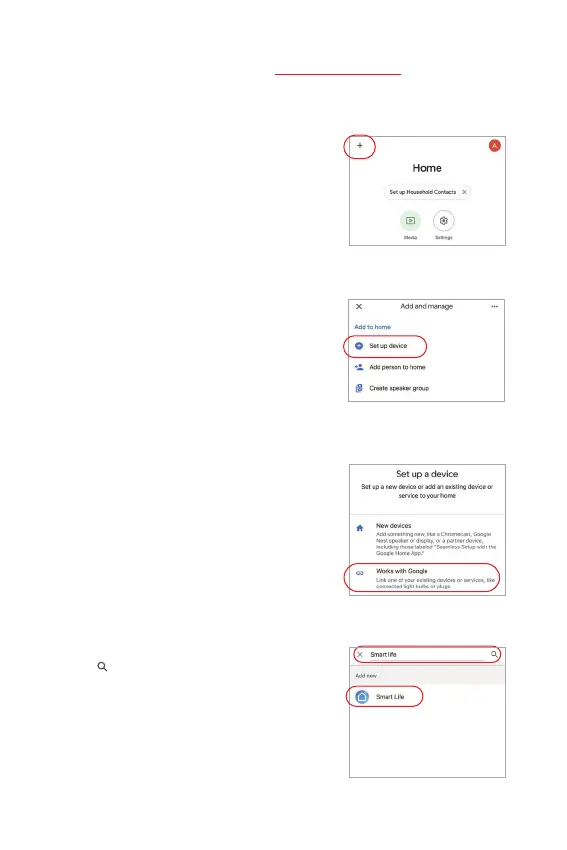
5). Click “ ” on the top of right corner
6). Type into “Smart life” and search
7). Click “Smart Life” skill, follow
instrucon to finish configuraon
and start voice control
Google Home voice control instrucon
1). Open Google Home App
2). Click “+” on the top of le corner
3). Click “Set up device”
4). Click “Works with Google”
Please add device into [Tuya Smart] app (check details in page 7), then start following
steps
⸺ 10 ⸺


 To Next Page