Alexa voice control instrucon
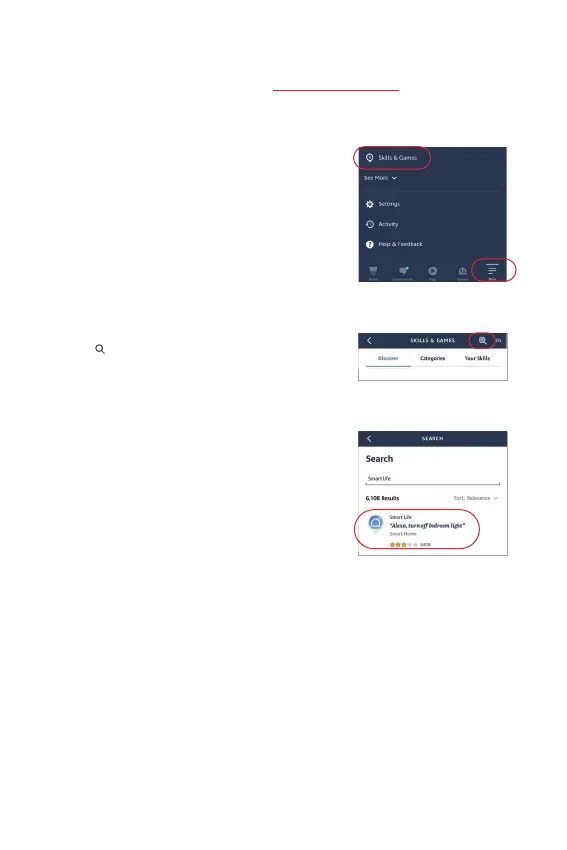
1). Open Alexa App
2). Click “More” on the boom of right corner
3). Click “Skills & Games”
4). Click “ ” on the top of right corner
5). Type into “Smart life” and search
6). Click “Smart Life” skill, follow instrucon
to finish configuraon and start voice
control
Please add device into [Tuya Smart] app (check details in page 7), then start following
steps
⸺ 9 ⸺


 To Next Page