Copyright © 2009-2010 Micca, LLC. All rights reserved.
D. HDMI Output
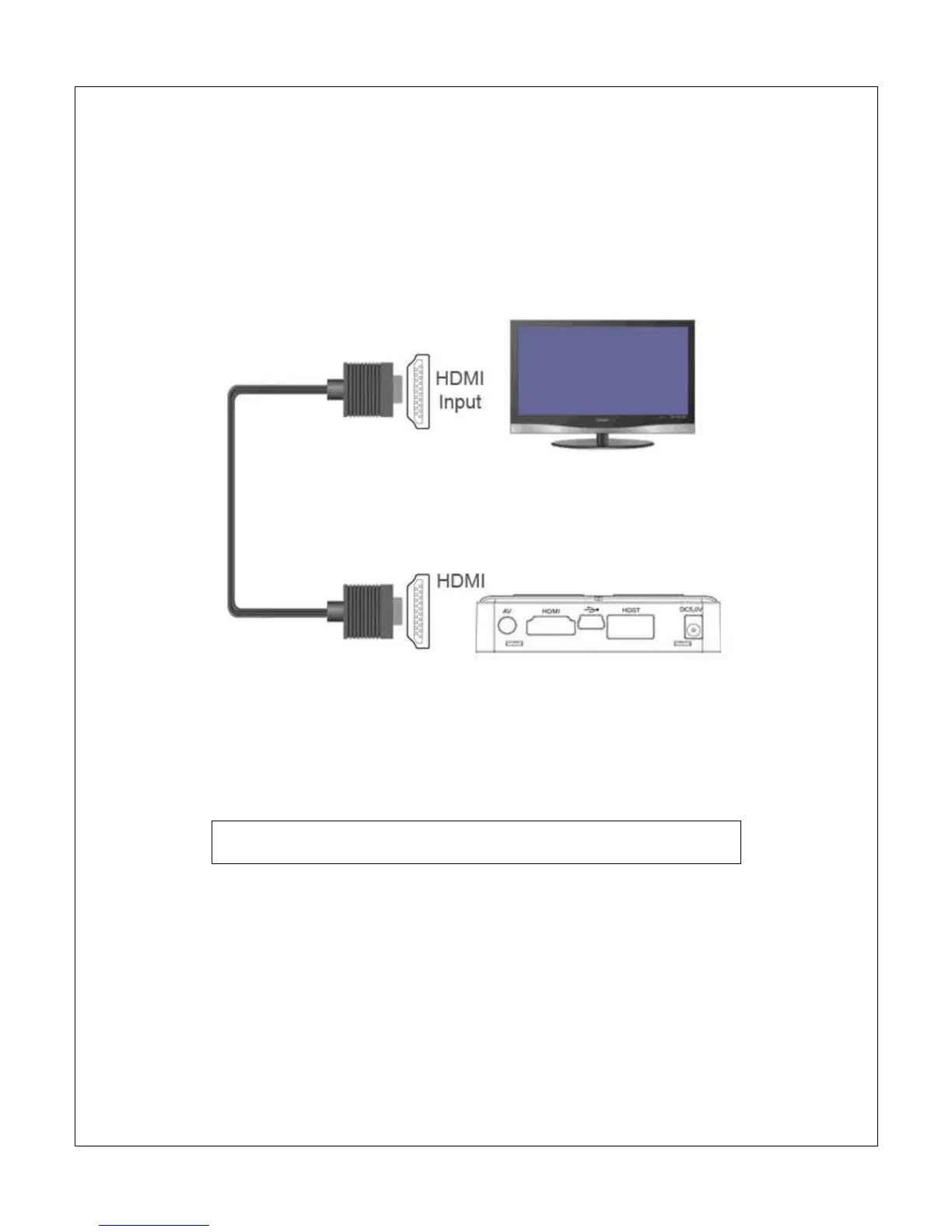
The Micca Slim can be connected to digital HDTVs and display devices such as
computer monitors through its HDMI connector. Only use HDMI cables that have
been certified to be v1.3a or higher to ensure signal quality. The Micca Slim’s
HDMI output resolution is fixed at 1280x720p.
The HDMI connection carries both audio and video signals on the same cable so
no separate audio connection is needed when the TV or display device supports
receiving audio signals over its HDMI input. If the display device does not
support audio over HDMI, audio output from the AV Out connection can be used.
Use a HDMI-to-DVI adapter (not included) when connecting the
Micca Slim to a computer monitor without HDMI input.
The Micca Slim must be set to HD Mode for the HDMI connection to output a
correct signal. If the picture looks distorted after connecting the HDMI and turning
on the Micca Slim, press the <Setup> button on the remote and then press the
<TV Mode> button to switch between output modes until the correct mode has
been selected. There will be a short delay when switching output modes so
please wait a few seconds between presses of the <TV Mode> button.



 To Next Page