MDM25 User’s Manual
8 97234 Issue 4, January 2018
OPERATION
3 OPERATION
3.1 Preparation for Operation
Press the power-on button and observe the readings on the LCD. Some 3rd values may
take a few seconds to calculate, depending upon the %RH and ambient temperature
(Ta).
If using the MDM25 alongside the S503 RH calibrator, adjust the display orientation to
allow for the product to be read correctly when upside down.
If there is there is no reading on the screen check the battery orientation. Replace with
new batteries if required.
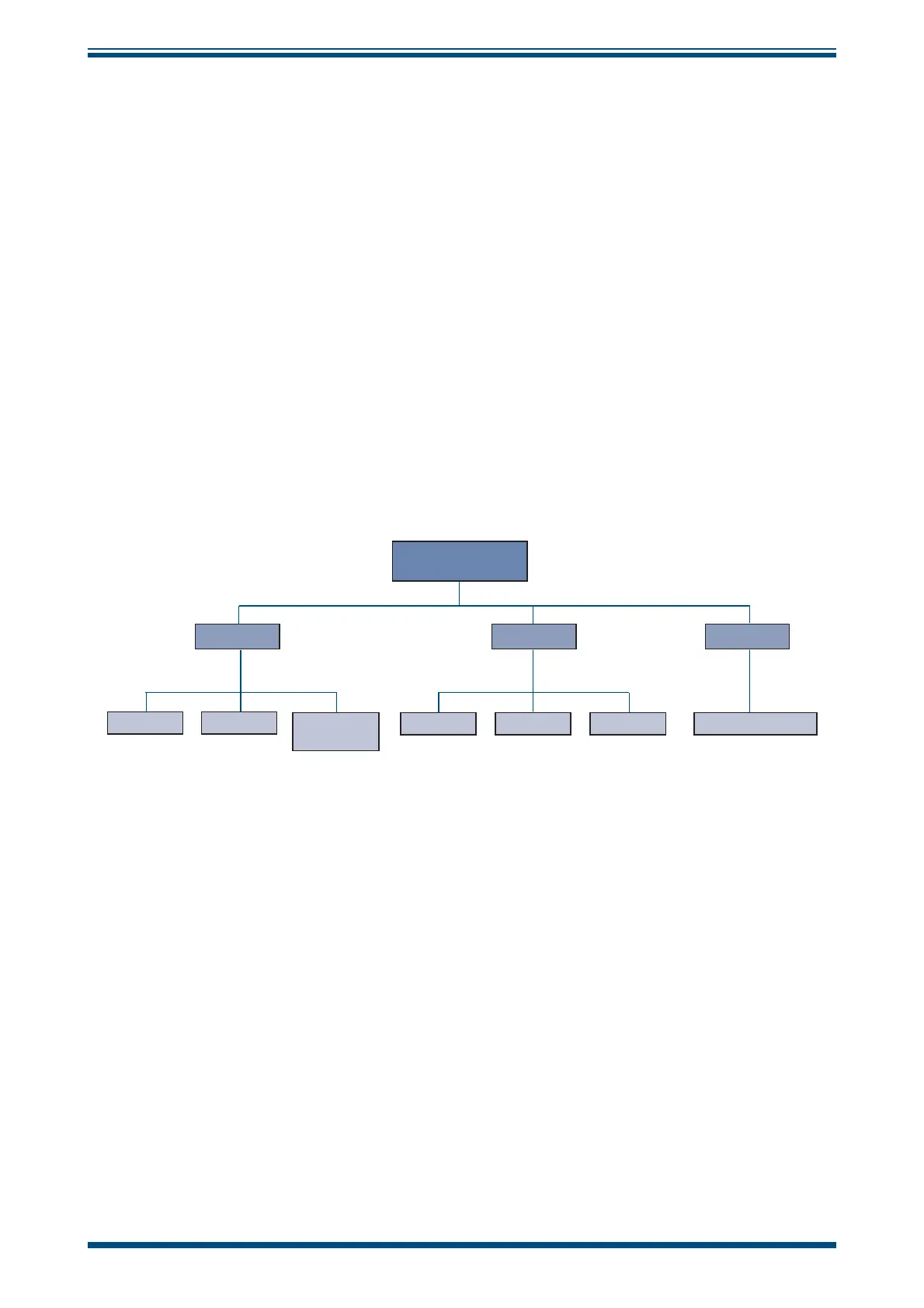
3.2 Overall Menu Structure
DISPLAY
DEVICE
ABOUT
CONTRAST AUTO OFF TEMP UNITS 3RD VALUE FIRMWARE VERSION
BACKLIGHT
DISPLAY
ORIENTATION
MAIN MENU
Figure 5
Main Menu Structure


 To Next Page