8
©2021 Micro-Air Corp May 20, 2021, revision 1.4
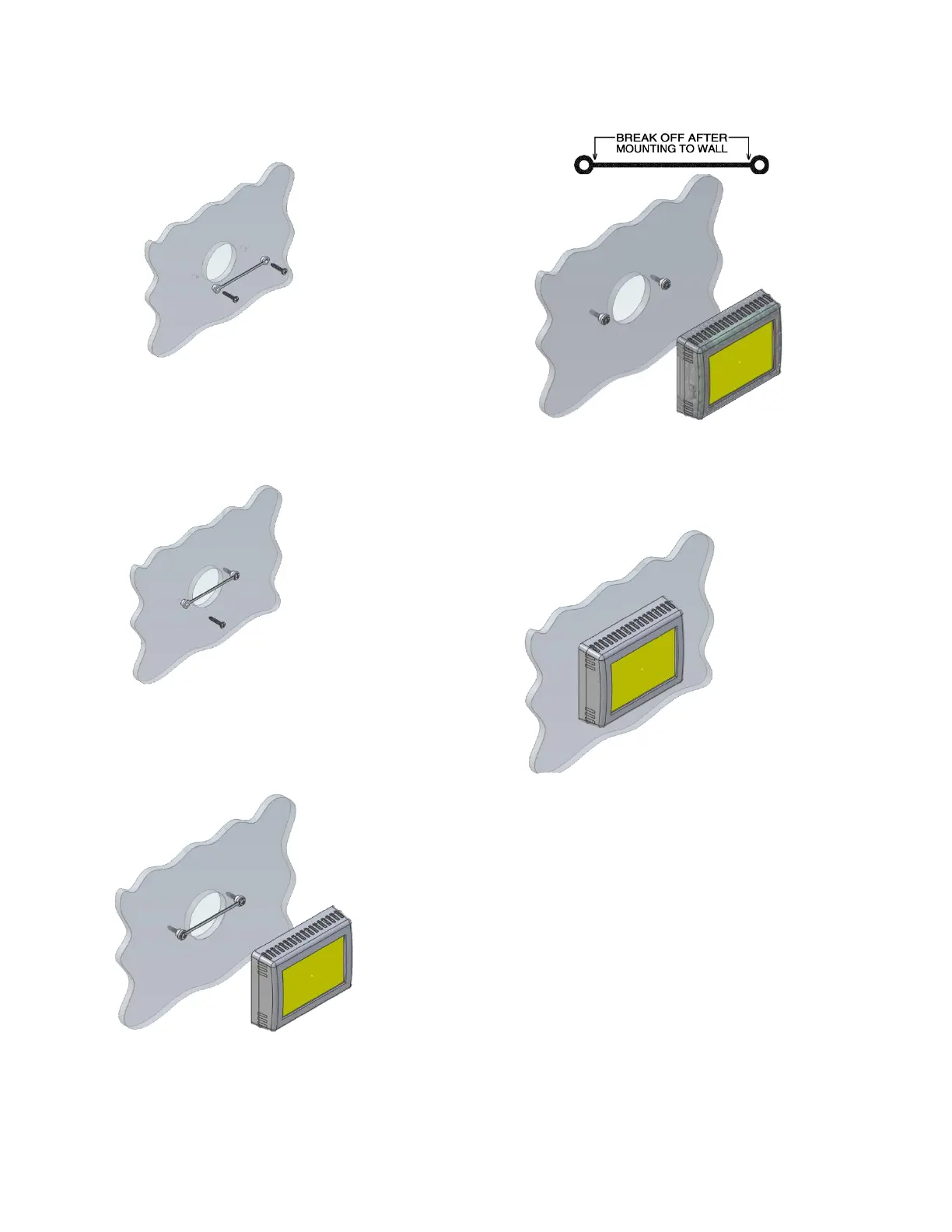
Mounting the thermostat
Step 1: Locate the mounting buttons
horizontally across the hole with the smaller
diameter against the wall.
Step 2: Screw in one screw and level the
buttons so the display will be straight when
installed.
Step 3: Screw in second screw making sure the
two buttons remain level.
Step 4: Remove mounting tab before mounting
on the wall.
Step 5: Aligning the buttons with the holes in
the back of the display. Press the display against
the wall and gently slide the display down to
lock it in place.



 To Next Page