EasyManua.ls Logo

micro-trak MT-3405F II - User Manual

micro-trak MT-3405F II
62 pages
Print Icon
To Next Page IconTo Next Page
Loading...
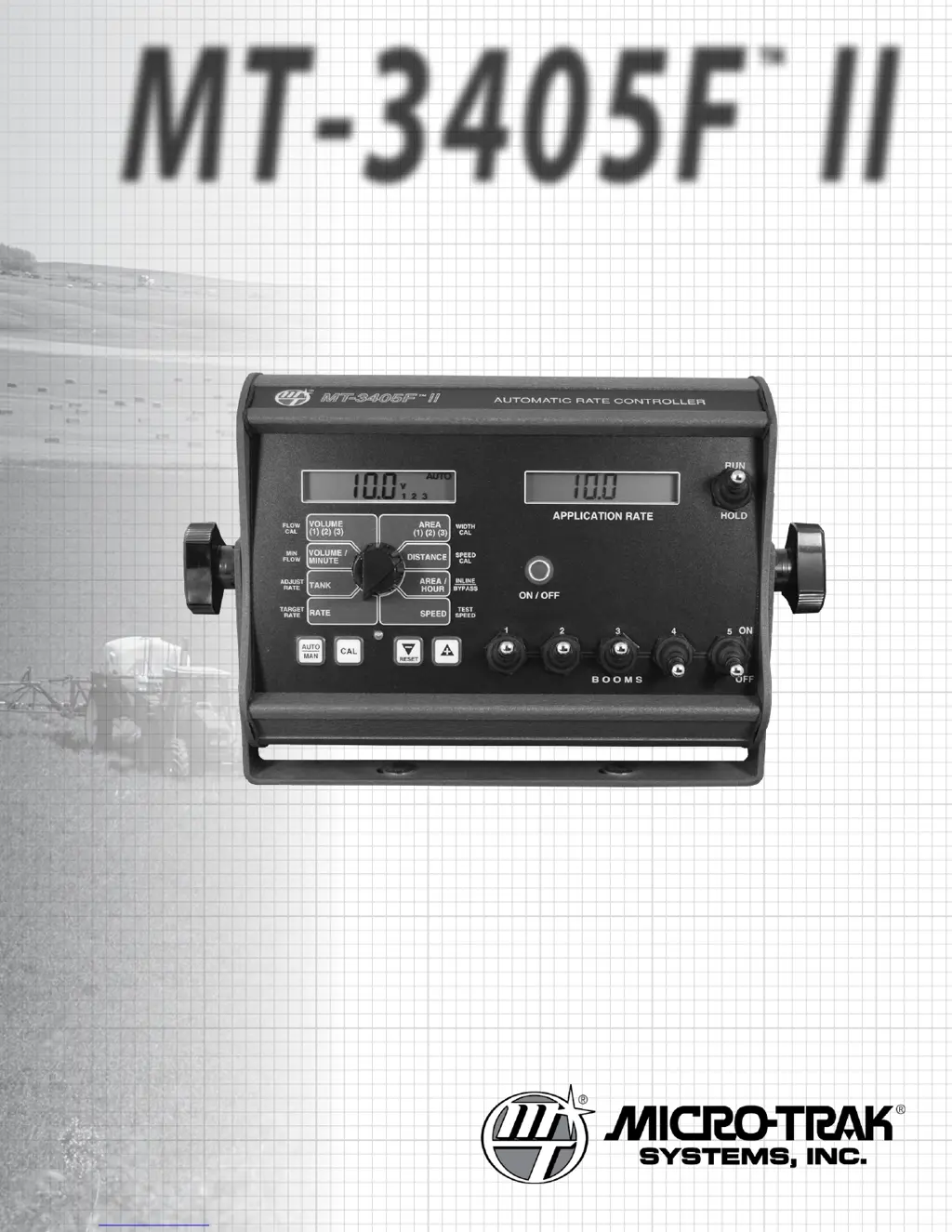
MT-
3405
F
II
Dual Display
Automatic Rate Controller
R e f e R e n c e M a n u a l

Questions and Answers

  • E
    eatonsarahAug 16, 2025
    Why is the total liquid used inaccurate on my micro-trak Controller?
    • E
      Edgar CohenAug 17, 2025
      Inaccurate readings of total liquid used on your micro-trak Controller can stem from several factors. First, verify that the “FLOW CAL” value entered into the console matches the number stamped on the flowmeter tag. Also, consider the flowmeter's mounting position; for lower flow rates, vertical mounting is recommended. Ensure the flow sensor is fully screwed into the flowmeter. Other potential causes include inaccurate sprayer tank markings, a flow rate too low to register, or foreign material obstructing the flowmeter.
  • D
    Dr. Dana AdamsAug 22, 2025
    What to do if area count is inaccurate on micro-trak Controller?
    • A
      aaron54Aug 22, 2025
      If the area count displayed on your micro-trak Controller is inaccurate, double-check the implement width and wheel circumference measurements. Ensure that these values are correctly programmed into the system. If any discrepancies are found, repeat the initial procedures, make the necessary corrections, and retest the acre (hectare) count.
  • K
    Kimberly JohnsonAug 26, 2025
    How to fix console is erratic in operation on micro-trak MT-3405F II Controller?
    • T
      Thomas MartinAug 26, 2025
      An erratic console operation in your micro-trak Controller can be influenced by several factors. If you have a two-way radio, ensure it is mounted far from the console and that all MT-3405F™ II cables are kept away from the radio, its antenna, and power cable. Keep MT-3405F™ II cables away from ignition wires, or install an ignition suppressor. Reroute all cables away from electric solenoids, air conditioning clutches, and similar equipment. Also, check the VALVE SPEED calibration number in Special Calibration. If the RATE tends to overshoot or oscillate, the VALVE SPEED setting may be too high for the control valve being used; reduce the VALVE SPEED setting by 1 (range is -2 to +3).
  • S
    Stephanie GillAug 28, 2025
    Why no readout of gallons (liters), or gallons (liters) per minute on micro-trak MT-3405F II?
    • K
      Kim CurryAug 28, 2025
      If your micro-trak Controller isn't displaying gallon or liter readings, or gallons/liters per minute, first ensure the sprayer pump and related equipment are functioning correctly. Confirm that liquid is flowing through the line and that the flow sensor is securely screwed into the flowmeter. Check that a FLOW CAL number has been entered into the system. Inspect the cable for any breaks or incomplete connections. If the flowmeter is new or hasn't been used recently, the turbine might be sticky; flushing the system with water should help it spin freely.
  • L
    Laura OrrAug 31, 2025
    What to do if distance count is inaccurate on micro-trak Controller?
    • R
      Rebecca WilsonAug 31, 2025
      If the distance count on your micro-trak Controller is inaccurate, the wheel circumference might have been measured or entered incorrectly. Review the calibration settings, readjust as needed, and then test the system again.
  • M
    msimsSep 3, 2025
    What to do if system operation (control) is sluggish in automatic mode on micro-trak Controller?
    • M
      Michael VazquezSep 3, 2025
      If the system operation is sluggish when in automatic mode on your micro-trak Controller, examine the VALVE SPEED setting in Special Calibration. For slower valves (4 seconds or more to fully open or close), try increasing the VALVE SPEED setting.
  • A
    Angela GarnerSep 6, 2025
    What to do if console appears dead on micro-trak MT-3405F II?
    • M
      Mary WilsonSep 6, 2025
      If the console of your micro-trak Controller appears dead, use a test light to check for 12 volts at the power source. Also, inspect the power cable for damage and ensure the terminals are not reversed, as the console needs 12 volts to operate correctly. Check the connections of the ignition or power switch.
  • A
    annahansonSep 9, 2025
    What to do if displayed measurements do not make sense on micro-trak MT-3405F II?
    • N
      Nicole AllenSep 9, 2025
      The console of your micro-trak Controller may be in the incorrect measurement mode (English or metric). See page 24 for instructions.
  • M
    Melissa CallahanSep 10, 2025
    What to do if speed is always zero or erratic on micro-trak Controller?
    • L
      Lisa YoungSep 12, 2025
      If the speed reading on your micro-trak Controller is consistently zero or erratic, begin by checking the wheel circumference calibration. Then, carefully inspect the speed sensor installation, ensuring proper mounting, alignment, and spacing relative to the magnet assembly. Verify that the magnet polarities are alternated. Finally, examine the cable for any breaks or incomplete connections.
  • M
    Melissa WhiteSep 12, 2025
    What does it mean if display reads “OFL” or “99999” on micro-trak Controller?
    • S
      Susan MurphySep 12, 2025
      When the display of your micro-trak Controller shows “OFL” or “99999”, the DISTANCE, AREA, and VOLUME counters have exceeded their maximum count. Reset these counters to zero to continue counting.

Summary

System Layout Diagram

MT-3405 F II Wiring Diagram

Installation Guide

Mounting and Plumbing the Flowmeter

Servo and Throttling Valve Installation

System Overview and Key Functions

Calibration Procedures

Entering Calibration Values

General instructions on how to enter and adjust calibration values using console buttons.

Entering Calibration Values: Target Rate and Adjust Rate

Setting Minimum Flow Rate (MIN FLOW)

Flowmeter Calibration (FLOW CAL)

Boom Width Calibration (WIDTH CAL)

Entering Calibration Values: Speed Calibration

Determining SPEED CAL Value

Special Calibration Mode

Special Calibration Parameters

Details parameters like Units, Valve Voltage, Material, and Response Speed.

Entering Special Calibration Values

System Operation

Manual Operation Mode

Explains how to manually control the servo valve and application rate.

Automatic Operation Mode

Details how the console automatically adjusts application rate based on speed.

Automatic Operation: Tank Counter and Warnings

Resetting System Counters

Troubleshooting: Console Messages and Warnings

Troubleshooting: General System Issues

Troubleshooting: Checking Individual Components

Troubleshooting: Checking Console Inputs

Troubleshooting: Servo Valve Control Signal

Troubleshooting: Testing the Servo Valve

Plumbing Troubleshooting Chart

Plumbing Guidelines: General

Plumbing Guidelines: Pump and Valves

Pre-field Checkout: Bypass Servo Setup

Test Speed Entry: Maximum Application Speed

Steps to enter the maximum application test speed into the console.

Pre-field Checkout: Inline Servo Setup

Pre-field Checkout: Inline and Bypass Operation

Tests for confirming target application rate in AUTO mode for both configurations.

Appendix A: Speed Sensor Installation

Optional Speed Sensor Mounting on Drive Shaft

Appendix B: Fine Tuning Speed;Distance Calibration

Fine Tuning Speed;Distance Calibration: Procedure

Detailed steps for fine-tuning the speed sensor calibration value.

Appendix C: Fine Tuning Flowmeter Calibration

Fine Tuning Flowmeter Calibration: Procedure

Steps to verify and fine-tune the flowmeter calibration value with water or NH3.

Appendix D: Flowmeter Assembly

Appendix E: NH3 Specific Installation

NH3 Mode: Console Functions

Explains how to enable NH3 mode and details console display for NH3 application.

NH3 Calibration Factors

Describes specific calibration factors for NH3 systems: Target Rate, Adjust Rate, Min Flow.

NH3 Calibration: Flow and Speed

Details calibration factors for Flow CAL, Speed CAL, and Inline/Bypass for NH3.

NH3 Systems: Fine Tuning Speed;Distance Calibration

Procedure to fine-tune speed and distance calibration specifically for NH3 systems.

NH3 Systems: Fine Tuning Flow Calibration

Procedure to fine-tune flow calibration for NH3 systems using scaled tank weights.

NH3 Field Operation Troubleshooting

Troubleshooting tips for field operation of NH3 systems, covering safety and system performance.

NH3 Specific Wiring Diagram

Detailed wiring diagram for NH3 specific installations of the MT-3405F II.

Appendix G: Using the MT-3405 II with VRA

Appendix H: Radar Adapter Cables

Appendix I: Motorized Hydraulic Flow Control Valve

Appendix J: Secondary Boom Control

micro-trak MT-3405F II Specifications

General IconGeneral
Brandmicro-trak
ModelMT-3405F II
CategoryController
LanguageEnglish

Related product manuals