Copyright 2010 - Microener
21. DIRECTION FOR PCB'S DRAW-OUT AND PLUG-IN
21.1 Draw-out
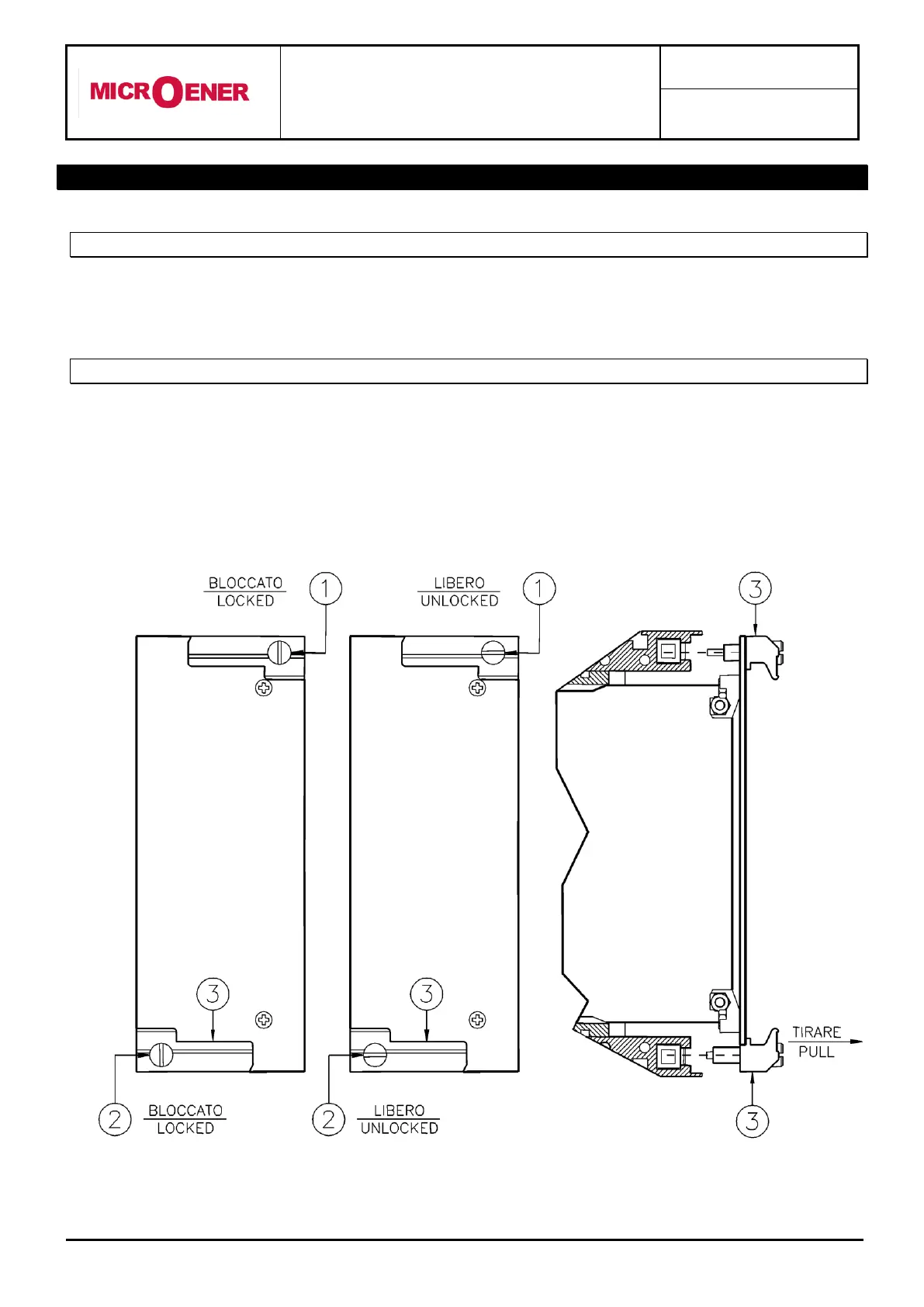
Rotate clockwise the screws and in the horizontal position of the screws-driver mark.
Draw-out the PCB by pulling on the handle
21.2 Plug-in
Rotate clockwise the screws and in the horizontal position of the screws-driver mark.
Slide-in the card on the rails provided inside the enclosure.
Plug-in the card completely and by pressing the handle to the closed position.
Rotate anticlockwise the screws and with the mark in the vertical position (locked).


 To Next Page