MANUAL.LM20 Revision C January 2023 Page 20 of 52
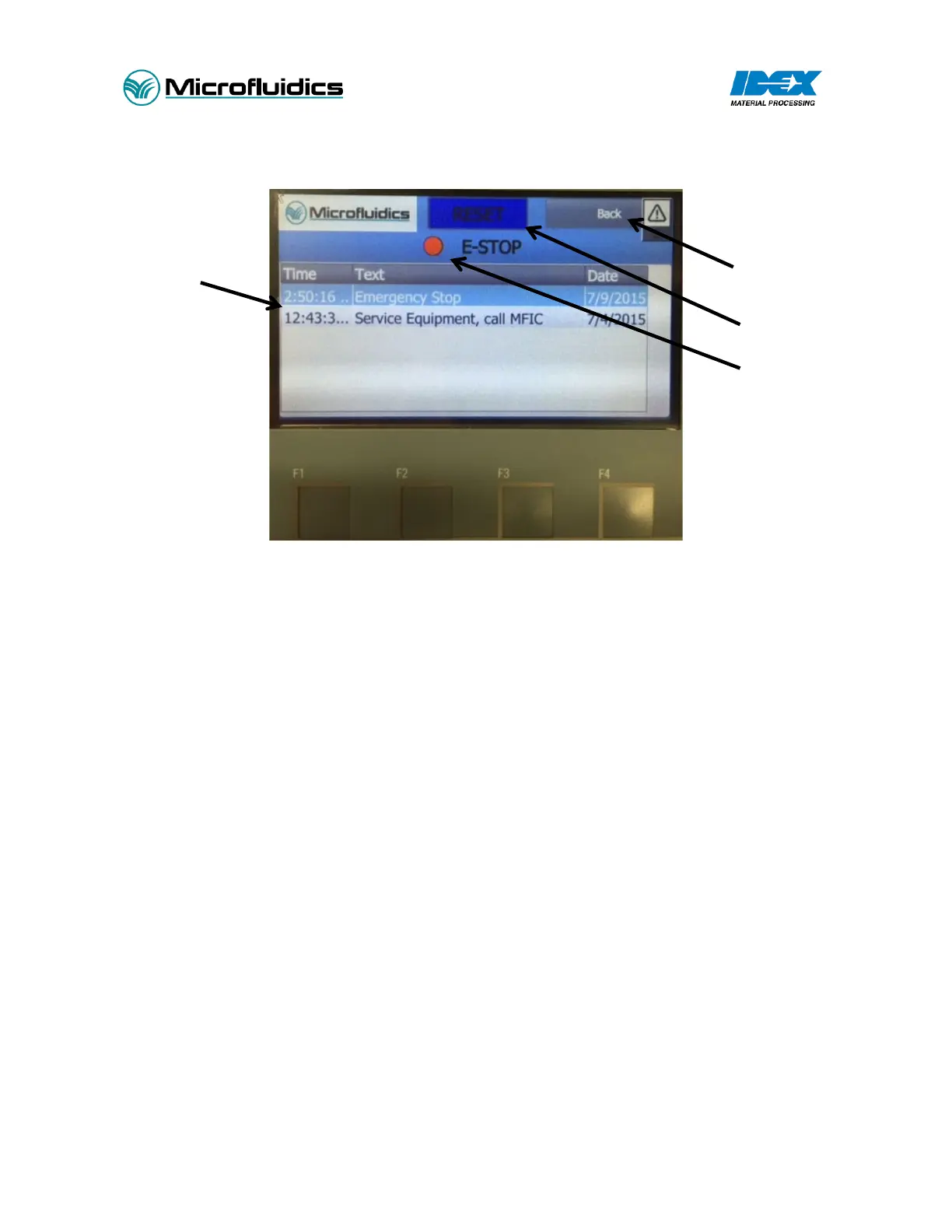
3.12.3 Alarm Screen
Figure 5 - Alarm Screen
1. E-Stop Reset: After twisting the E-Stop button, press the RESET button to completely reset the
E-Stop event.
2. E-Stop Status Light: Red indicates an active E-stop alarm. Green indicates no E-Stop alarm.
3. Alarm Status: Active alarm descriptions will be shown here
4. Back Button: Press this button to return to the previous screen.


 To Next Page