16
To expand the system, the user will need to select an appropriate charge controller for their chosen power
source and connect that charge controller to the battery bank. These additional power sources will not be
directly connected to the Power Pak, but they will share the same battery bank via a parallel connection. This
allows energy produced by these sources to be used by the Power Pak.
There is no limit to the number of charge controllers or different power sources that can be connected to the
battery bank.
6.7 Grounding
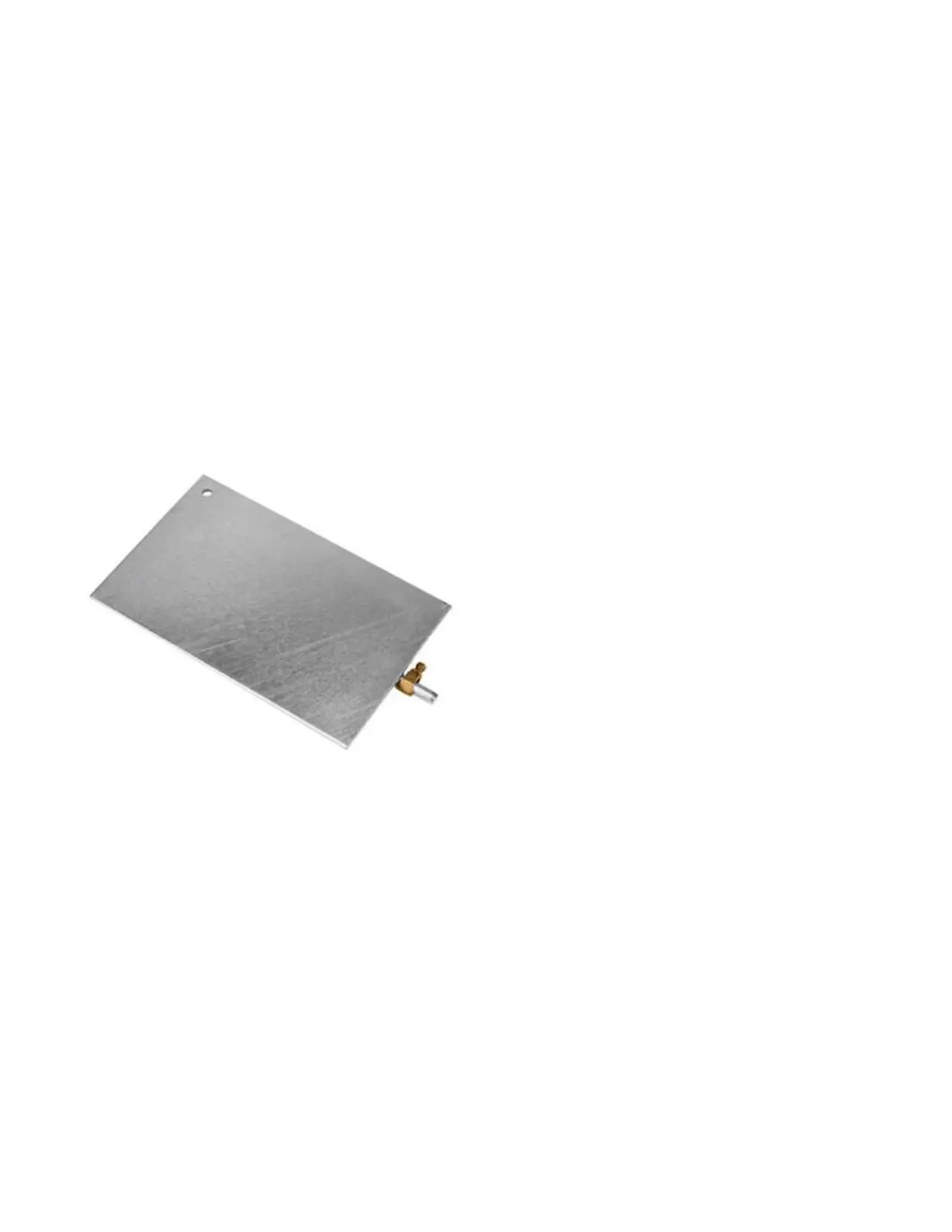
The Power Pak system comes with a bare ground wire and a ground plate if required. If there is an existing
ground for the building’s electrical panel, do not install a second ground. ESA does not permit use of a second
ground plate unless the first one is under another building at least 100 feet away, to prevent a ground loop.
Figure: Ground Plate
1. If there is an existing ground system in the building, connect the Power Pak to the ground connector
(normally in the electrical distribution panel) using the ground wire.
2. If there is no existing ground for the building, install the ground plate outside. To do so, dig a hole 1.5
feet deep, and place the ground plate horizontally in the hole. Attach the bare ground wire to the
ground plate with the brass lug at one end of the ground plate. Fill in and tamper the dirt over the
ground plate.
3. Run the ground wire up to the Power Pak, and connect it to the grounding terminal on the Power
Pak.


 To Next Page