© Microhard 35
3.0 Hardware Features
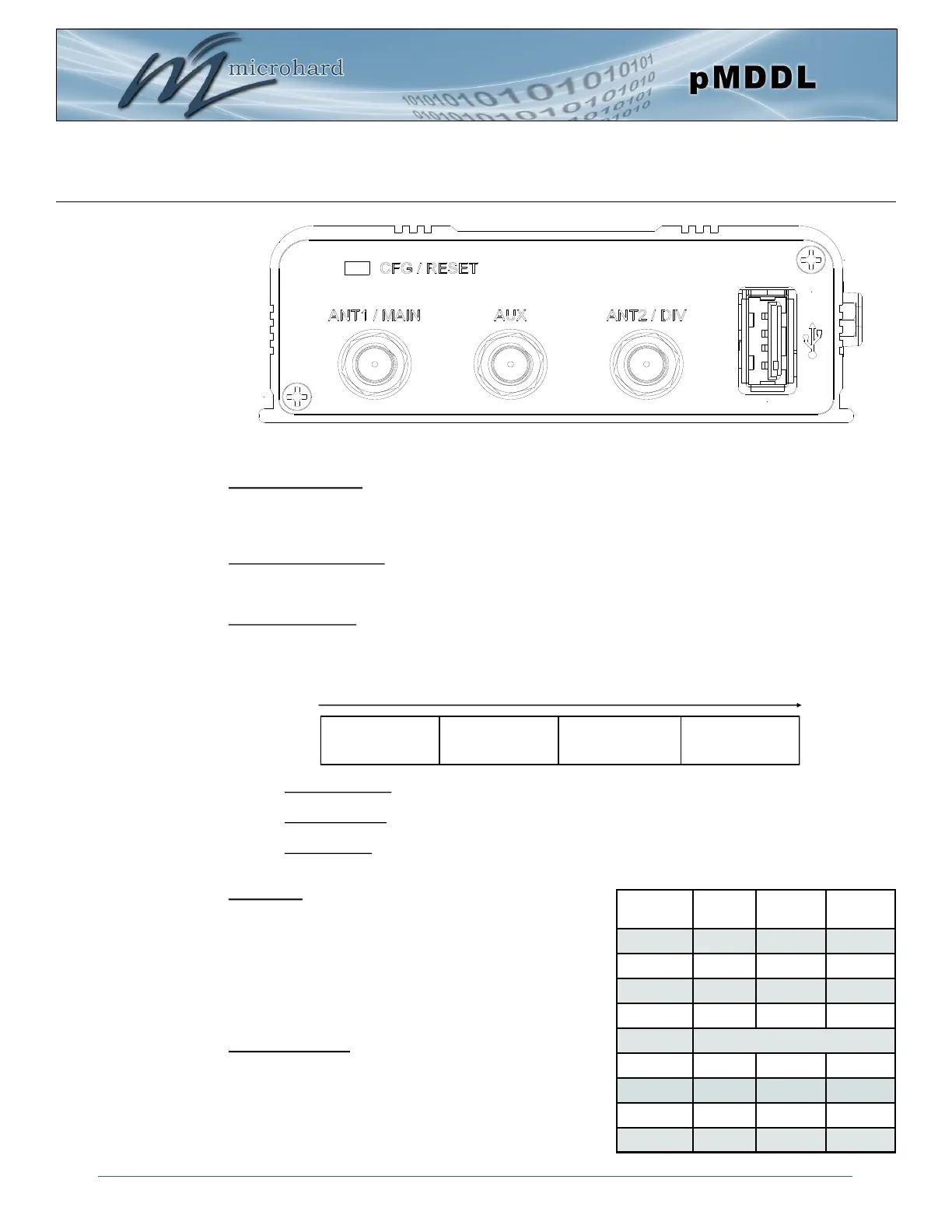
CFG/RESET Button:
The Config button on the pMDDL can be used to either reset the modem into its factory default
configuration, or it can be used to perform a firmware recovery procedure.
Factory Default Settings: While power is applied and the pMDDL in an operational state, press and hold
the Config Button for more than 10 seconds to reset to a factory default Master, alternatively hold the
button for 5 seconds for a factory default Slave.
Firmware Recovery: To load the firmware on the unit it is recommended to use the normal WebUI to
perform a firmware update (Maintenance). In the event that the firmware cannot be loaded using the
standard WebUI (non responsive unit), pressing and holding the Config Button while powering-up the
module will force the pMDDL into a firmware recovery mode. There are 3 main modes, HTTP, TFTP and
Master Reset. The table below shows the time required to hold the Config button while power is applied:
HTTP Recovery: Set an IP on a PC to 192.168.1.1. Open a web browser and Navigate to
192.168.1.39. This will open a simple webpage which will allow a firmware file to be loaded.
TFTP Recovery: Set an IP on a PC to 192.168.1.1. Use a TFTP session to push the firmware file
to the modems recovery IP of 192.168.1.39. See Appendix for Firmware Recovery Procedure.
Master Reset: Runs Master Reset, file system is erased.
DE9 Serial:
The RS232/485 Serial data port can be used to communicate
with Serial devices or it can be configured to operate as a
console port. See Table 3-3 for pin assignments.
RS232/RS485 modes are selected through the serial port
configuration in the WebUI. The LED on the pMDDL-ENC will
illuminate when in RS485 mode.
USB (Type A, 2.0):
(Future Development)
0 to 5 seconds
HTTP Recovery
5 to 10 seconds
TFTP Recovery
10 to 15 seconds
Master Reset
15+ seconds
No Effect
Table 3-3: DE9 Data Pin Assignment
Figure 3-3: pMDDL-ENC End View
Pin
No.
RS232
RS485
Full-Dup
RS485
Half-Dup
1 DCD
2 RXD TX- Data-
3 TXD RX+
4 DTR
5 Ground
6 DSR
7 RTS RX-
8 CTS TX+ Data+
9 N/C



 To Next Page