© Microhard 64
4.0 Configuration
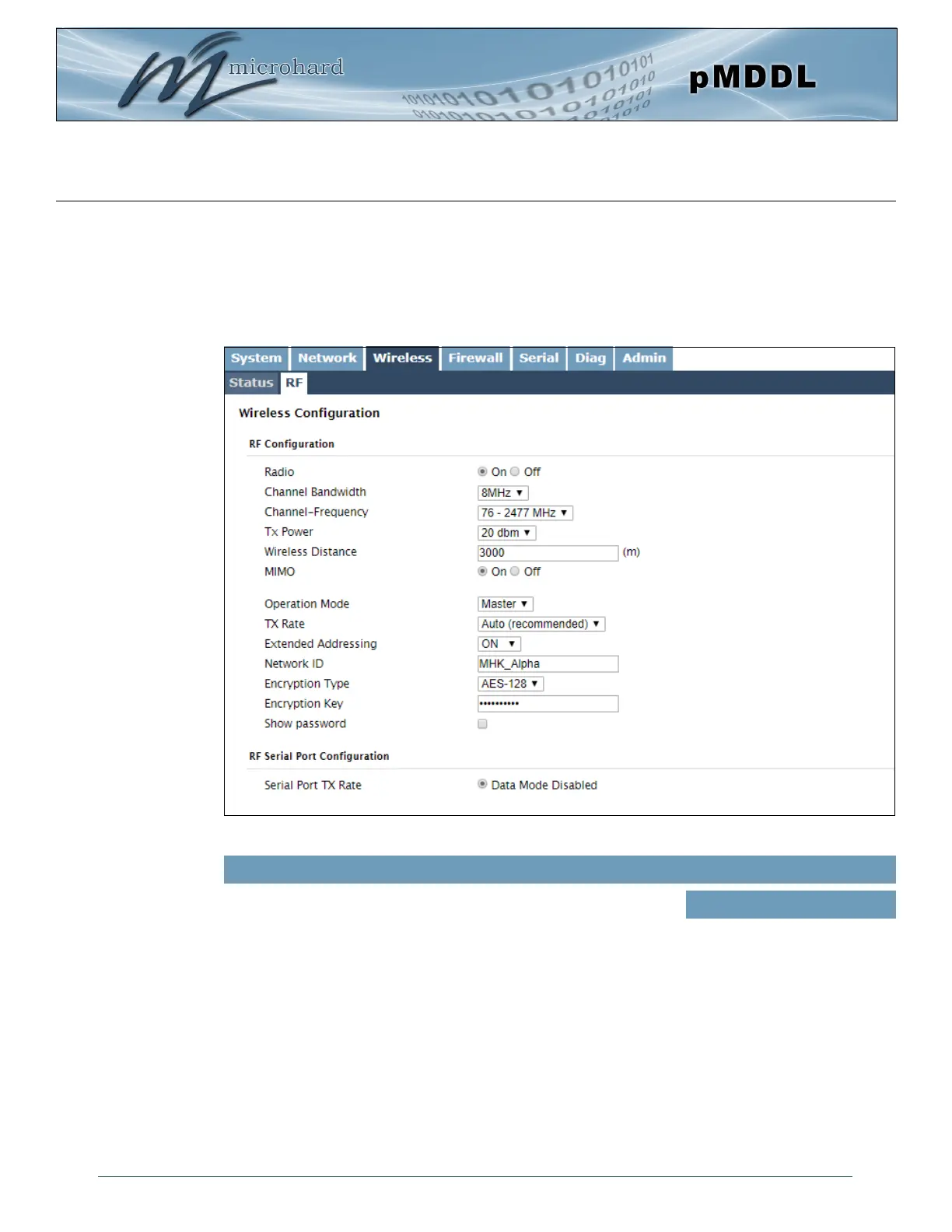
Image 4-3-2: Wireless > RF Configuration
4.3.2 Wireless > RF
RF Configuration
The RF Configuration allows for the configuration of the radio module. You can turn the radio on or off,
adjust the TX power, select the channel bandwidth and frequency, as well as the operating mode of the
radio as seen below.
This option is used to turn the radio module on or off. If turned off
Wireless connections can not be made. The default is On.
Radio
Values (selection)
On / Off



 To Next Page