27
II.
III.
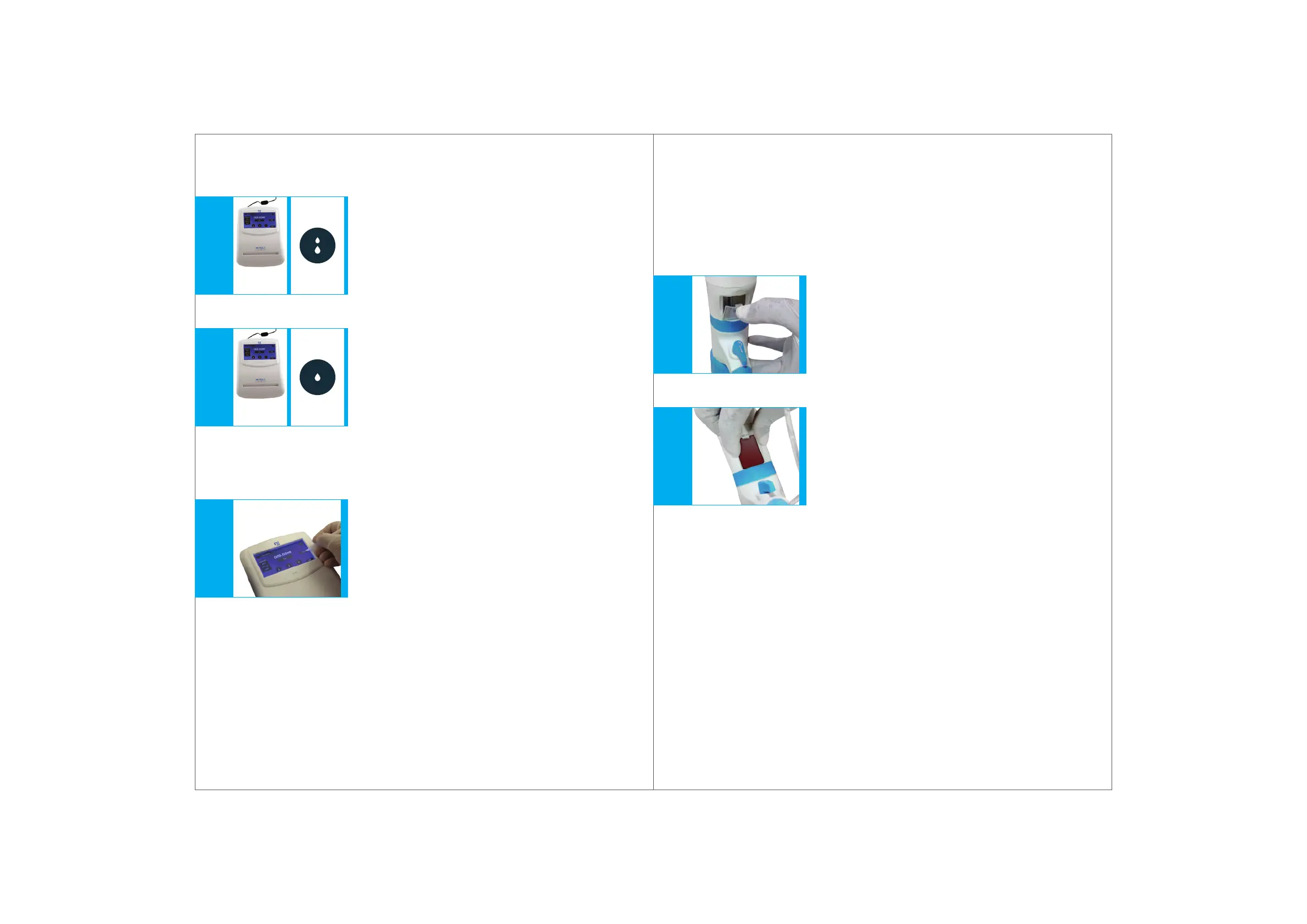
Fig. 12.13 Fig. 12.11Fig. 12.12
Dispensing can be performed by touching the screen and stops immediately
when the touch is removed.
8.
9.
Medium mode
In this mode, the dispensing speed is 0.75 ml/sec
(Fig. 12.11)
Dropwise mode
In this mode, the dispensing speed is 0.025 ml/sec
(Fig. 12.12)
Press the TARE button to reset to Zero & repeat.
(Fig. 12.13)
28
Fig. 12.14Fig. 12.15
Sensitive Media
For light-sensitive media (e.g., Iodine, Potassium Permanganate and
Silver Nitrate solutions), we recommend the use of ‘Amber Coloured Windows’
or the inspection windows provided in the box.
1.
2.
To replace the inspection window, unclip the default
inspection window by pressing it from its top and
then removing it.
(Fig. 12.14)
Place the Amber Coloured Window in the slot provided
at the bottom of the housing and press it down until you
hear a click sound.
(Fig. 12.15)


 To Next Page