EasyManua.ls Logo

MICROLIT E-BURETTE - User Manual

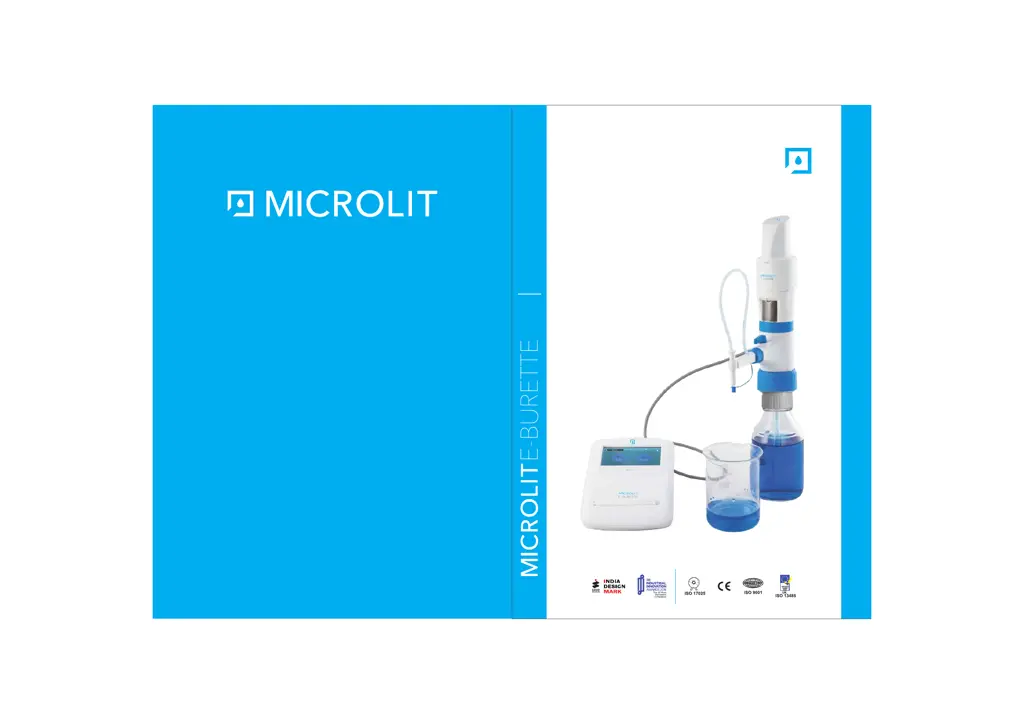
MICROLIT E-BURETTE
22 pages
Print Icon
To Next Page IconTo Next Page
Loading...
Designed and Manufactured by MICROLIT
629, Pakramau, Kursi Road, Lucknow – 226026, UP, India
Call at: +91-8081461996, +91-9918625629
For queries: info@microlit.com
For feedback: customercare@microlit.com
www.microlit.com
OPERATION MANUAL
Motor Operated Burette with
3 Calibrated Pre-set Speeds

Other manuals for MICROLIT E-BURETTE

Questions and Answers

  • K
    Kenneth BrownAug 12, 2025
    Why are there air bubbles in my MICROLIT Laboratory Equipment?
    • Y
      yjohnsonAug 13, 2025
      If you notice air bubbles in your MICROLIT Laboratory Equipment, it could be due to several reasons. The instrument might have been filled too quickly, so try filling it slowly. Ensure you completely purge the instrument. Check if the filling tube is loose or damaged; firmly fasten it or replace it if necessary, cutting about 1 cm from the top. Verify that the filling tube dips into the liquid and adjust the length if needed. Also, confirm the recirculation tube is correctly mounted, with the opening facing outward toward the bottle wall.
  • A
    Anthony FieldsAug 16, 2025
    What to do if the volume delivered by my MICROLIT E-BURETTE Laboratory Equipment is smaller than indicated?
    • S
      Shawn RoseAug 16, 2025
      If the volume delivered by your MICROLIT Laboratory Equipment is less than indicated, the instrument might not be completely primed. Try priming the instrument again. Another possibility is that the filling valve is blocked or damaged. Clean the filling valve, and replace it if necessary.
  • J
    Jeanne JonesAug 20, 2025
    What to do if filling is not possible with MICROLIT E-BURETTE?
    • J
      Joseph GilbertAug 20, 2025
      If filling is not possible with your MICROLIT Laboratory Equipment, the filling valve might be stuck. Try cleaning the filling valve. If the valve ball is stuck, use a 200ul plastic tip to loosen it.
  • J
    jessicabyrdAug 25, 2025
    How to fix a piston that is difficult to move in MICROLIT Laboratory Equipment?
    • M
      Mr. Brandon AustinAug 25, 2025
      If the piston is difficult to move in your MICROLIT Laboratory Equipment, it may be contaminated or damaged by crystal deposits, so perform a cleaning. Alternatively, the piston assembly may need to be replaced, or dirt may have been deposited.
  • T
    Terri MoralesAug 27, 2025
    What to do if MICROLIT Laboratory Equipment doesn’t indicate any function?
    • A
      Amanda MurrayAug 28, 2025
      If your MICROLIT Laboratory Equipment isn’t showing any function, it might be due to an internal error. Try performing a restart.
  • S
    Stephanie KingAug 31, 2025
    What to do if my MICROLIT Laboratory Equipment doesn’t indicate any function?
    • D
      David RamseyAug 31, 2025
      If the instrument doesn’t indicate any function, this could be due to an internal error. Perform a restart to resolve this issue.
  • S
    Sarah YorkSep 4, 2025
    What to do if filling is not possible with my MICROLIT Laboratory Equipment?
    • R
      Rebecca ShieldsSep 4, 2025
      If filling is not possible, the filling valve may be stuck. Clean the filling valve. If the valve ball is stuck, use a 200 µl plastic tip to loosen it.
  • L
    Laura SavageSep 8, 2025
    Why is the volume delivered smaller than indicated on my MICROLIT Laboratory Equipment?
    • J
      Jasmin KnightSep 8, 2025
      If the volume delivered is smaller than indicated, the instrument may not have been completely primed. Prime the instrument again to ensure complete priming.

Summary

Intended Use of the Instrument

Product Specifications

Safety Instructions

Functions and Limitations of Use

Operating Exclusions

First Steps

Initializing the Instrument

Setting Up the Instrument

Telescopic Tube and Bottle Adapter Setup

Adjusting and attaching the tube, and selecting bottle adapters.

Computer Connectivity

Software Installation Procedure

Details the installation process for the instrument's software.

Driver Installation Procedure

Guides on installing necessary device drivers for PC connection.

Operating the Instrument

Purging and Titration Procedures

Guides on purging air bubbles and performing titrations.

Data Transfer Setup

Data Management Functions

Error Limits

Calibration

User Calibration Procedure Steps

Detailed steps for performing user calibration.

Calibration Measurement and Repetition

Steps for measuring dispensed volume and repeating for accuracy.

Cleaning and Product Maintenance

Troubleshooting

Calibration Guidelines

MICROLIT E-BURETTE Specifications

General IconGeneral
TypeElectronic Burette
Power SupplyRechargeable Battery
Material (Burette Body)Borosilicate Glass
Material (Piston)PTFE
StopcockPTFE
Chemical CompatibilityCompatible with most laboratory chemicals
Valve TypeSolenoid Valve
Capacity50 mL
DisplayLCD
CalibrationUser Calibration
Accuracy±0.2% for 10 ml, ±0.2% for 25 ml, ±0.2% for 50 ml
Resolution0.01 mL