a necessary parameter for each object, beacon, etc., it is dependent on whether
you want to send frames with time or not,
• 5223.13N/01658.09E - Position of object, status, etc.,
• „_” - sign after coordinates is a symbol of our beacon station, object, etc., please
refer to the table of symbols at http://aprs.pl/ikony.htm,
• WX3in1 test - information field, here we can enter our information about the
station, beacon, etc.
To send a status of our station, object, etc. we have to introduce a combination of the
following example:
>W2,SPn Poznan I-Gate,Digi,WX
In this case ">" means the identifier of APRS. Please refer to the explanation of APRS
identifiers.
The data identifier (in our case is ">"), is followed by information field in which we can
add our own entries.
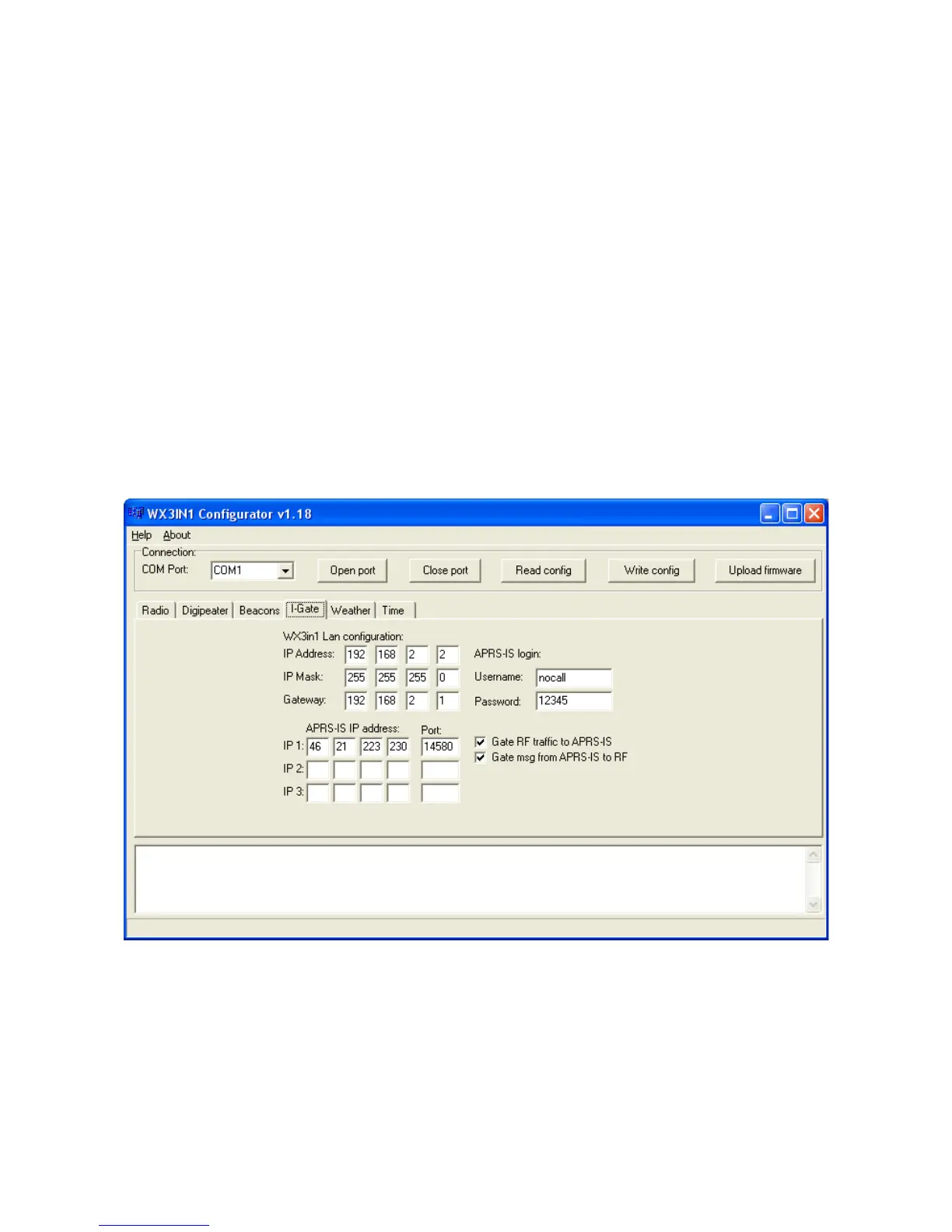
7.8. I-Gate Settings
Below is the description of functions and their meanings:
• IP Address – WX3in1 device IP address,
• IP Mask – WX3in1 network mask,
• Gateway – network gateway, usually your router IP address,
• APRS-IS Acount – APRS-IS account information
14


 To Next Page