LVS-9580/9585 Operating Instructions - English
LVS-9580/9585 Operating Instructions - English Page 6 of 27
Hardware Overview
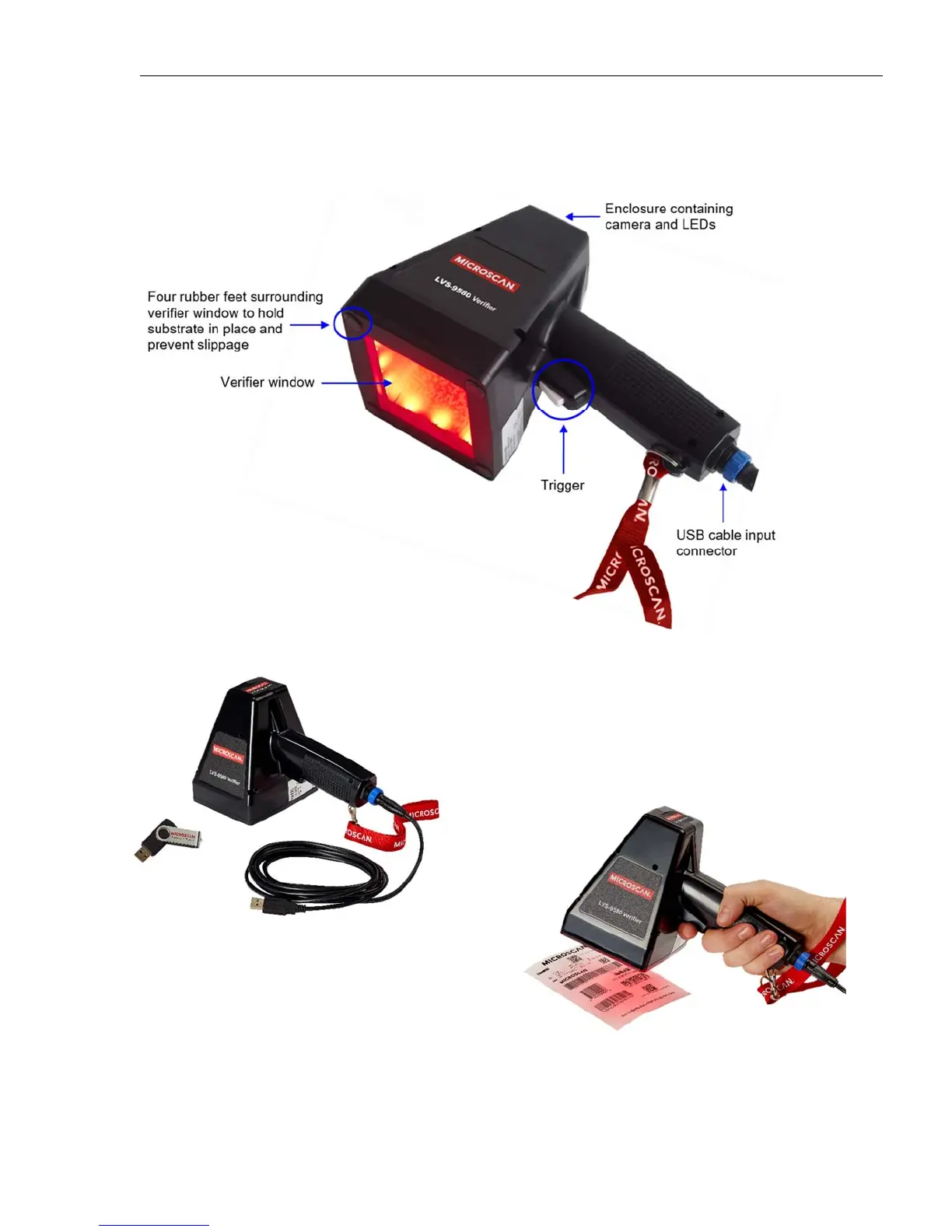
The LVS-9580/9585 is comprised of the following hardware components:
Note: The image below shows the device approaching the
symbol to be verified. The four rubber feet at the corners of
the verifier window must be placed on the surface where the
symbol is printed or marked.
The position of the device shown at left more closely
approximates the orientation required in an application setting.
Important: The label shown above is 4” x 4”. The long
linear symbol on the label would not fit in the field of
view without using the Stitching Feature described in
the LVS-95XX Series Operations Manual.
LVS-9580/9585 with USB cable
and software installation flash drive.



 To Next Page