LVS-9580/9585 Operating Instructions - English
LVS-9580/9585 Operating Instructions - English Page 9 of 27
Turn On the LVS-9580/9585 Camera
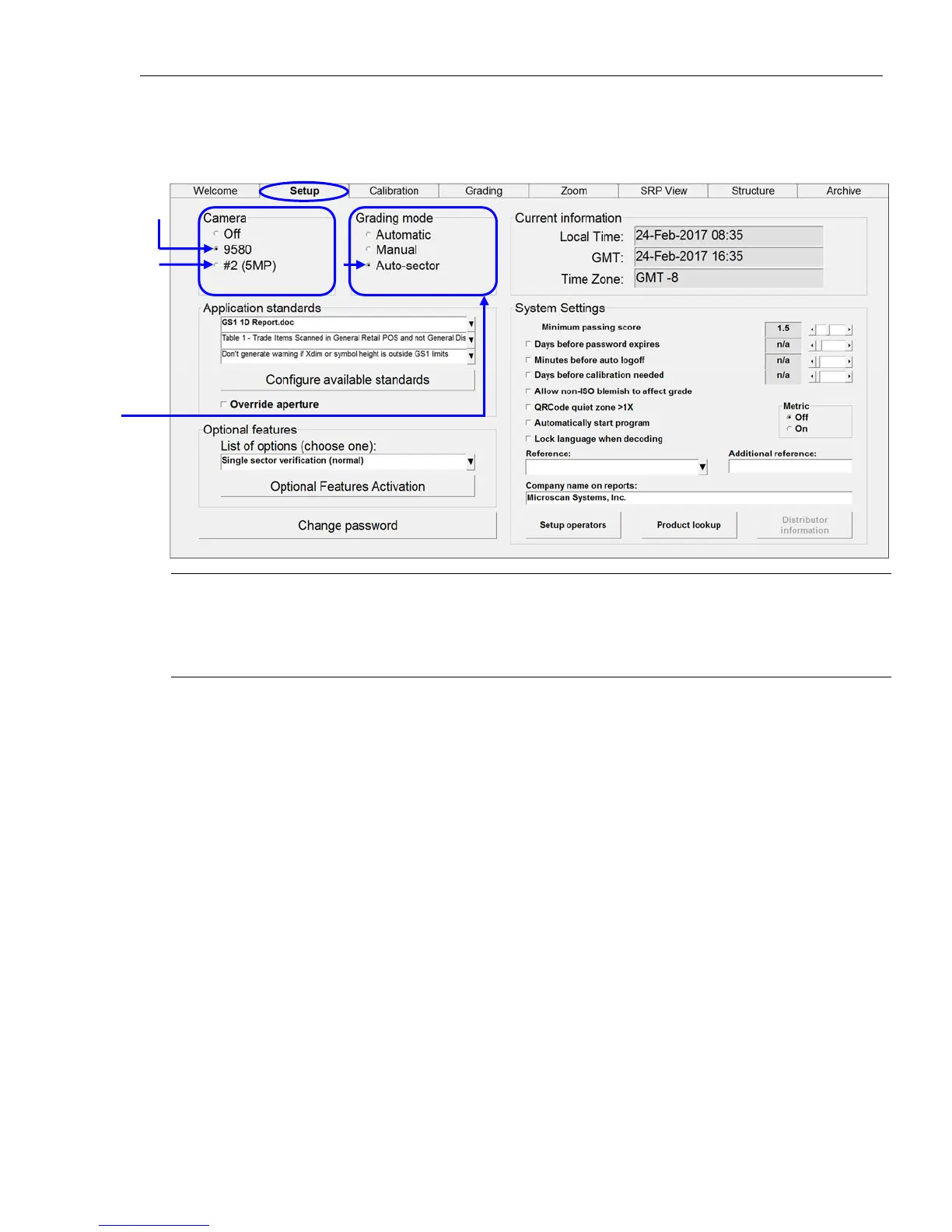
1. Click the “Setup” tab and select “9580/9585” in the “Camera” section (see below).
Note: When using only the LVS-9580/9585 (with no other LVS-95XX barcode verifier, such as the LVS-
9510), “9580/9585” will be the only camera listed in the “Camera” section. When using the LVS-
9580/9585 with the LVS-9510 (5 MP), both cameras appear in the “Camera” section. Select
“9580/9585.”
2. Select “Auto-Sector” in the “Grading Mode” section (see screenshot above). This allows the LVS-95XX
software to locate a barcode within the field of view and automatically draw a sector around the barcode.
3. Next, calibrate the LVS-9580/9585 (if using for the first time). See the next section for calibration steps.
Additional
camera
LVS-
9580/9585
Select the
“Auto-Sector”
option



 To Next Page