Using the MPM
14
The default I
2
C slave address for the MPM is 100 (decimal). All menu options under Data > I2C launch the MPM I2C
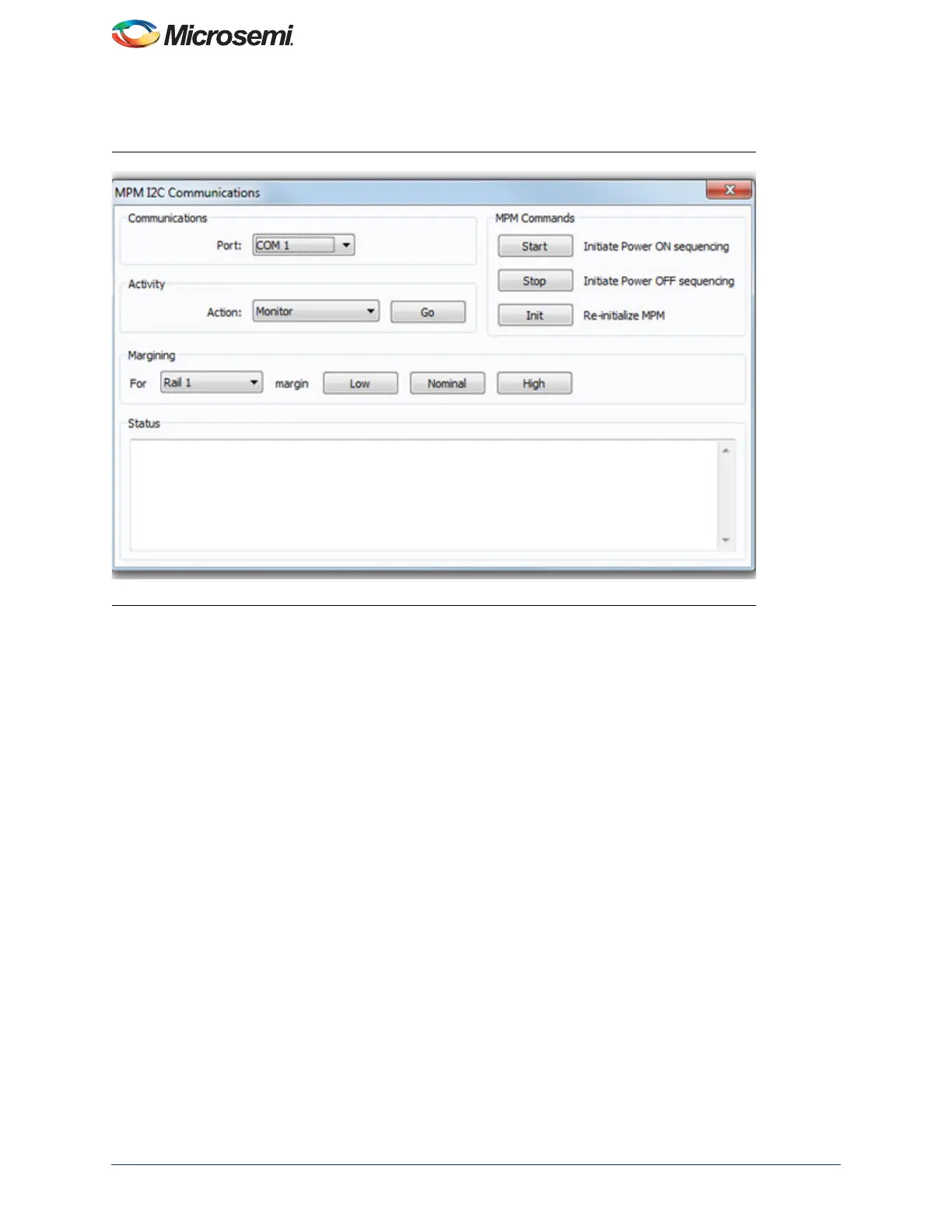
Communications dialog with different default settings. Refer to Figure 15 for an example: Data > I2C > Monitor Values
ON/OFF.
Click the Activity > Go button to check that the MPM GUI communications with the USB-ISS works. If not, ensure that
all hardware, driver, and software configurations are correct.
Once the MPM GUI communications with the USB-ISS device are working, select Find I2C Address from the Activity
> Action drop-down and click the Activity > Go button. For the default configuration with the MPM I
2
C slave address
100, you should see:
Starting Looking for I2C Address
I2C Speed set to 1MHz
Trying I2C Address of 100
Success
If the Find I2C Address option is not used to dynamically scan for the MPM slave address then the GUI will by default
try to use the I
2
C address specified under Misc > Management Interface I2C > I2C Address.
Once the GUI communication with the USB-ISS and the MPM target I
2
C slave has been established, it is possible to
use the various other options in the MPM I
2
C Communications dialog to interact with the target:
• Activity
– Test Dongle: Tests communication with the USB-ISS dongle only. The USB-ISS does not need to be
connected to the MPM target.
– Find I2C Address: Dynamically scans to search for the MPM I
2
C slave address.
– Read: Reads the configuration settings from the target through the I
2
C and populates the MPM GUI
settings using them.
– Write: Writes the configuration settings in the MPM GUI to the MPM target through the I
2
C. These settings
will take effect the next time the MPM is reinitialized (in stopped mode) and then re-started. Note you can
Read, reconfigure the MPM configuration settings and Write in order to change the configuration of the
MPM target.
– Monitor: Enters monitoring mode so that the GUI can display live updates of the target state using the
Meters and Memory Map views.
– Go/Stop: Click the Go button to run the chosen activity. While running, the Go button changes to the Stop
button and can be pressed to prematurely terminate the active activity.
Figure 15 • MPM I2C Communications Dialog



 To Next Page