4. Select All Settings.
5. Select Kinect & devices.
6. Select Devices & accessories.
7. Select your controller.
8. Under DEVICE OPTIONS, select Update.
9. Following the instructions to complete the update.
For more information, see Update your Xbox One Controller.
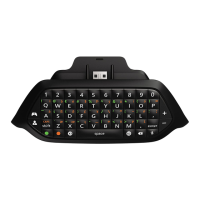
Chatpad is not functioning properly
If the previous solutions didn't work, we recommend trying the Xbox Forums to see if a member
of our community can help you.
If none of the solutions on this page resolved the issue, you may have to go to the Xbox Online
Service Center to have your device replaced.
Supported countries
The Xbox One Chatpad is available in the following counties and regions: Argentina, Australia,
Austria, Canada, Chile, Colombia, Czech Republic, France, Germany, Greece, Hong Kong,
Hungary, India, Ireland, Israel, Mexico, Netherlands, New Zealand, Saudi Arabia, Singapore,
Slovakia, South Africa, Taiwan, the United Arab Emirates, the United Kingdom, and the United
States.





 To Previous Page