MSB780(X) - User’s Guide
• HQNH - Altitude for QNH corrected pressure
• TQFE - Temperature for QFE corrected pressure
• HHCP - Altitude for HCP height corrected pressure
• DPMAX - Maximum permissible difference between pressure transducers
• ICAO settings - Mode of QFE and QNH calculation, truncating of QFE and QNH reading
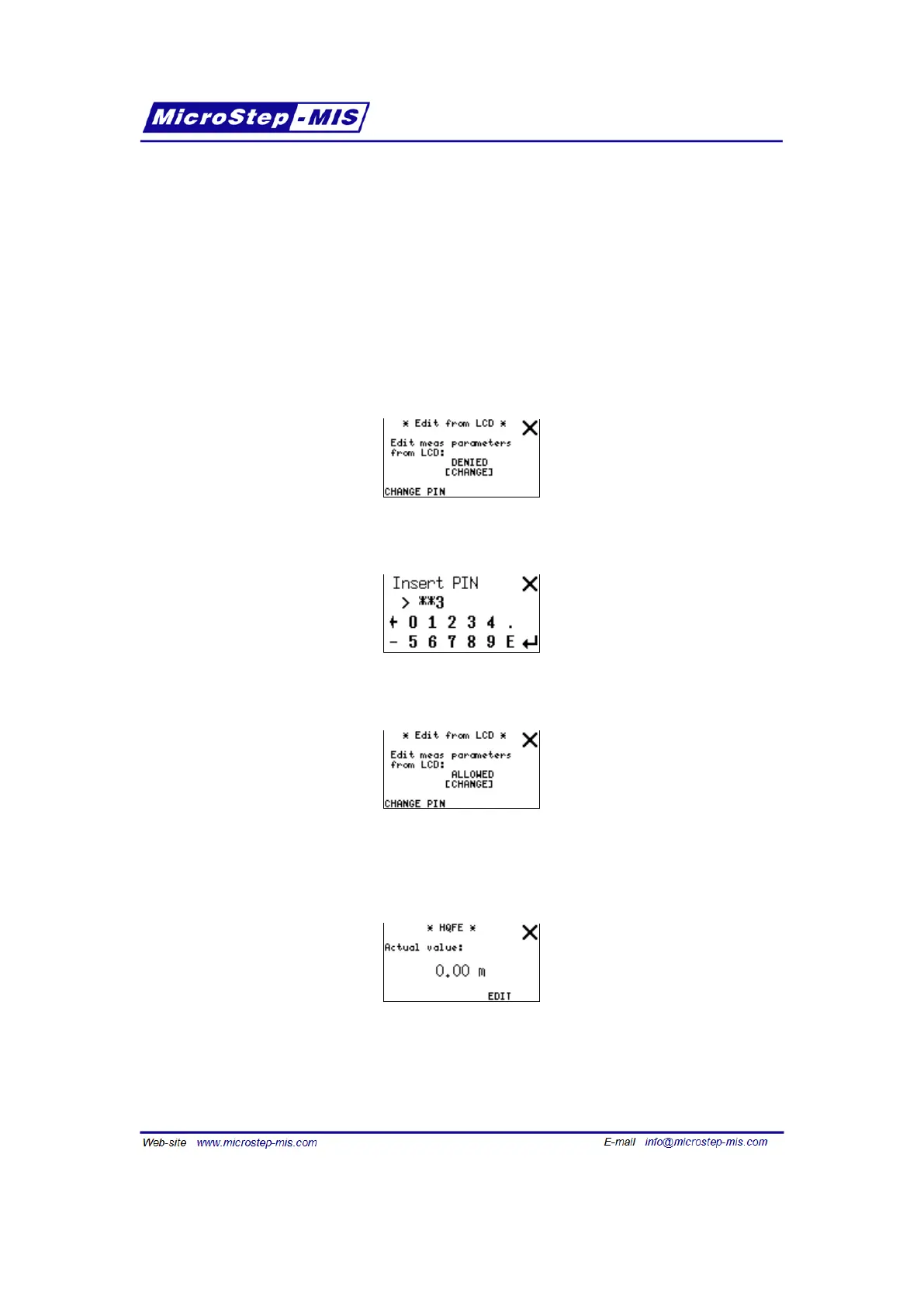
Note: These settings can be altered only after allowing it by entering correct PIN code in "Edit
from LCD" submenu. To enable editing parameters from LCD go to "Edit from LCD"
and tap the "[CHANGE]" button. If a PIN is set, barometer will ask for it:
If you enter correct PIN (default is "1234") you will see editing is now ALLOWED:
You can also use appropriate serial line commands to alter the settings without PIN code.
Example screen for HQFE setting (HQNH and HHCP are very similar):
Note: EDIT button is visible only if editing is enabled in "Edit from LCD" submenu.
Tap EDIT button to change actual value. Insert new value using numeric keyboard. You can tap
on "[m]" to switch actual unit to "[ft]". Example screen for entering new value:
65



 To Next Page