MSB780(X) - User’s Guide
Please use serial commands to change the parameters of interfaces.
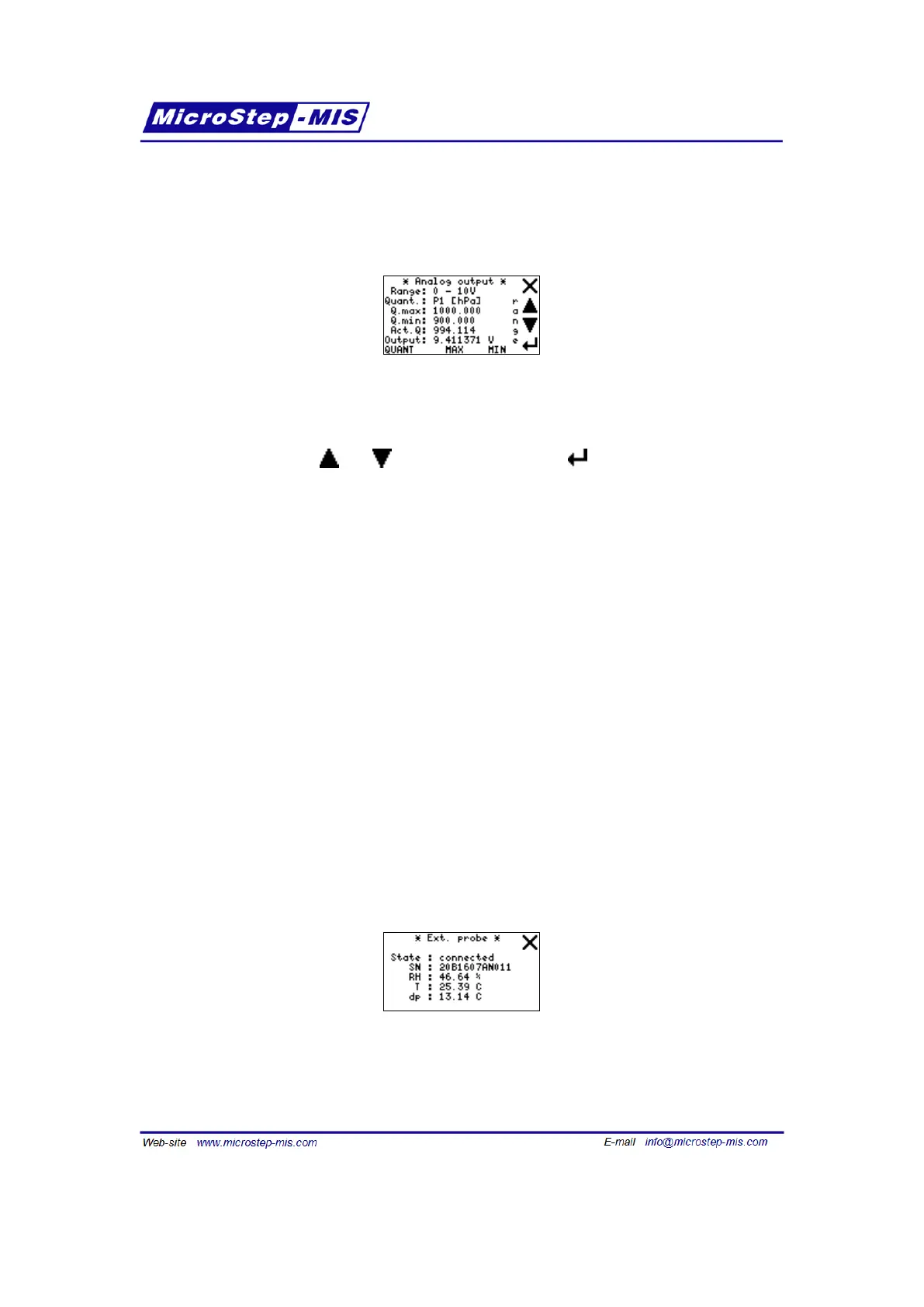
Screen of Analog output menu is in the following picture:
• "Range" shows actual range of analog output and its unit, i.e. current/voltage mode. Lower
number regards to Q.min value, higher number regards to Q.max value. "V" means that
analog output works as voltage source, "mA" means that analog output works as current
source. Use buttons and to change the range and button to apply and save the
chosen range.
• "Quant." shows chosen quantity, which is transferred to analog output. You can change
it using "QUANT" button in the bottom line. In the square brackets there is unit of the
quantity. The unit is used automatically according to quantity setting and it can be changed
using unit command (page45). Q.min and Q.max values are always in the same unit and
they are automatically recalculated if the unit is changed, i.e. they stay, physically, without
change (only numbers change).
• "Q.max" is the value of chosen quantity which is represented as the top of range of analog
output. It can be changed using "MAX" button in the bottom line.
• "Q.min" is the value of chosen quantity which is represented as the bottom of range of
analog output. It can be changed using "MIN" button in the bottom line.
• "Act.Q" shows actual value of the quantity being transferred to analog output.
Note: If Q.max is less than Q.min, analog output still works properly, but there is negative
coupling between the quantity and analog output. For example, if Range=0-1V Q.max=0,
Q.min=1000, Act.Q=700, than the Output would be 0.300 V.
• "Output" shows actual value of voltage or current calculated and being set to the analog
output.
Ext. probe screen:
If the external probe is connected to MSB780X transfer standard, data from external probe are
displayed.
68



 To Next Page