MT-FP4060-UV Operating Manual
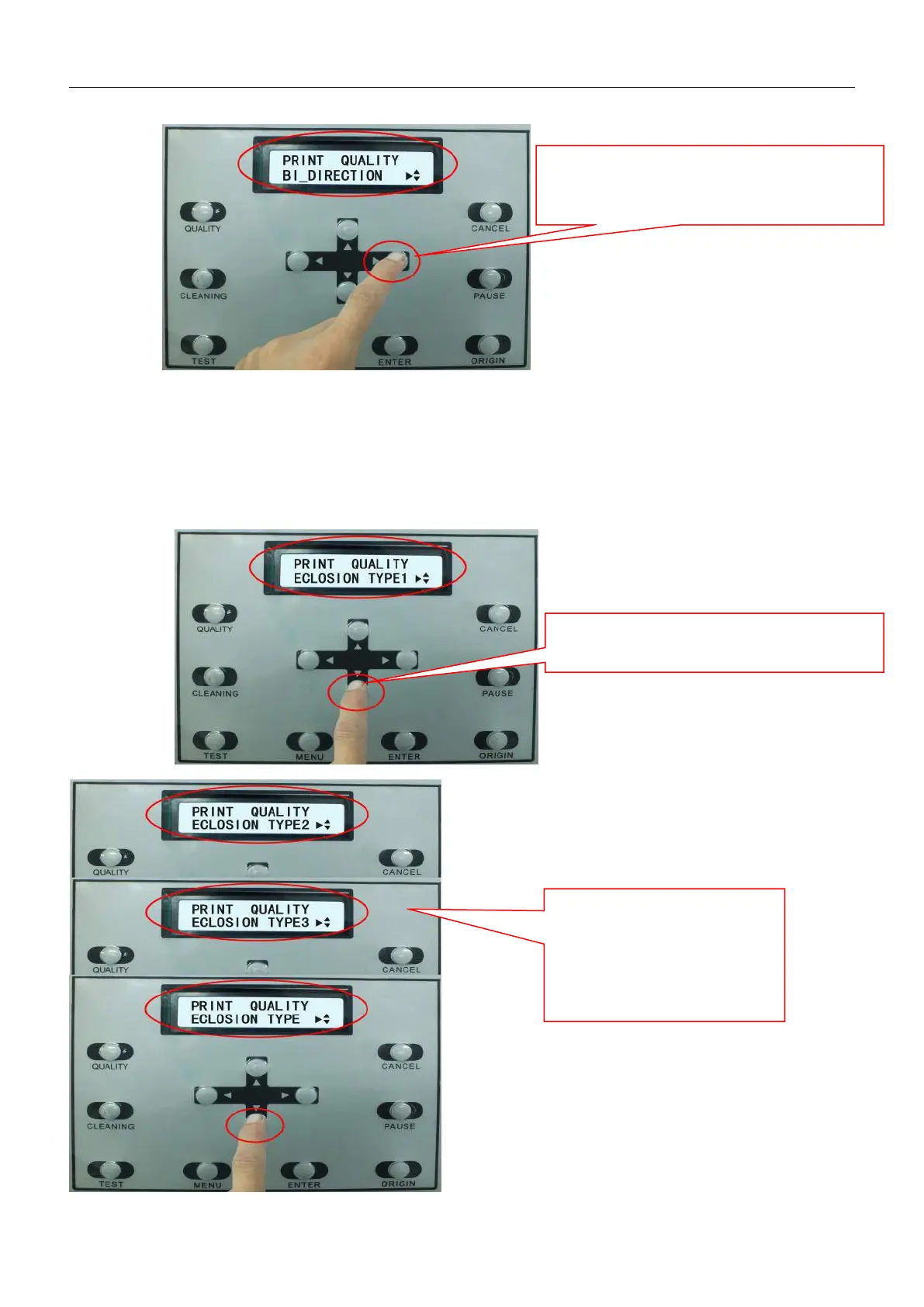
2.7.2.3 Print Eclosion Setting
“Eclosion” is a print parameter to control print quality.When Eclosion is turned off, there will be probably
horizontal lines created during printing.After the Eclosion is turned on, print speed will be slower ,but there will be no
horizontal lines.Usually we choose“ECLOSION TYPE1”
Press on button “RIGHTWARD”,choose
“BI-DIRECTION”,Press on button “ENTER” to
save the setting
Under the item of “PRINT QUALITY” Press
on button “DOWN” to enter eclosion sub-item
Press on button “RIGHTWARD”
by 3 times, you can find
“ECLOSION TYPE2”,
“ECLOSION TYPE3”
“ECOLSION NONE”


 To Next Page