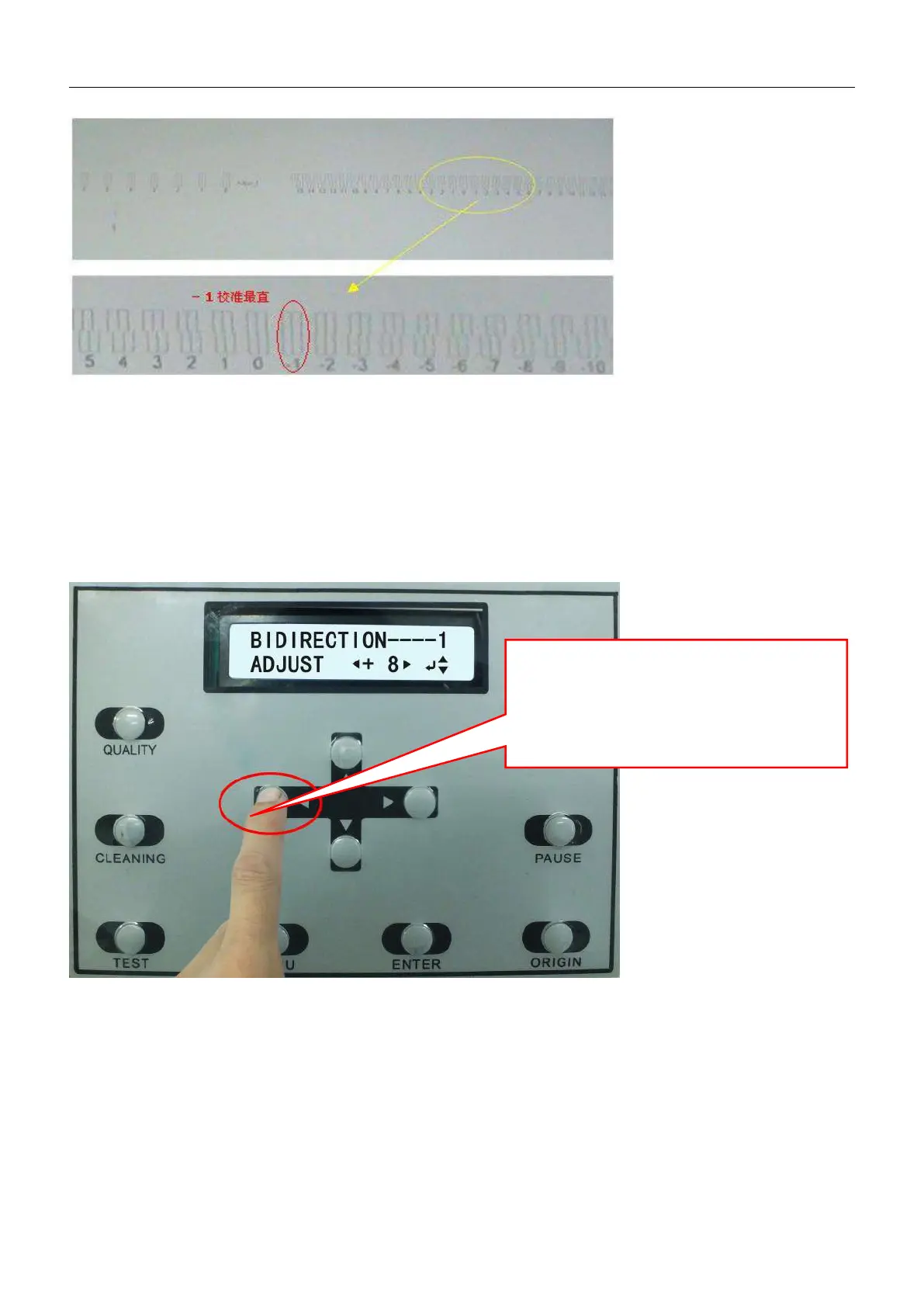
When the Calibration chart confirmed ,press ▼ button to enter Settings menu of Bi-direction readjustment , using ◄
And ► to change the setting, the following picture display the status of testing, To increase the number if the
direction of the + are straight, and decrese the number if the the direction of the - are straight.
Please note: pls. make the 1, 2, 3, H of Bi-direction readjustment calibrated in turn..
2.8 Driver Installation
Note: The driver does not support Mac systems and Win8 system , to recommend customers to use 32 of XP and
Win7 systems.
2.8.1 Find the card-type USB disk containing driver and operation manual from package box. Read the USB disk with
If No. “-1” column is the most straight one,
press button “leftward” to minus value of “-1”。
If No."5" is the most straight one, then press
button"rightward" for five times to value "5".



 To Next Page