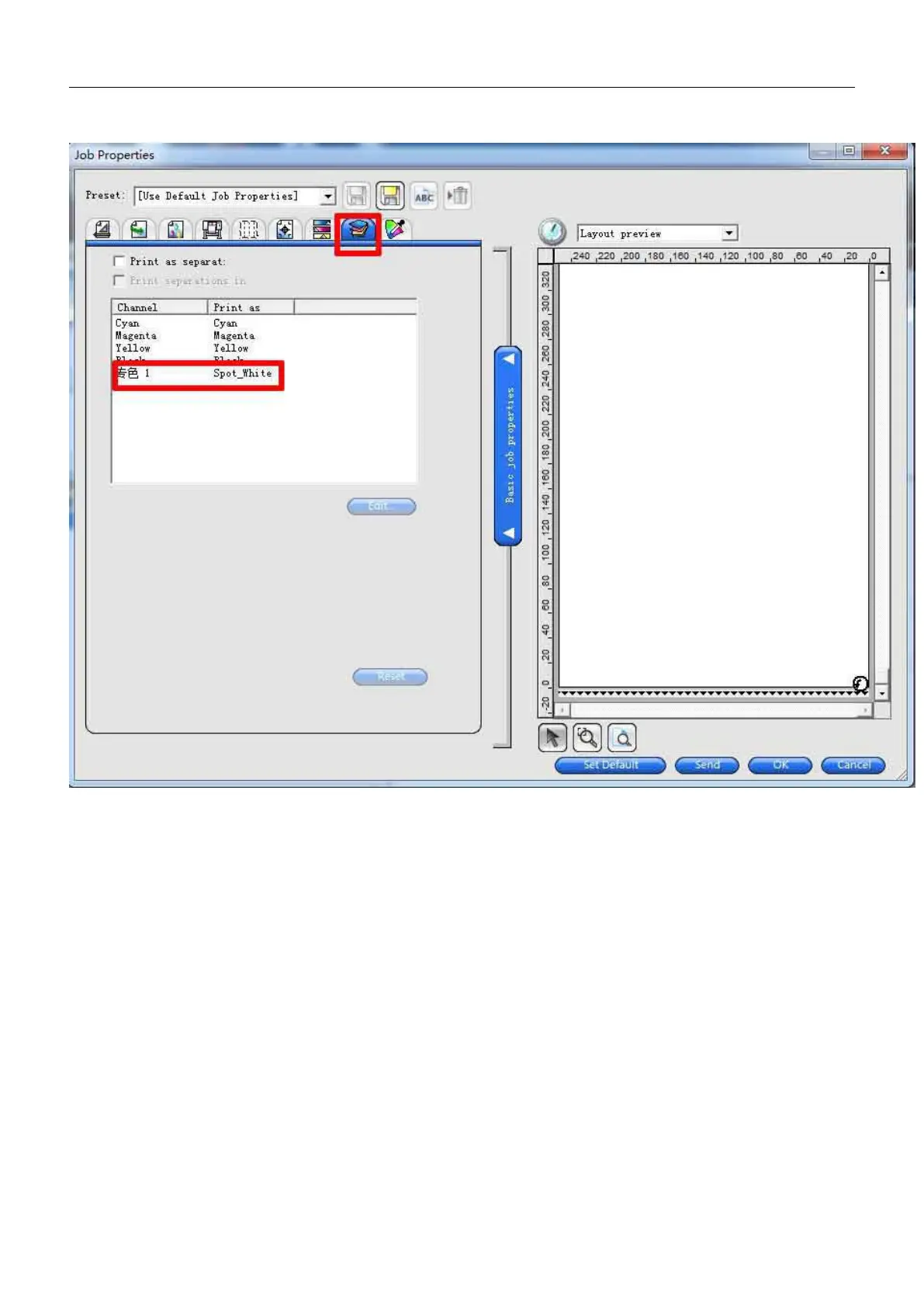
Illustration: spot color white ink print settings, follow the image (Note : to set it when you want to
print spot white ink )
PART THREE: MAINTENANCE
※ After work each day, press “testing”button to print testing strip to check the nozzle work well or not.
※ After work each day , to wipe the cap top with clean cloth.
※Before working at the next day, to press “testing”button to print testing strip to check the nozzle work well or
not first , if missing line to do print head cleaning.
※To ensure that encoder grating clean to avoid affecting print quality , use clean cloth with alcohol to wipe it.
※Regular time to add Lubricating oil to all rails.
※If don’t use machine long time; you shall make the ink tubes and ink dampers clean without ink, to prevent the
machine clogged ink nozzles when using, to share the ink bottle(white ink 10minutes, colorful ink 3-5minutes)


 To Next Page