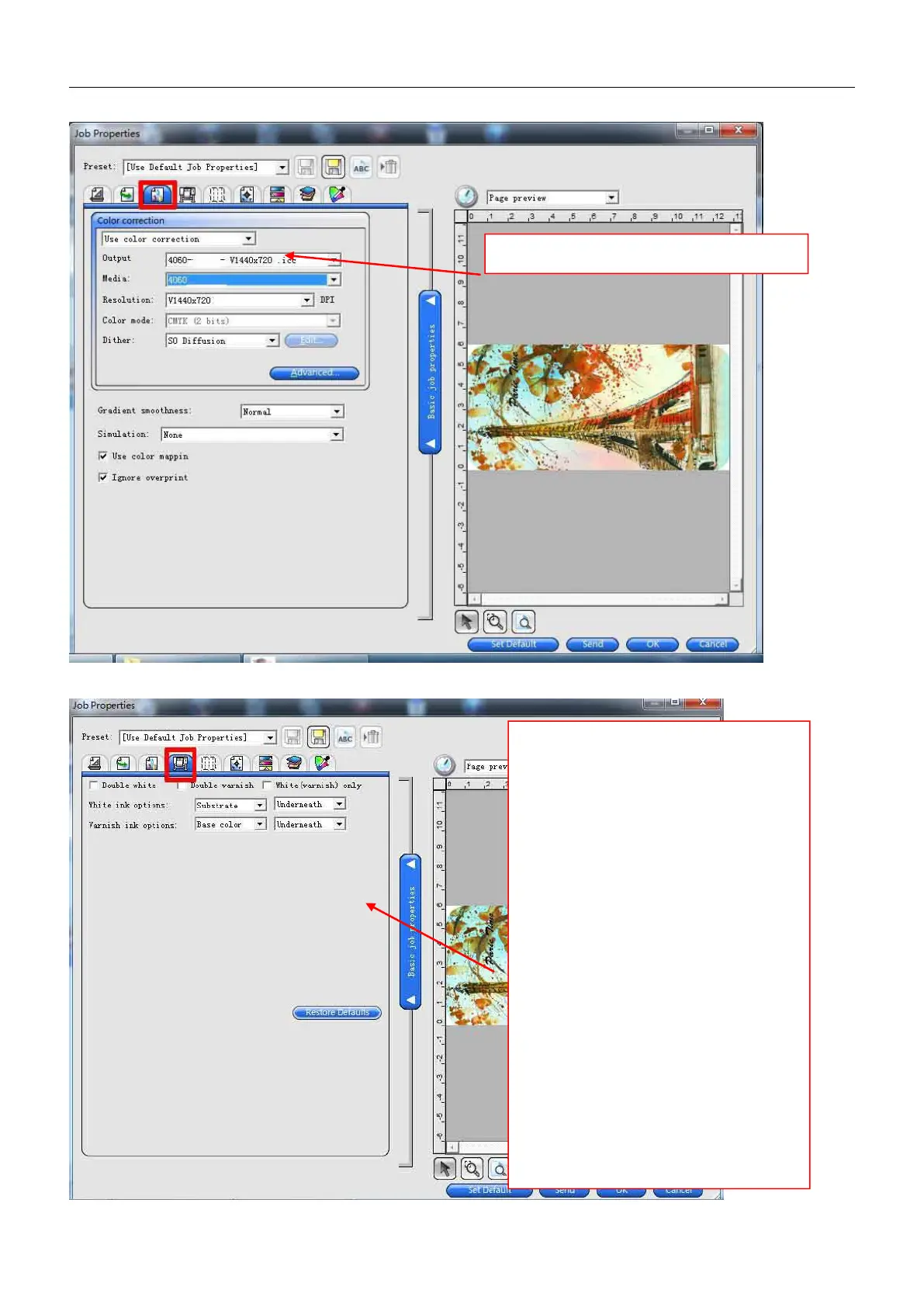
Remark:
1, double white: to print white color 2
times
2, double varnish: to print varnish liquid 2
times
3,white(varnish)only: only to print
white(varnish)
White ink option:
None: won’t print on white ink
Substrate: to print full size of white ink to
whole “job size”
spot color: only to print white ink at
specified location( with concave-convex
touch feeling)
under color: only to print white ink under
color
fill color: to fill white color to the area
without color
Underneath: white ink under color



 To Next Page