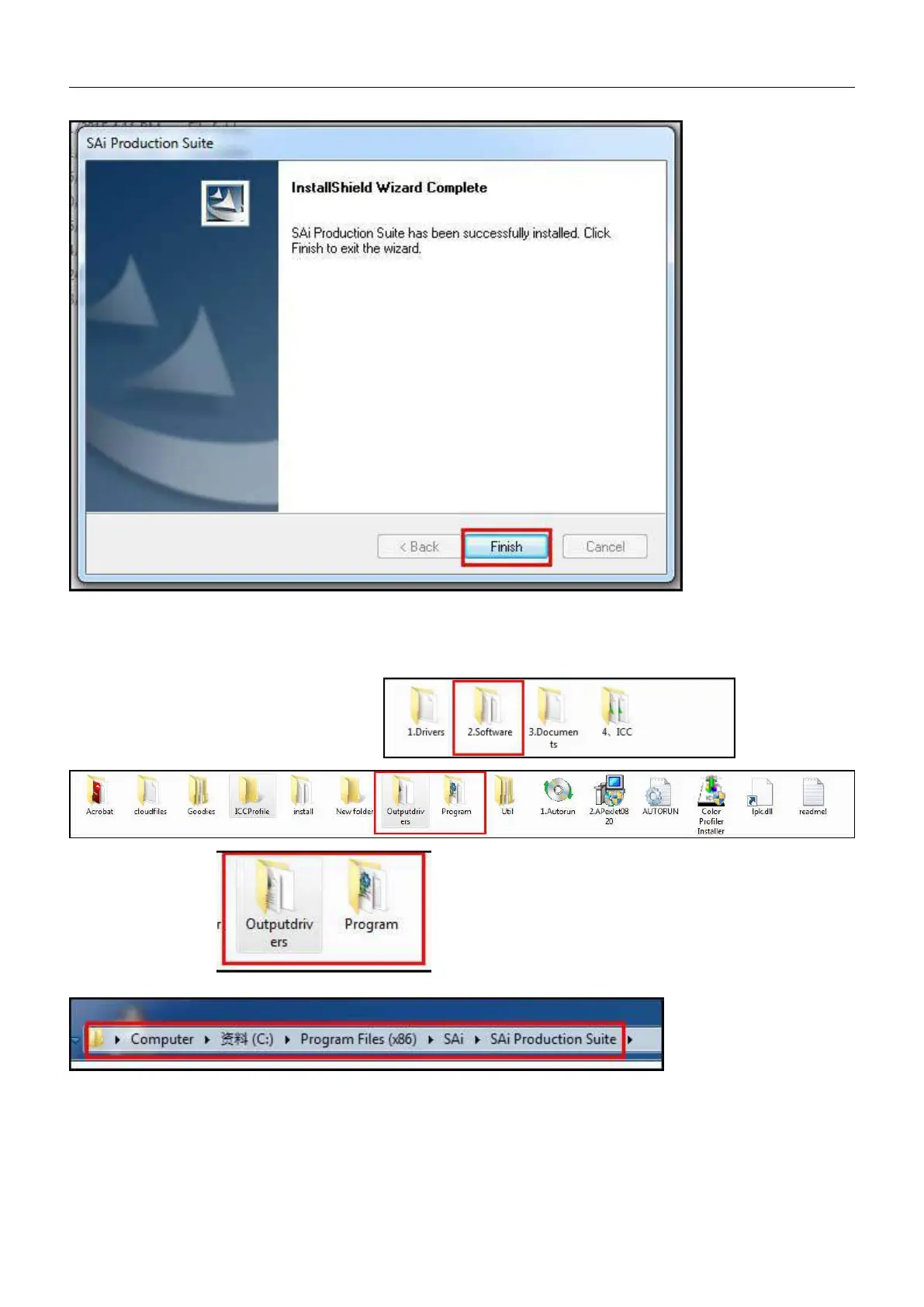
Click “Finished” on next dialog box, as shown:.
Photoprint software programs need to be updated after the installation is completed : First turn off antivirus software
after restart the computer , as shown below
Go back to RIP software disc folders and find and open it.
To copy both of them to the Photoprint software install folder,
NOTE: The update program in the process shown in Figure: need to re- start the computer again carry on to operate.


 To Next Page