Nom key.
2) Do not use the Save Nom function if the measured value is negative
(e.g. an inductor measured above its self resonant frequency).
Once the measurement parameters have been set, Hide Setup can be
selected to clear them from the screen. The parameter settings are still valid
and will be used for component measurements. The bar graph scale and
limits will still be displayed. Hide Setup is used primarily to unclutter the
display, making it more easily readable. Selecting Show Setup will
redisplay the parameter settings.
Enters CALIBRATE MODE which is used for Trimming (section 4.3) .
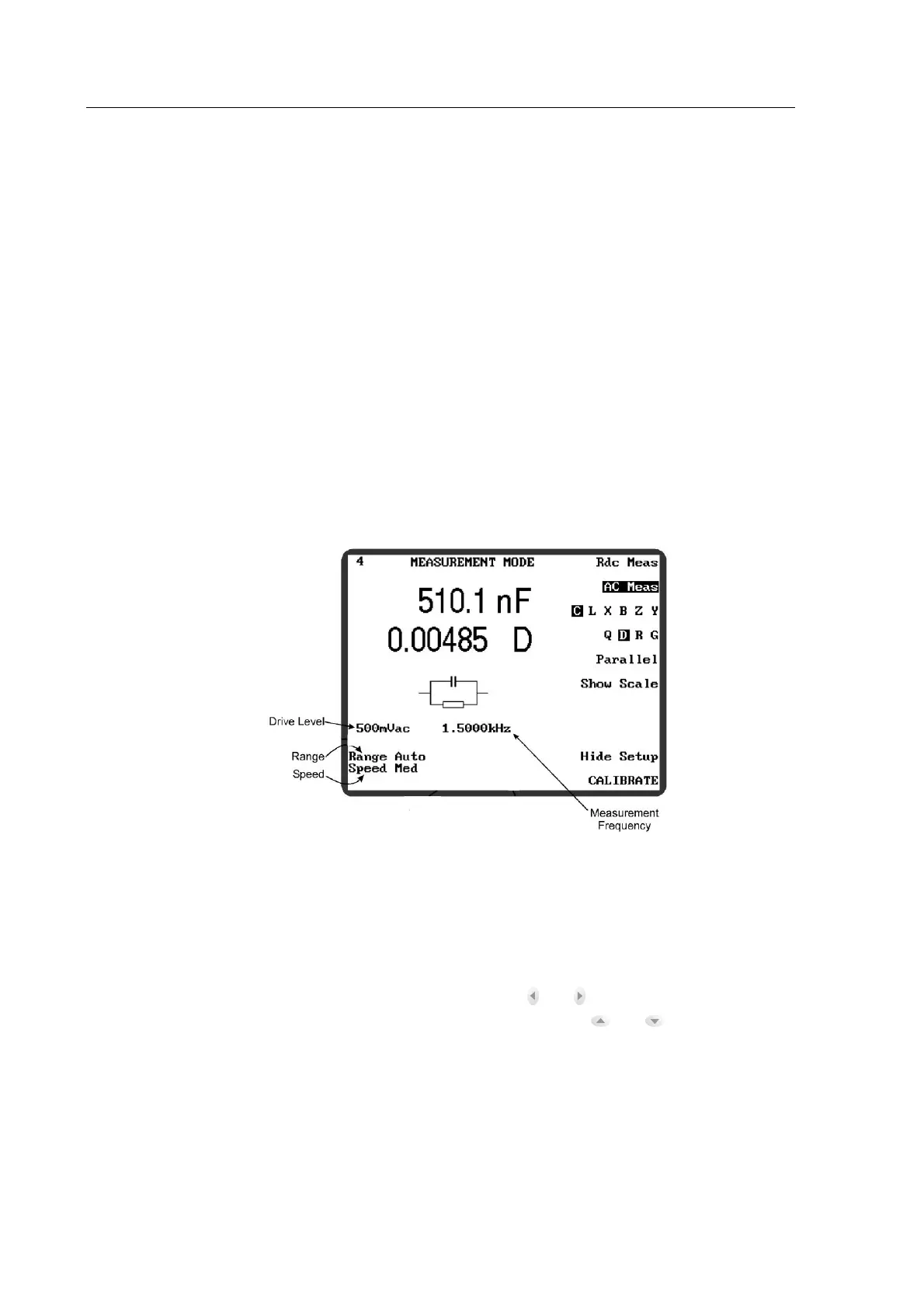
The following MEASUREMENT MODE parameters are those displayed in the bottom left-
hand-corner of the screen, shown in figure 4-16, They are only visible when Hide Setup is NOT
SELECTED.
Figure4-16 Non-Soft Key MEASUREMENT MODE Parameters
Set by highlighting the parameter with the and navigation keys, then
altering the setting in pre-determined steps with the and navigation
keys, or by using the data entry keypad. The range is:
Rdc Meas mode
AC Meas mode
10mV or 2V
Variable between: 10mV–2V
At frequencies above 5MHz the maximum
values are restricted (see specification).



 To Next Page