The GPIB address is stored in non-volatile memory.
6.1.4 Message Syntax
A GPIB message is made up of one or more commands. Commands can be separated into two
groups, common commands and subsystem commands. The available common commands are
defined by IEEE488.2 and are primarily concerned with the instrument’s GPIB configuration,
e.g. reading error registers and identifying the instrument. The subsystem commands are the
higher level commands that follow the SCPI guidelines and are concerned with setting up the
instrument functions, e.g. changing the frequency and drive level.
6.1.4.1 Message structure
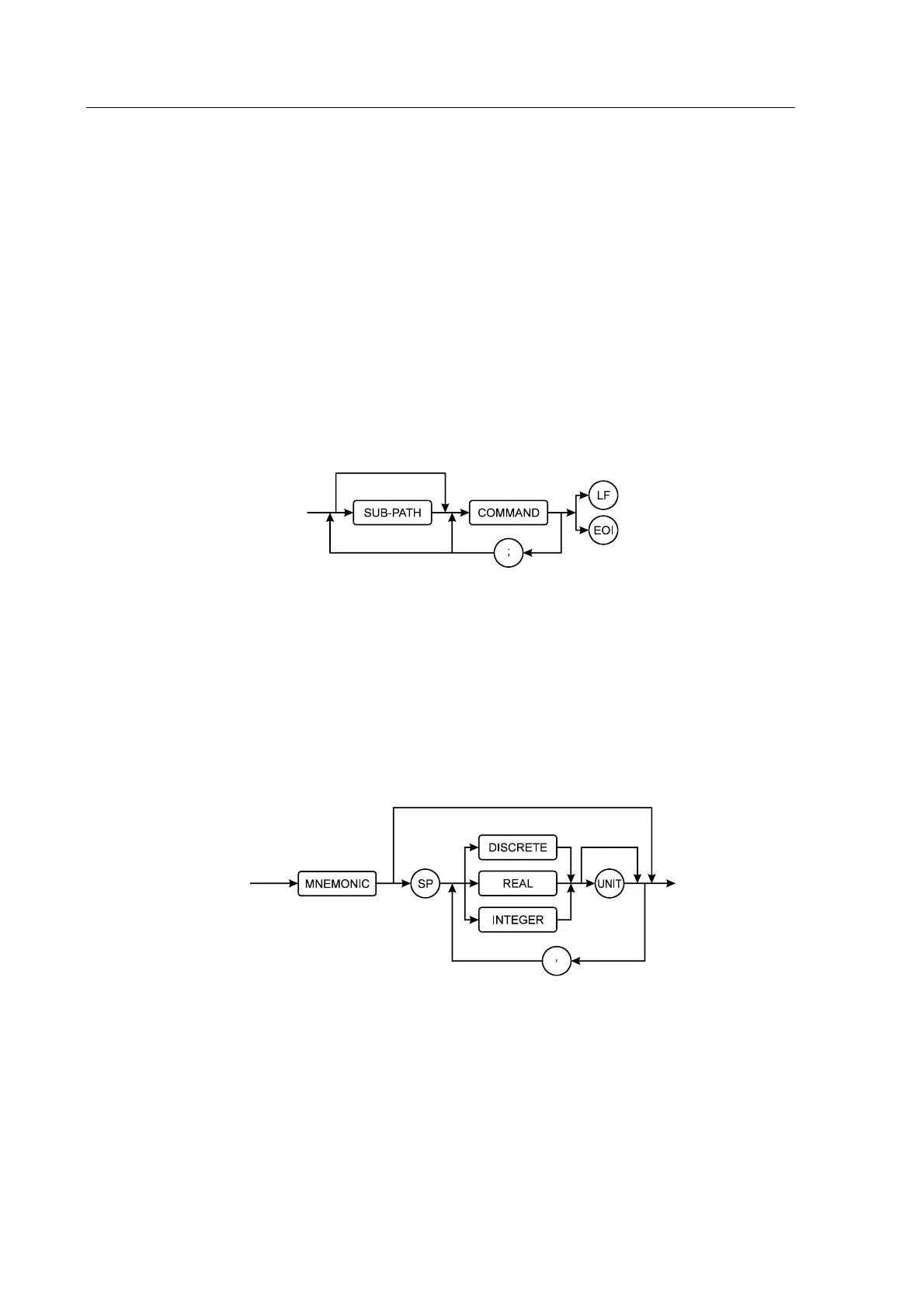
Messages are sent to the instrument as ASCII character strings. The structure of these strings
can be seen in Figure 6-1. When interpreting the strings the instrument is not case-sensitive.
Figure 6-1 GPIB Message Structure
The path command prefix allows access to commands in the SCPI command tree. Using this
approach greatly simplifies GPIB programming by allowing related commands to be grouped
together. The next part of the string is the command itself which has the structure shown in
Figure 6-2. Multiple commands can be sent in one message by separating them with a
semicolon (maximum length 128 bytes). The terminator indicates the end of the command string
to the instrument: this can be the sending of the line-feed character (ASCII 0Ah) and/or the
assertion of the EOI handshake line on the GPIB bus.
Figure 6-2 GPIB Command Structure
Each instrument command begins with a mnemonic that describes the required action, e.g.
FREQ for changing the frequency.
If the command requires a parameter, then the next character should be a white space character
(ASCII 20h), although any character in the range 00h-20h can be used with the exception of
line-feed (ASCII 0Ah).
The parameter itself can take one of three forms depending on the command:



 To Next Page