DIGITAL PROPORTIONAL R/CSYSTEM
www.microzone.cn
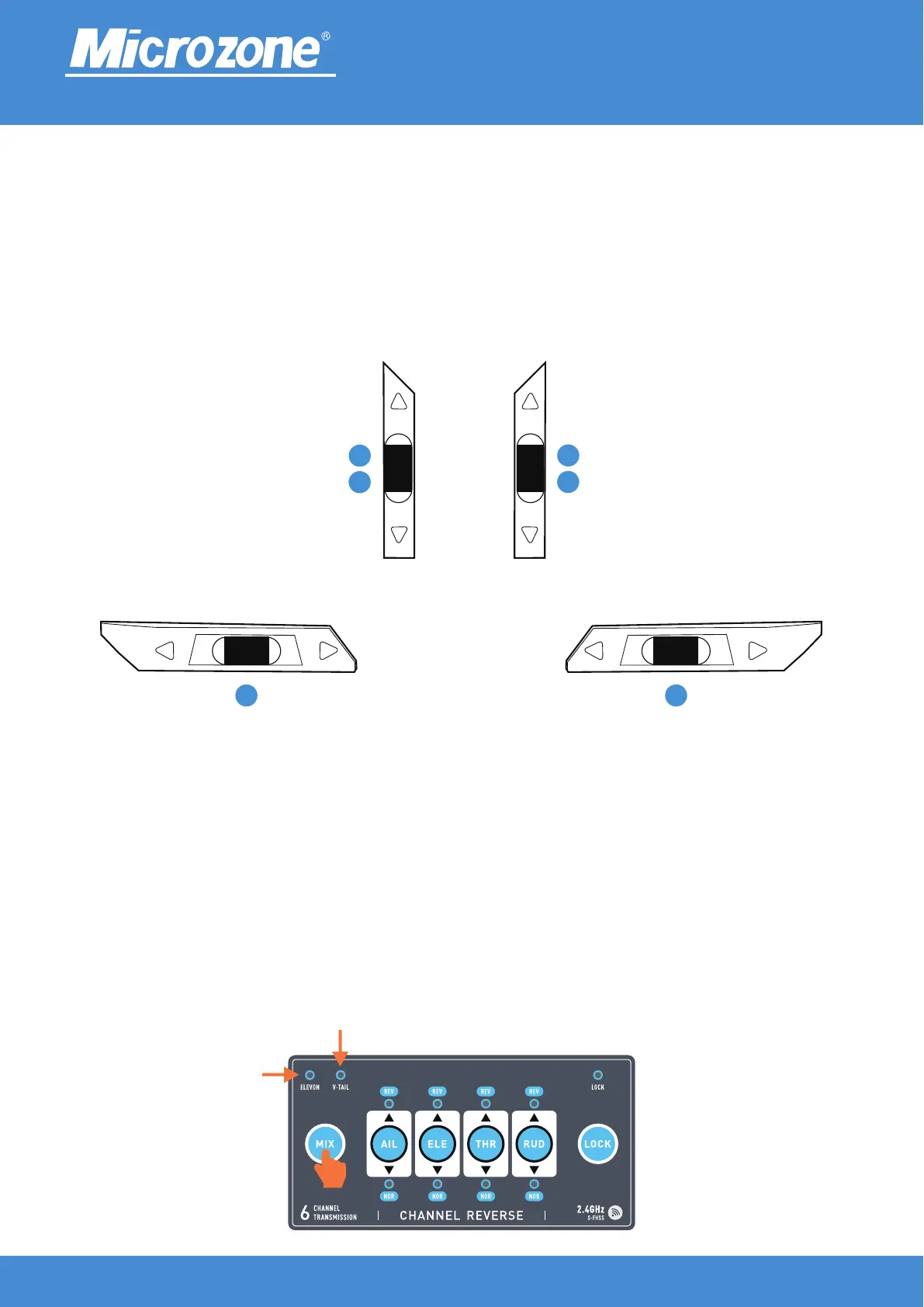
Fine adjustment switch:
The lower left trimming switch corresponds to channel 4, and the right trimming switch corresponds to
channel 1; Upper left fine adjustment switch, left modeCorresponds to channel 3, and the right arrow mode
corresponds to channel 2; Upper right fine adjustment switch, left mode corresponds to channel 2, right
modeEquation corresponds to channel 3; As shown in the following figure.
Mixed control:
After turning on the machine, press the (MIX) key for 3 seconds to switch to mixed control mode,The left light
of the mixed control light is on for 1/2 mixed control, and the right light is on for 2/4 mixed control,As shown in
the following figure, two lights off indicate no mixed control.
1/2hybrid control
2/4hybrid control
4 1
3
Left hand mode
2
Right hand mode
2
3
Right hand mode
2.4GHz
FHSS
Left hand mode



 To Next Page