DIGITAL PROPORTIONAL R/CSYSTEM
www.microzone.cn
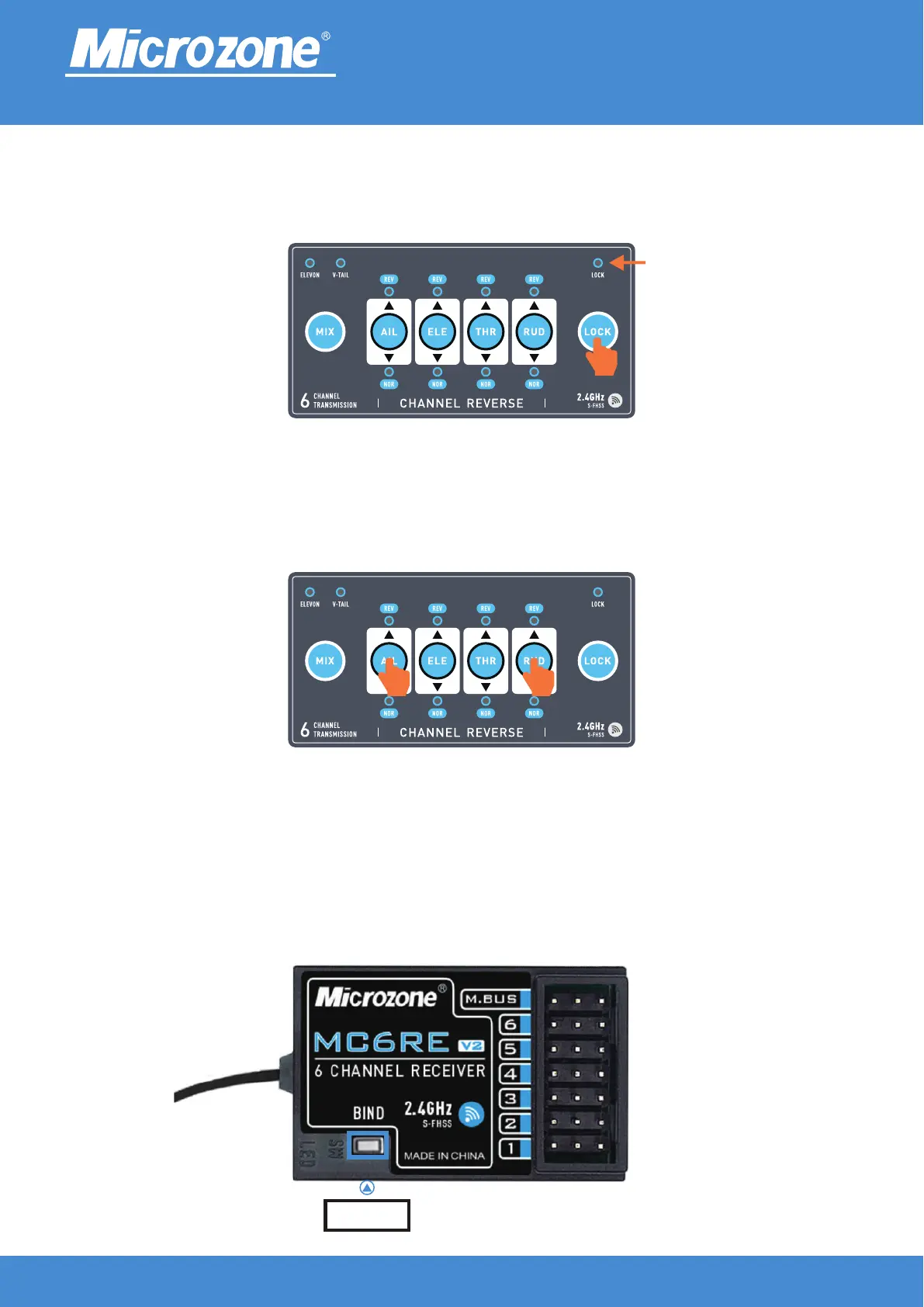
Loss of control protection settings:
After turning on the computer, press the (AIL+RUD) key to send the runaway protection value, as shown in
the following figure. When the receiver loses contact with the remote control,The value output by the
receiver.
2.4GHz
FHSS
Keyboard Lock:
After turning on the machine, press the (LOCK) key for 3 seconds to lock it, After locking, the lock light will
light up, and the fine adjustment/mixed control/reverse key is not available.
Locking light
Taking MC6RE-V2 as an example
FM button
Default runaway protection and customized runaway protection switching:
Factory default runaway protection value, that is, the third channel runaway protection value of 900, other
channels 1500; long press the frequency pair button on the receiver for more than 15 seconds, the receiver
indicator light flashes, can switch to user-defined runaway protection.



 To Next Page