DIGITAL PROPORTIONAL R/CSYSTEM
www.microzone.cn
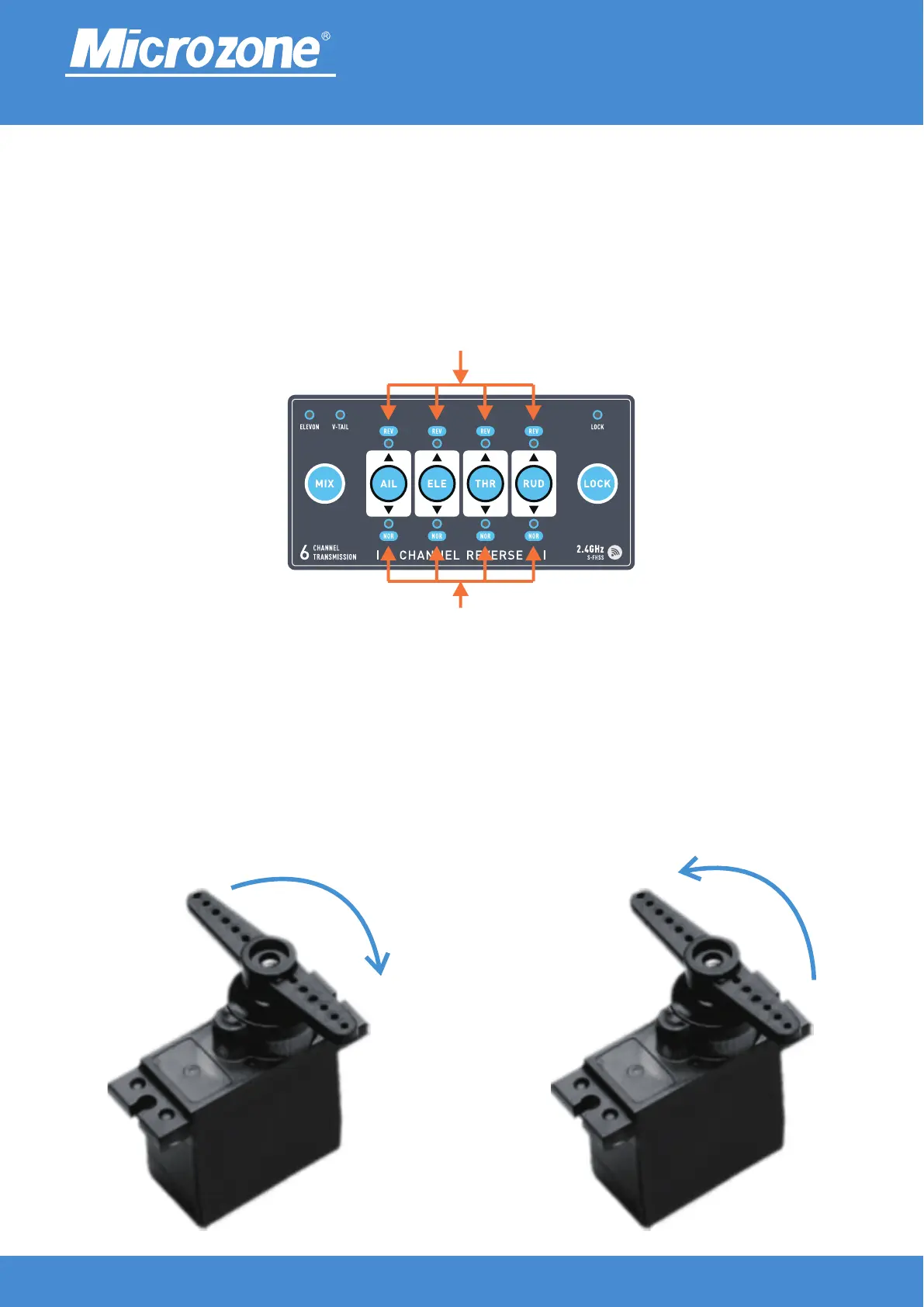
Channel Reverse:
Press any key (AIL, ELE, THR, RUD) for more than 1 second to switch direction, and the direction indicator
light will light up as positive When the indicator light is on, it indicates a reverse direction, as shown in the
following figure.
FUNCTION SETTINGS
2.4GHz
FHSS
Channel reverse indicator light
Channel forward indicator light
For example, on channel 1, when the reverse indicator goes to the lower side, the servo swings from left to
right by turning the lever from left to right (Fig. 1), and when the reverse indicator goes to the upper side, the
servo swings from right to left by turning the lever from left to right (Fig. 2).
① ②



 To Next Page