DIGITAL PROPORTIONAL R/CSYSTEM
www.microzone.cn
2.4GHz
FHSS
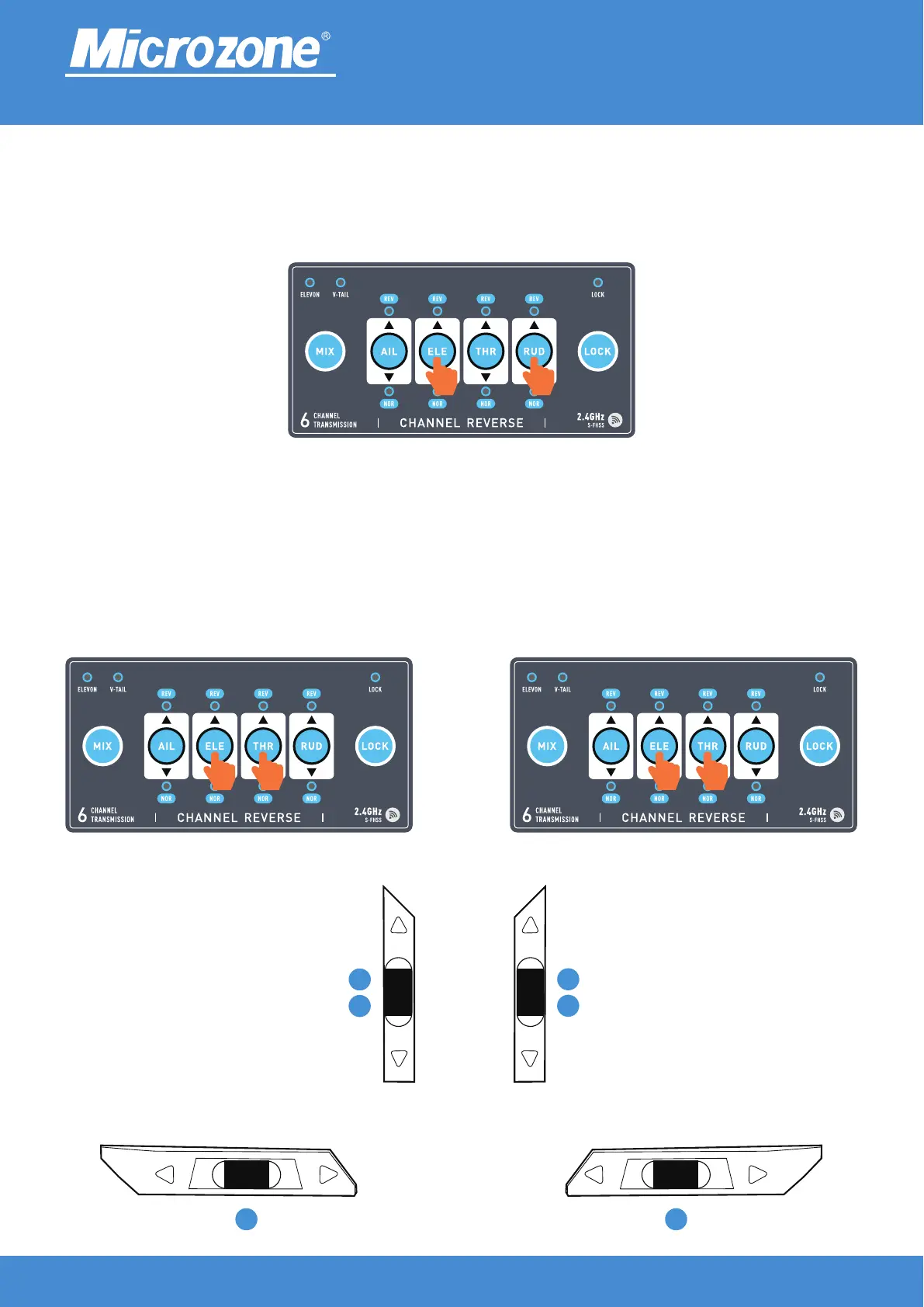
RF switching:
After turning on, press the (ELE+RUD) key to switch compatibility mode, as shown in the following figure,
The default mode is 6C mini mode, and after switching, it is standard 6C mode.
① ②
③
Travel settings:
After turning on the machine, press the (ELE+THR) key to enter the settings (Fig.1), and turn the
corresponding channel's fine adjustment switch (Fig.3) to increase the Alternatively, reduce the travel
amount and press the (ELE+THR) key to exit the setup (Fig.2).
4 1
3
Left hand mode
2
Right hand mode
2
3
Right hand mode
Left hand mode



 To Next Page