DIGITAL PROPORTIONAL R/CSYSTEM
www.microzone.cn
Vehicle Settings:
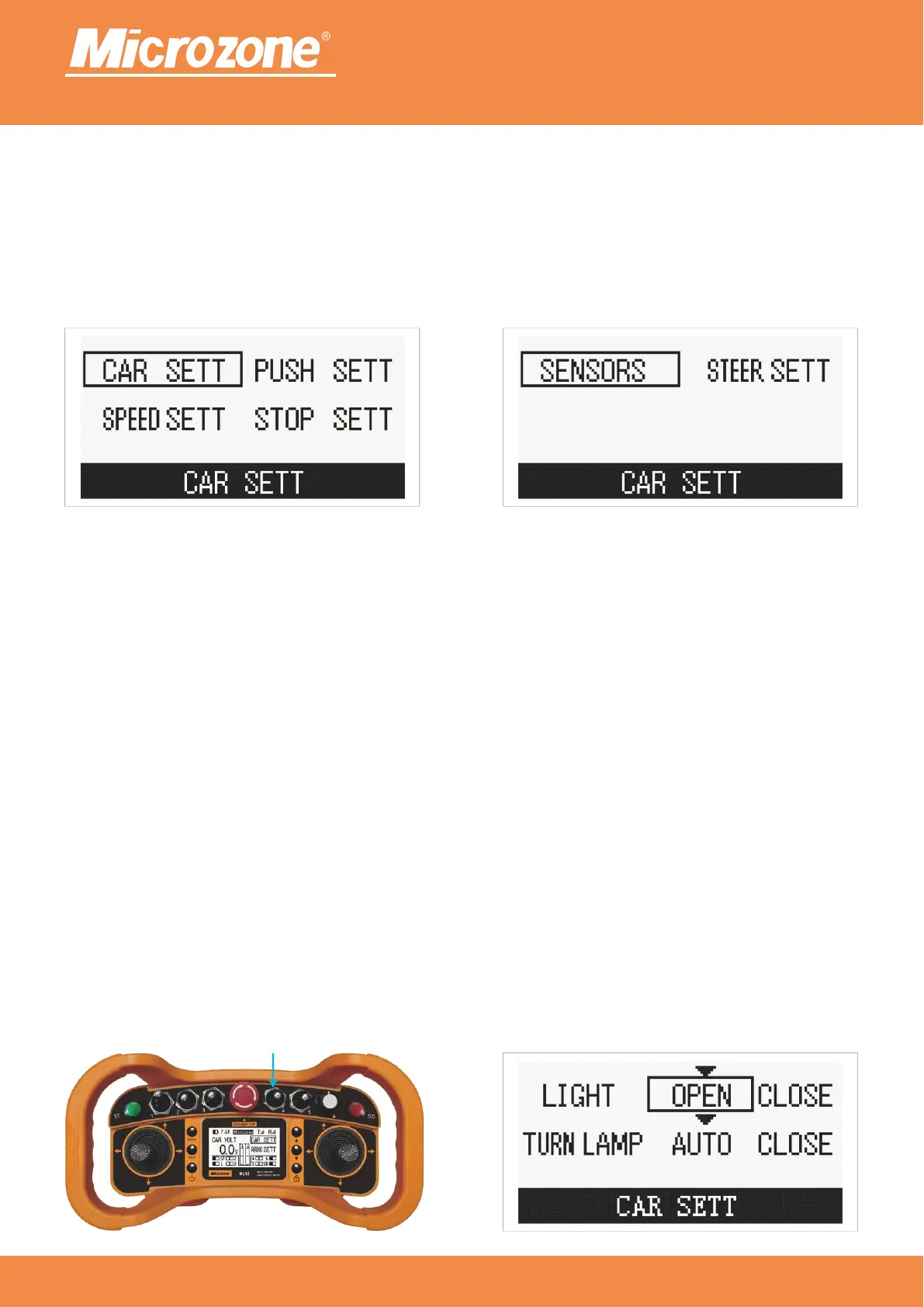
When there is no option selected on the main page, press <MENU> to select Vehicle Settings, then press
<MENU> to enter Vehicle Settings, you can press <PREVIOUS ONE> or <NEXT> to select the
corresponding option, then press <MENU> to enter.
2.4GHz
FHSS
Headlight settings:
Headlights on: toggle the headlight switch forward and the headlights turn on, then toggle the headlight
switch forward and the headlights turn off; toggle the headlight switch backward and the rear headlights turn
on, then toggle the headlight switch backward and the rear headlights turn off; when the front headlights are
on, then toggle the headlight switch backward and the front and rear headlights turn on at the same time;
when the rear headlights are on, then toggle the headlight switch forward and the front and rear headlights
turn on at the same time;
toggle the headlight switch is invalid;Headlights off:
when the vehicle turns, the turn signal will flash; turn on the left and right turn signal Turn signal auto:
according to the direction of the rocker's left and right swing, and then select the turn signal mode (the
selection of the mode is based on the structure of the vehicle);
turn signal is invalid when the rocker is swung to the left or right; press <PREVIOUS ONE> Turn signal off:
key or <NEXT> key to select the corresponding option, then press <MENU> key to confirm.
Headlights



 To Next Page