详细说明
DIGITAL PROPORTIONAL R/CSYSTEM
www.microzone.cn
2.4GHz
FHSS
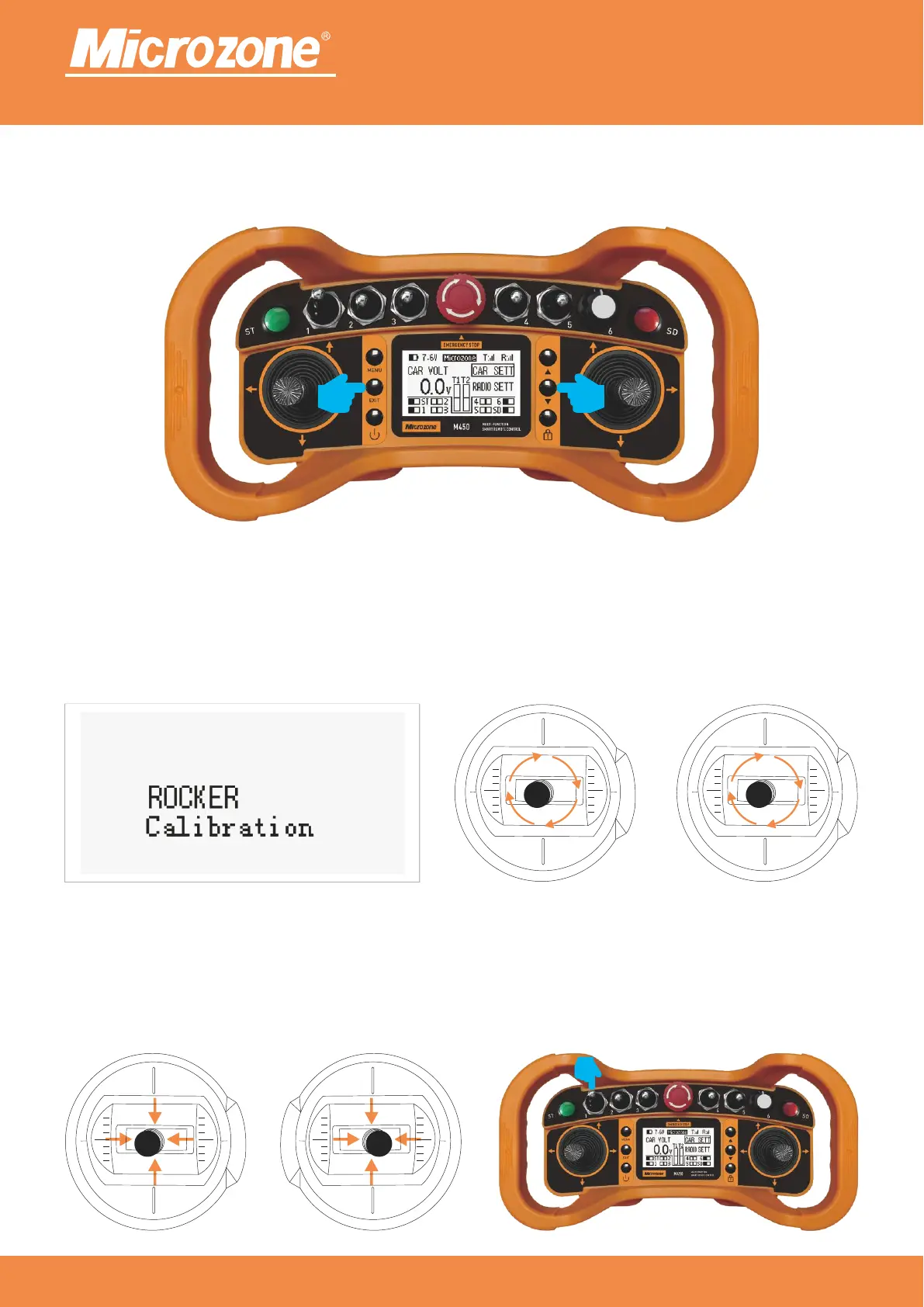
Remote control calibration:
In the power-on state, and while in the main page, press the <EXIT> key and <Next> key simultaneously for
2 seconds, as follows, the,
When the remote control beeps, enter the joystick calibration status, it will show calibration in progress as
shown in Fig. 1, first pull up, down, left, right and right maximally.Pull up, down, left and right the two
joysticks of the remote control to the maximum extent, as shown in Fig. 2,
Then pull the rocker to the center position, as in Figure 1, and finally pull the fixed-speed switch as in Figure
2, the drip stops and the calibration is complete.
Fig. 1 Fig. 2
Fig. 1 Fig. 2



 To Next Page