DIGITAL PROPORTIONAL R/CSYSTEM
www.microzone.cn
2.4GHz
FHSS
Remote Control Setting:
When there is no selection option in the main page, press <MENU> key, then press <PREVIOUS ONE> key
or <NEXT> key to select Remote Control Setting, then press <MENU> key to enter Remote Control Setting,
you can press <PREVIOUS ONE> key or <NEXT> key to select the corresponding option, then press
<MENU> key to enter.
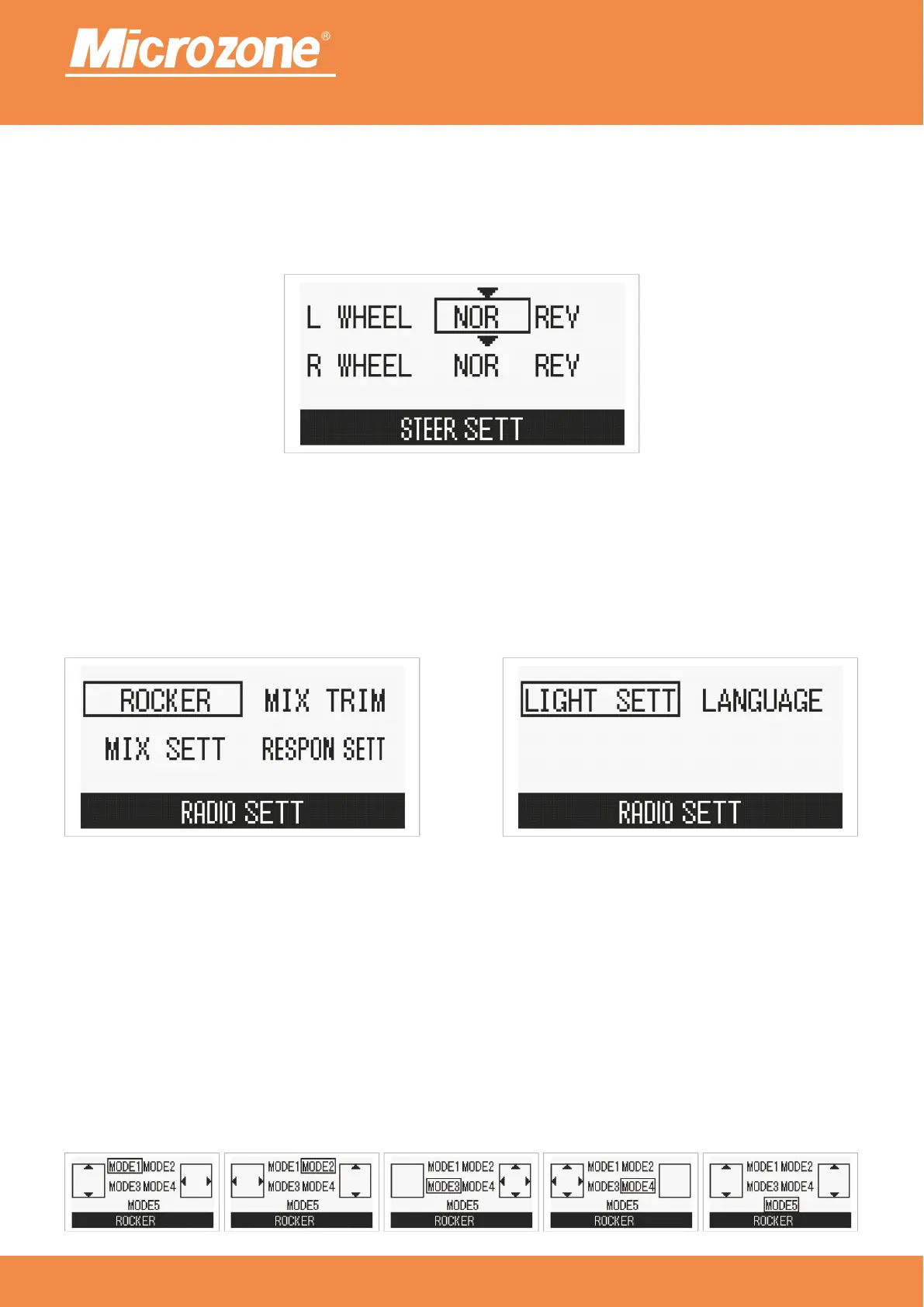
Joystick settings:
left joystick forward and backward control forward and backward, right joystick left and right control Mode 1:
left and right turn;
left joystick left and right control left turn and right turn, right joystick front and back control forward Mode 2:
and backward;
left joystick is invalid, right joystick controls forward, backward, left turn and right turn;Mode 3:
left joystick controls forward, backward, left turn and right turn, right joystick is invalid;Mode 4:
left joystick controls left wheel forward, backward, right joystick controls right wheel forward, Mode 5:
backward;
Press <PREVIOUS ONE> key or <NEXT> key to select the corresponding option, then press <MENU> key to
confirm.
Wheel steering:
The left motor controls the left wheel forward or reverse, and the right motor controls the right wheel forward
or reverse;
Press <PREVIOUS ONE> key or <NEXT> key to select the corresponding option, then press <MENU> key to
confirm.



 To Next Page