Chapter 11 Display Settings
297
11.1 Waveform Settings
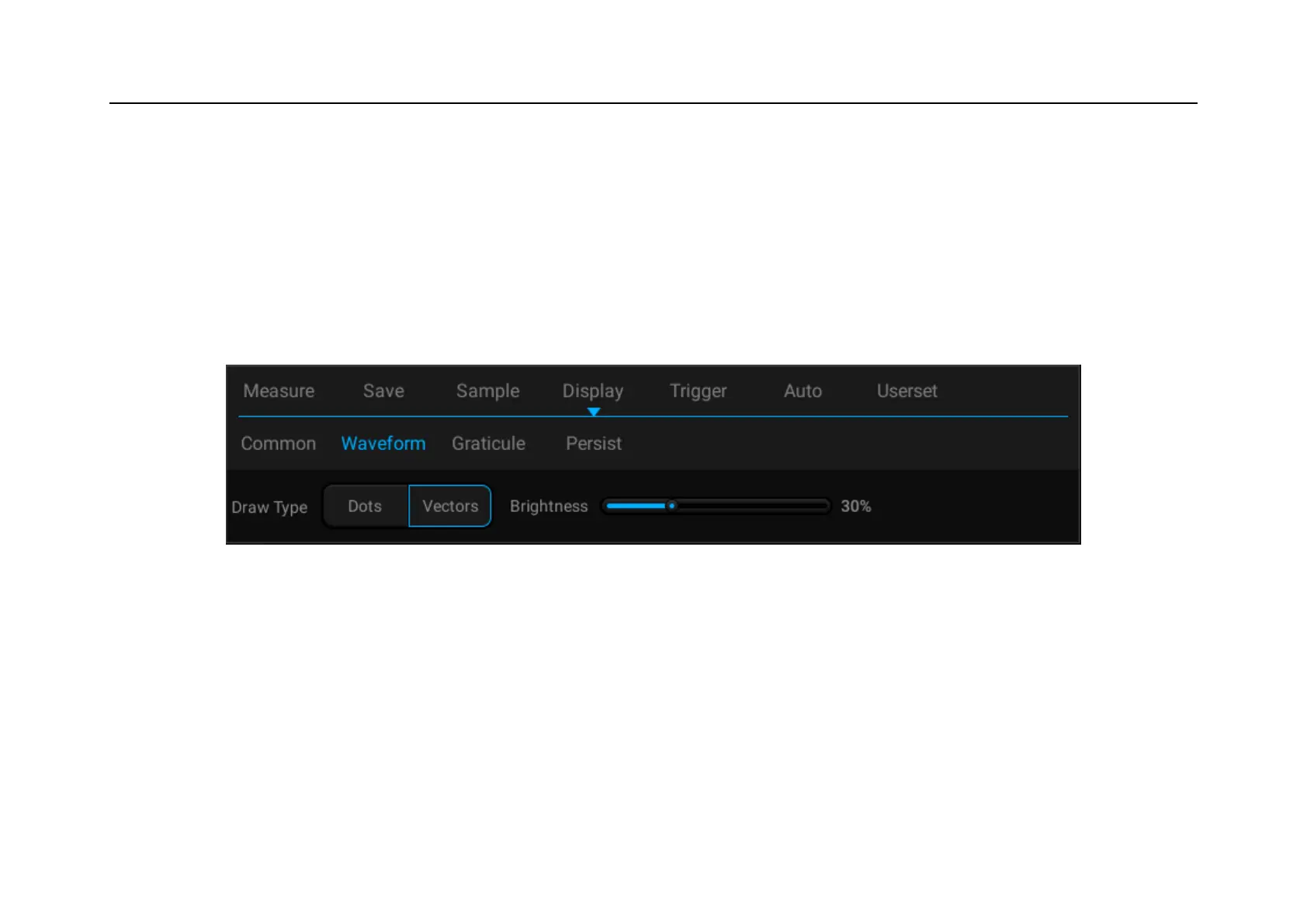
Open the display menu, tap Waveform button to open the waveform display menu. This menu is used to set the
display mode and brightness of waveform. The waveform display mode is divided into two types: dots and vectors.
The waveform brightness percentage is adjustable, and the waveform display setting is shown in Figure 11-2.
Figure 11-2 Waveform Display Menu
11.2 Graticule Setting
Open the display menu and tap Graticule button to open the graticule setting menu (Figure 11-3). Graticule display
mode includes: “Full”, “Grid”, “Crosshair” and “Frame”, and the brightness percentage is adjustable.



 To Next Page